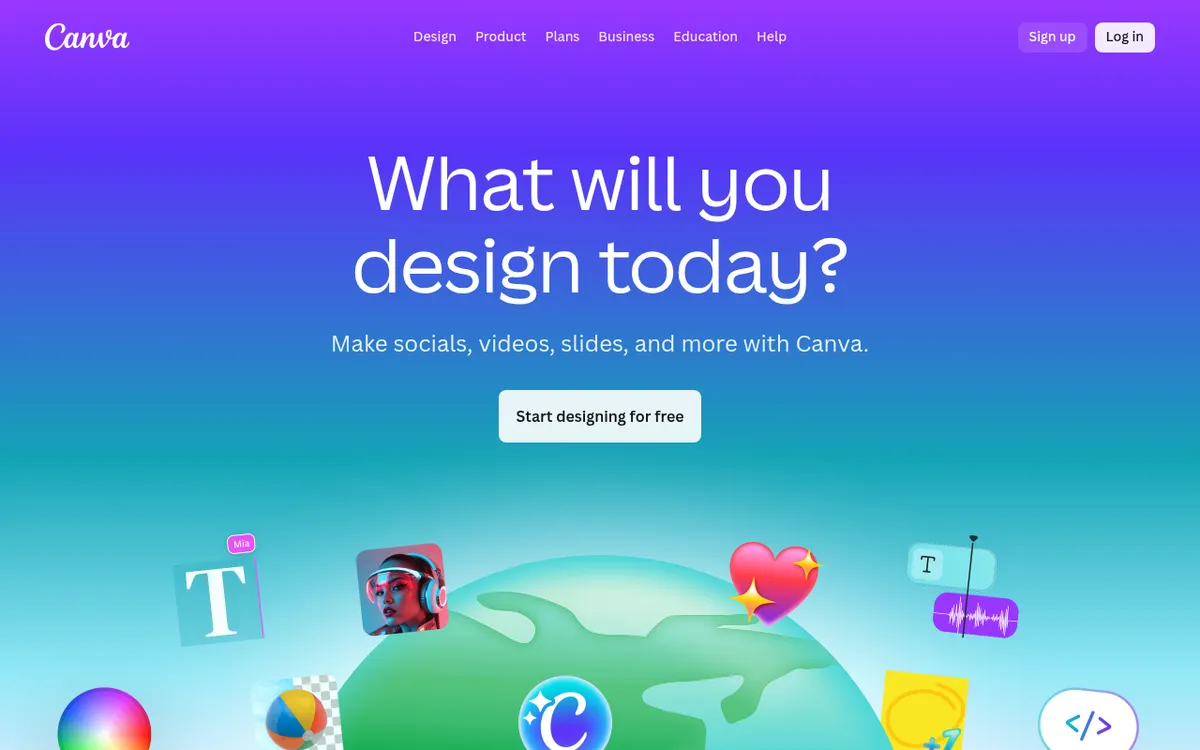
Canva AI Review 2025: The Complete Guide to Canva's Magic Studio
In the rapidly evolving world of digital design, artificial intelligence has become the game-changer that separates industry leaders from the rest. While designers once spent hours perfecting layouts, generating images, and crafting copy, today's AI-powered tools promise to compress these tasks into minutes. Enter Canva AI – a comprehensive suite of artificial intelligence features that's transforming how millions of users approach creative work.
Canva, already the world's most popular design platform with over 190 million monthly active users, has doubled down on AI with their Magic Studio collection. This isn't just another AI tool tacked onto an existing platform – it's a thoughtfully integrated ecosystem that makes professional-quality design accessible to everyone, regardless of their technical expertise or creative background.
As we navigate 2025, the question isn't whether AI will impact design work, but rather which tools will deliver genuine value versus flashy gimmicks. Canva AI stands at the intersection of accessibility and capability, promising to democratize design in ways that seemed impossible just a few years ago.
What is Canva AI?
Canva AI represents the next evolution of the beloved design platform, integrating multiple artificial intelligence capabilities directly into Canva's familiar drag-and-drop interface. Rather than requiring users to jump between different AI tools and design software, Canva AI brings everything together under one roof through their Magic Studio collection.
At its core, Canva AI leverages machine learning models to automate and enhance various aspects of the design process. The system can generate images from text descriptions, write compelling copy, remove unwanted elements from photos, suggest design improvements, and even create complete designs from simple prompts. These capabilities are powered by a combination of Canva's proprietary AI models and partnerships with leading AI companies.
The platform was developed by Canva's engineering team as part of their mission to "empower everyone to design." Recognizing that traditional design software often intimidated non-professionals, Canva AI aims to eliminate technical barriers while maintaining the quality standards that businesses and creators demand. The result is a tool that feels natural to use, whether you're a small business owner creating social media posts or a marketing professional developing campaign materials.
What sets Canva AI apart from standalone AI tools is its deep integration with Canva's existing ecosystem. Users don't need to learn new interfaces or workflows – the AI features seamlessly blend into the familiar Canva experience, appearing as helpful suggestions and one-click enhancements rather than complex separate tools.
Key Features
| Feature | Description | Benefit |
|---|
| Magic Design | AI creates complete designs from text prompts or uploaded images | Generates professional layouts in seconds, perfect for non-designers |
| Text-to-Image Generator | Converts written descriptions into custom images and artwork | Eliminates need for stock photos, creates unique visual content |
| Magic Write | AI copywriting assistant for headlines, descriptions, and content | Overcomes writer's block, maintains consistent brand voice |
| Magic Eraser | Removes unwanted objects or people from images with one click | Professional photo editing without advanced skills required |
| Background Remover | Automatically detects and removes image backgrounds | Creates clean product shots and professional headshots instantly |
| Magic Resize | Instantly adapts designs to different dimensions and formats | Streamlines multi-platform content creation |
| Brand Hub AI | Applies brand colors, fonts, and style automatically | Ensures consistent branding across all designs |
| Magic Animate | Adds motion effects to static designs and text | Creates engaging animated content for social media |
How Canva AI Works
Using Canva AI is designed to be intuitive, following these straightforward steps:
- Access Magic Studio: Log into your Canva account and look for the "Magic Studio" section in the main dashboard or within the design editor.
- Choose Your Starting Point: You can either start with a blank canvas, select from AI-generated suggestions, or upload existing content to enhance.
- Input Your Requirements: Depending on the tool, provide text prompts, select images, or specify your design needs. Be as descriptive as possible for better results.
- Let AI Generate Options: Canva AI will process your input and present multiple variations or suggestions. This typically takes 10-30 seconds depending on the complexity.
- Refine and Customize: Select your preferred option and use Canva's traditional editing tools to make adjustments, change colors, or modify layouts.
- Apply Brand Elements: If you're using Canva Pro, the system can automatically apply your brand colors, fonts, and style guidelines to maintain consistency.
- Export and Share: Once satisfied with your design, export in your preferred format or share directly to social media platforms.
The process is iterative – you can continue refining your prompts and making adjustments until you achieve the desired result. The AI learns from your choices and preferences over time, becoming more aligned with your style and needs.
Pricing & Plans
| Plan | Monthly Price | Annual Price | AI Features | Best For |
|---|
| Canva Free | $0 | $0 | Limited AI generations (5-10 per month), Basic Magic Write, Standard templates | Individuals, casual users, testing the platform |
| Canva Pro | $15 | $120 | Unlimited or high limits on all AI features, Full Magic Studio access, Brand Kit with AI | Solo entrepreneurs, content creators, small businesses |
| Canva Teams | $10/person | $100/person | All Pro features plus team collaboration, Advanced brand controls, Priority support | Teams of 3+ people, agencies, growing businesses |
The free tier offers a genuine taste of Canva AI's capabilities, making it perfect for occasional users or those wanting to test the platform. However, the monthly limits on AI features mean serious users will quickly outgrow the free version.
Canva Pro represents excellent value at $120 annually, especially considering it includes unlimited access to premium templates, stock photos, and AI features that would cost significantly more if purchased separately. For businesses creating regular content, the time savings alone justify the investment.
Teams pricing becomes cost-effective for organizations with multiple designers or content creators, offering collaborative features and centralized brand management that streamline workflow efficiency.
Pros and Cons
✅ Pros
Exceptional Ease of Use: Canva AI maintains the platform's signature simplicity, making advanced AI features accessible to complete beginners without sacrificing functionality.
Comprehensive All-in-One Solution: Unlike competitors that specialize in single functions, Canva AI covers design, copywriting, image generation, and editing in one integrated platform.
Extensive Template Library: Over 2 million templates provide excellent starting points, and AI features enhance rather than replace this valuable resource.
Affordable Pricing Structure: Competitive pricing with genuine free tier makes professional-quality AI design tools accessible to individuals and small businesses.
Seamless Brand Integration: Pro users benefit from automatic brand application, ensuring consistency across all AI-generated content.
Regular Feature Updates: Canva consistently adds new AI capabilities, with 2025 bringing significant improvements to presentation generation and design intelligence.
❌ Cons
AI Image Quality Limitations: While functional, Canva's image generation doesn't match the quality of specialized tools like Midjourney or DALL-E for complex artistic requests.
Design Aesthetic Constraints: AI-generated designs tend to follow Canva's recognizable style, which may not suit brands seeking unique visual identities.
Limited Advanced Customization: Power users may find AI features somewhat basic compared to professional design software with AI plugins.
Credit System Restrictions: Free and lower-tier users face monthly limits that can be restrictive for high-volume content creation.
Generic Output Risk: Without careful prompting, AI-generated content can feel templated and lack originality.
Who Should Use Canva AI?
Small Business Owners and Entrepreneurs will find Canva AI invaluable for creating professional marketing materials without hiring designers. The platform excels at generating social media content, business cards, presentations, and promotional materials that maintain consistency across all touchpoints.
Content Creators and Social Media Managers benefit from the speed and versatility of AI-powered design generation. The ability to quickly adapt content for multiple platforms while maintaining brand consistency makes Canva AI essential for modern content workflows.
Non-Profit Organizations and Educational Institutions can leverage the affordable pricing and user-friendly interface to create compelling visual communications without requiring specialized design skills or large budgets.
Marketing Teams in Mid-Size Companies will appreciate the collaborative features and brand management tools, allowing multiple team members to create on-brand content while maintaining quality standards.
Freelancers and Agencies can use Canva AI to rapidly prototype concepts and create client presentations, freeing up time for strategic work while still delivering professional-quality visuals.
The platform is particularly valuable for anyone who needs professional-looking designs but lacks formal design training or the budget for premium design software and extensive stock photo libraries.
Canva AI vs Alternatives
| Feature | Canva AI | Adobe Express | Figma with AI | Simplified |
|---|
| Ease of Use | Excellent | Good | Moderate | Good |
| AI Image Quality | Good | Very Good | Excellent | Good |
| Template Library | 2M+ templates | 1M+ templates | Limited | 500K+ templates |
| Pricing (Annual) | $120 Pro | $100 Premium | $144 Professional | $144 Pro |
| Collaboration | Excellent | Good | Excellent | Good |
| Brand Management | Very Good | Good | Excellent | Limited |
stands out for its comprehensive feature set and exceptional user experience, making it ideal for users who want everything in one place without complexity.
Adobe Express offers superior AI image generation through Adobe's Firefly technology but lacks Canva's extensive template library and intuitive interface.
Figma with AI plugins provides the most advanced design capabilities and best-in-class collaboration, but requires significant design knowledge and comes with a steeper learning curve.
Simplified offers competitive pricing and good AI features but has a smaller template library and less mature AI integration compared to Canva's Magic Studio.
Tips for Getting Started
- Start with Magic Design: Begin by experimenting with Magic Design prompts to understand how Canva AI interprets your requests. Use specific, descriptive language for better results.
- Leverage Existing Templates: Don't ignore Canva's template library – use AI features to customize existing designs rather than starting from scratch every time.
- Create Brand Guidelines: Set up your brand kit with colors, fonts, and logos before using AI features extensively. This ensures all generated content maintains consistency.
- Experiment with Different Prompts: Try multiple variations of your text prompts for AI image generation. Small changes in wording can produce significantly different results.
- Use Magic Write Strategically: Instead of generating entire blocks of text, use Magic Write for headlines, taglines, and short descriptions where it performs best.
- Combine AI with Manual Editing: Treat AI-generated content as a starting point. The best results come from combining AI efficiency with human creativity and refinement.
- Organize Your Workflow: Create folders for different projects and save successful prompts for future reference. This builds a personal library of effective AI interactions.
Final Verdict
Overall Rating: 4.5/5 Stars
Canva AI represents a significant leap forward in making professional design accessible to everyone. While it may not satisfy users seeking cutting-edge AI image generation or advanced design capabilities, it excels in its primary mission: democratizing design through intelligent, user-friendly tools.
The platform's greatest strength lies in its integration and ease of use. Rather than forcing users to master complex AI prompting techniques or navigate multiple tools, Canva AI feels like a natural extension of the design process. The pricing is fair, the feature set is comprehensive, and the regular updates demonstrate Canva's commitment to staying at the forefront of AI-powered design.
For small businesses, content creators, and anyone who needs to produce professional-looking designs regularly, Canva AI offers exceptional value. The time savings and quality improvements easily justify the Pro subscription cost, while the free tier provides enough functionality for casual users to benefit from AI assistance.
Ready to transform your design workflow with AI? Start with Canva's free tier to explore Magic Studio features, then upgrade to Pro when you're ready to unlock the full potential of AI-powered design. Visit
canva.com to begin your journey into the future of accessible, intelligent design tools.