


About JetBrains AI
JetBrains AI revolutionizes software development by embedding powerful AI assistance directly into JetBrains IDEs. Starting with the 2025.1 release, all JetBrains AI features are now accessible for free, including unlimited code completion powered by local models, AI chat functionality, and access to advanced coding agents like Junie. The platform seamlessly integrates across all JetBrains IDEs including IntelliJ IDEA, PyCharm, WebStorm, CLion, and DataGrip. The AI system provides context-aware suggestions, automated code generation, intelligent refactoring, and multi-file editing capabilities without disrupting your workflow. It supports multiple programming languages and frameworks, offering features like inline documentation generation, commit message creation, and rename refactoring. JetBrains AI leverages both local and cloud-based models including GPT-4, Claude 3.5 Sonnet, and Gemini to provide accurate, contextual assistance. Designed for professional developers and development teams, JetBrains AI scales from individual use to enterprise deployments. The platform's new free model ensures accessibility while providing quota-based access to cloud features, making it ideal for developers already working within the JetBrains ecosystem who want AI-powered coding assistance.
Best For
Pros & Cons
Pros
- Native integration across all JetBrains IDEs
- Free unlimited code completion with local models
- Advanced context awareness using project structure
- Multi-file editing capabilities from AI chat
- Strong privacy controls with local model support
- Enterprise-ready with on-premises deployment options
Cons
- Limited to JetBrains IDE ecosystem only
- Cloud features require quota management
- Full feature set requires existing JetBrains IDE subscription
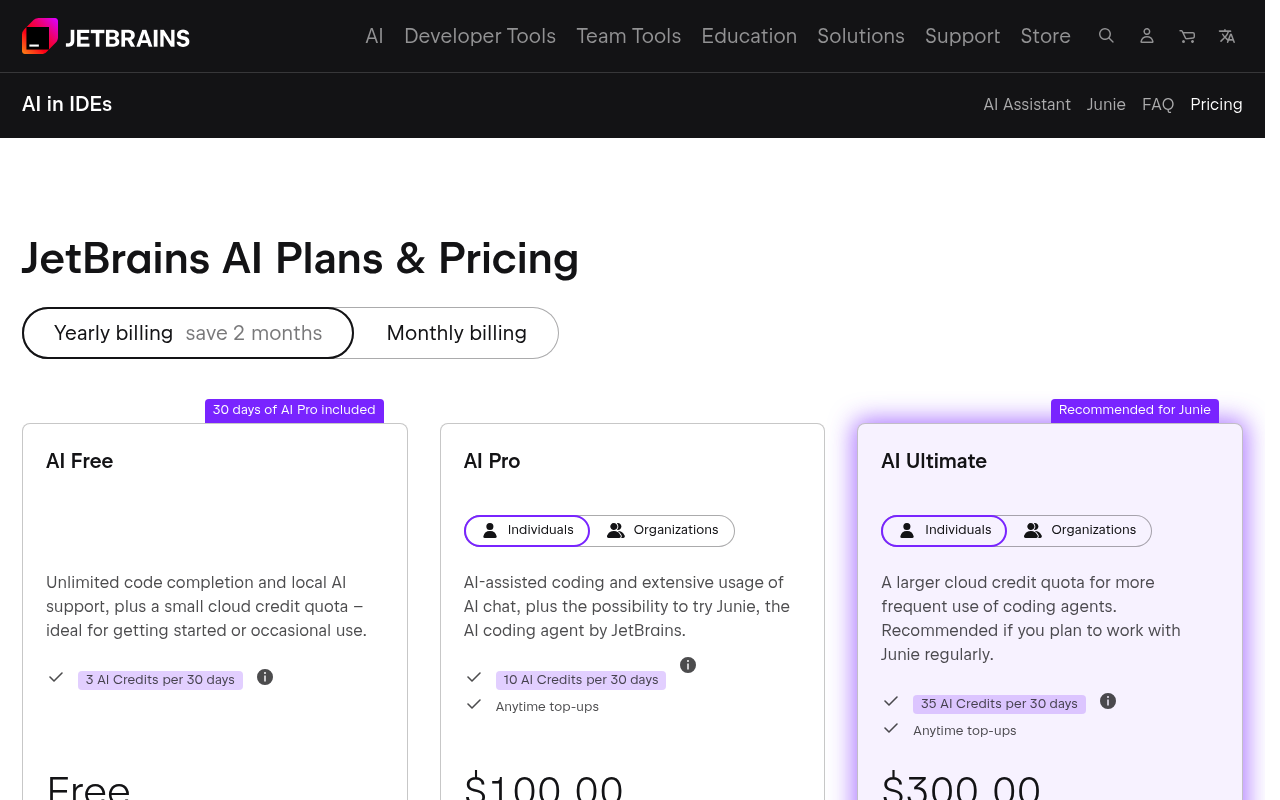
Pricing Plans
- Unlimited code completion
- Local model support
- Basic AI chat
- Limited quota for cloud features
- Enhanced cloud model access
- Increased quota for premium features
- Priority support
- Advanced AI capabilities
- On-premises deployment
- Admin controls and governance
- Custom model integration
- Audit logging and compliance
Prices as of Sep 2026. Check official site for current pricing.
What People Say
I use both, but copilot is better. I have JetBrains AI for the nice integrations like commit messages, easier manual inline suggestions, and grazie.
It honestly confounds me. JetBrains AI for WebStorm (i.e. JavaScript) outperforms ChatGPT and Bard on insane levels. Like, no jokes, this thing
I recently gave the JetBrains AI Assistant a spin in Dataspell, and honestly, I was blown away by how smoothly everything worked.
I have used it for some time and I can say JetBrains AI Assistant gets low ratings for good reason... buggy, intrusive, and limited. Even worse,
JetBrains AI is significantly worse, it feels more like just an AI chat interface and smart autocomplete. On the other hand, the new GitHub
FAQ
What is JetBrains AI?
Transform your coding workflow with JetBrains AI - intelligent code completion, AI chat, and coding agents integrated directly into JetBrains IDEs for enhanced developer productivity.
How much does JetBrains AI cost?
Free • $8 AI Pro • Free (Enterprise)
Is JetBrains AI good for beginners?
It depends on your experience level. Check the features to see if it fits your needs.