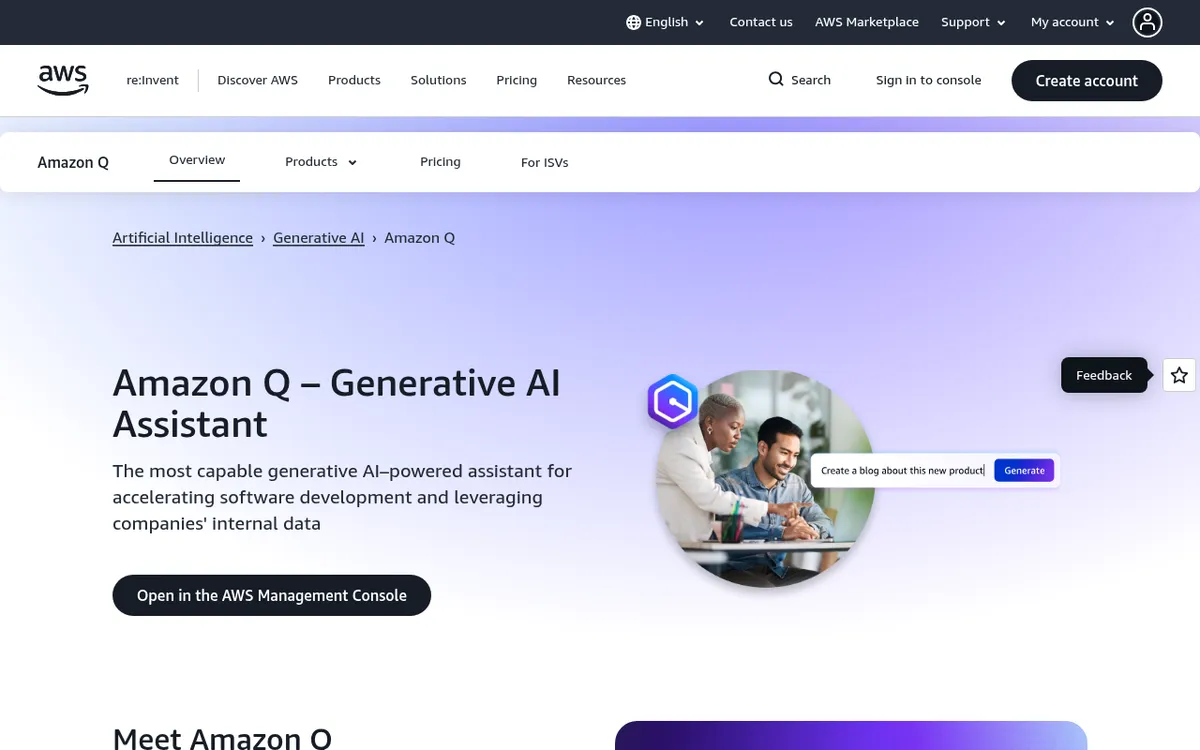
Amazon Q Review 2025: AWS's Most Capable Generative AI Assistant
The enterprise AI landscape experienced a transformative shift when Amazon Web Services launched Amazon Q, positioning it as the most capable generative AI-powered assistant for accelerating software development and leveraging companies' internal data. As organizations race to integrate AI into their workflows, Amazon Q has emerged as a comprehensive solution that spans from developer productivity to enterprise knowledge management.
Amazon Q represents AWS's ambitious vision for AI-assisted work, combining specialized capabilities for software developers, business intelligence analysts, contact center employees, and supply chain managers. With early customers reporting productivity gains exceeding 80% and benchmark-leading performance on autonomous coding tasks, understanding Amazon Q's capabilities is essential for any organization invested in the AWS ecosystem in 2025.
What is Amazon Q?
Amazon Q is Amazon Web Services' generative AI assistant family designed to boost productivity for developers and business users. Launched at AWS re:Invent 2023 and made generally available in April 2024, Amazon Q transforms how work gets done by combining large language models with deep integration into AWS services and enterprise data sources.
The Amazon Q family consists of two primary products: Amazon Q Developer, a coding assistant integrated into IDEs, the AWS Console, and the command line that provides code suggestions, autonomous agents, security scans, and AWS integration; and Amazon Q Business, a generative AI assistant for the workplace that synthesizes information across 40+ enterprise systems to answer questions, generate reports, and complete tasks based on internal data.
What sets Amazon Q apart is its position within the AWS ecosystem. Unlike standalone AI assistants, Amazon Q leverages your existing AWS infrastructure, understands your cloud environment, and respects your organization's security policies and user permissions. AWS never uses customers' content from Amazon Q to train the underlying models, making it suitable for enterprises with strict data governance requirements.
Amazon Q Developer is the successor to AWS CodeWhisperer, expanding beyond code completion to include autonomous agents, conversational AI for AWS resource usage, and console error diagnostics. Its agentic capabilities have achieved industry-leading scores on the SWE-Bench Leaderboard, proving its excellence at autonomously solving complex software engineering tasks.
Key Features
| Feature | Description | Benefit |
|---|
| Agentic Coding | Autonomous agents that implement features, document, refactor, and upgrade code | Reduces multi-day development work to hours |
| SWE-Bench Leadership | 66% on SWE-Bench Verified, top scores on Leaderboard and Lite | Industry-leading autonomous coding performance |
| 40+ Data Connectors | Connects to SharePoint, Confluence, Salesforce, Slack, Gmail, ServiceNow, S3 | Unified access to enterprise knowledge |
| AWS Cloud Integration | Expert assistance on AWS services, cost optimization, and architecture | Native understanding of your cloud environment |
| Security Scanning | Outperforms leading tools on vulnerability detection | Protects against hard-to-detect security issues |
| Code Transformation | Automates Java upgrades, .NET porting, and large-scale refactoring | Amazon upgraded 1,000 apps from Java 8 to 17 in 2 days |
| Q Apps | Natural language app creation for business automation | Enables non-technical users to build AI workflows |
| Permission-Aware Responses | Respects existing IAM roles and user permissions | Enterprise-grade security and compliance |
| Multi-Model Routing | Selects optimal foundation model from AWS Bedrock | Best model for each task type |
| IDE Integration | Works in VS Code, JetBrains, Visual Studio, Eclipse, CLI | Fits existing developer workflows |
How Amazon Q Works
Amazon Q operates through a sophisticated architecture that combines multiple foundation models with enterprise data integration:
For Developers (Amazon Q Developer):
Amazon Q Developer analyzes your code context, repository patterns, and AWS environment to provide intelligent assistance. Unlike single-model assistants, Q Developer uses multi-model routing through AWS Bedrock—selecting Claude for complex reasoning, Titan for code synthesis, and other models based on your prompt type. The system can read and write files, generate code diffs, and run shell commands while incorporating your feedback.
The agentic coding experience plans multi-step implementations, connects different steps together, and applies updates across source files, code blocks, and test suites—all while explaining its reasoning. For transformation tasks, Q Developer analyzes entire codebases, creates branches, proposes changes, and documents the process.
For Business Users (Amazon Q Business):
Amazon Q Business uses Retrieval Augmented Generation (RAG) to combine your enterprise data with AI capabilities for precise, contextual responses. When you ask a question, Q Business searches across all connected data sources while respecting your existing access permissions—users only see answers based on data they're authorized to access.
The system connects to 40+ enterprise tools through built-in connectors, synthesizing information from platforms like Microsoft Exchange, Salesforce, Slack, and ServiceNow. Amazon Q Business Pro users can create Q Apps—lightweight AI applications built using natural language that automate tasks like HR requests, meeting scheduling, or data reports.
AWS Integration:
Throughout the AWS Console, Amazon Q provides contextual assistance—from EC2 instance recommendations and cost analysis to network connectivity troubleshooting and support case creation. In Amazon Connect, Q acts as a real-time assistant for contact center agents. In QuickSight, it enables natural language dashboard creation and data Q&A.
Pricing & Plans
Amazon Q Developer
| Plan | Price | Key Features |
|---|
| Free Tier | $0/month | Code suggestions, 50 agentic requests/month, security scanning, reference tracking |
| Pro Tier | $19/user/month | 1,000 agentic requests/month, 4,000 LOC transformations/month, enterprise SSO, IP indemnification |
Amazon Q Business
| Plan | Price | Key Features |
|---|
| Lite | $3/user/month | Basic Q&A, permission-aware responses, enterprise data access |
| Pro | $20/user/month | Full capabilities, Q Apps, QuickSight Reader Pro, plugins, advanced integrations |
Amazon Q in QuickSight
| Role | Price | Key Features |
|---|
| Reader | $3/user/month | Interactive dashboards, data alerts, multi-visual Q&A |
| Reader Pro | $20/user/month | + Generative BI, data stories, executive summaries |
| Author | $24/user/month | Dashboard creation, data connections, Q&A capabilities |
| Author Pro | $50/user/month | + Natural language dashboard building, Q Topics creation |
Additional Costs
- Enterprise Index: $0.264/hour per 20K document unit
- Transformation (over Pro allocation): $0.003 per line of code
- Amazon Connect: $0.0015/chat message, $0.0080/voice minute
Cost Optimization Tips:
- Subscriptions are deduplicated across Q Business apps sharing the same IAM Identity Center
- Prompt caching and batch processing can significantly reduce API costs
- Free tiers available for initial evaluation before committing to Pro plans
Pros and Cons
Pros ✓
- Industry-leading autonomous coding with 66% on SWE-Bench Verified and top leaderboard scores
- Deep AWS integration provides native understanding of your cloud environment and resources
- Enterprise-grade security with SOC, ISO, HIPAA, and PCI compliance
- 40+ data source connectors unify enterprise knowledge access
- No data training — AWS never uses your content to train underlying models
- IP indemnification included in Pro tier for legal protection
- Generous free tier allows evaluation before commitment
- Multi-model routing optimizes each request for best results
- Massive productivity gains — early customers report 80%+ improvement
- Q Apps enable non-technical users to build AI-powered workflows
- 90-day IAM Identity Center sessions reduce re-authentication friction
- Rapid feature cadence — conversation search, GitLab Duo, European region support added in 2025
Cons ✗
- Heavily AWS-centric — less useful for non-AWS development
- Steeper learning curve for developers unfamiliar with AWS tools
- Enterprise Index costs can add up for large document repositories
- Limited language support historically — stronger with Python, JavaScript, TypeScript, Java
- Usage limits can make monthly costs unpredictable for heavy agentic usage
- Newer ecosystem — fewer community integrations than GitHub Copilot
- Context limitations compared to some competitors' larger context windows
- Requires IAM configuration — misconfigured roles can limit Q's effectiveness
Who Should Use Amazon Q?
AWS-Native Development Teams benefit most from Amazon Q Developer's deep integration with the AWS ecosystem. If your stack is heavily AWS-centric, Q Developer's native understanding of CloudFormation templates, Lambda functions, IAM policies, and AWS SDKs provides contextual assistance no other tool can match.
Enterprise IT Organizations managing complex AWS environments will appreciate Q's ability to optimize cloud costs, diagnose networking issues, select appropriate instances, and provide architectural best practices directly in the console.
Large Enterprises with Diverse Data Sources can leverage Amazon Q Business to unify knowledge across 40+ enterprise systems, enabling employees to get fast, relevant answers without searching multiple platforms.
Contact Center Operations using Amazon Connect gain AI-powered real-time assistance for agents, with suggested responses, troubleshooting guidance, and knowledge base integration that reduces handle times.
Business Intelligence Teams can use Amazon Q in QuickSight to build dashboards with natural language, create data stories, and enable self-service analytics across the organization.
Organizations with Strict Compliance Requirements benefit from Q's enterprise-grade security, data isolation, and the assurance that AWS never trains models on customer content.
Java Modernization Projects can leverage Q Developer's transformation agents to automate major version upgrades—Amazon themselves upgraded 1,000 applications from Java 8 to Java 17 in just two days.
Amazon Q vs Alternatives
| Feature | Amazon Q Developer | GitHub Copilot | Gemini Code Assist |
|---|
| Pricing | Free + $19/month Pro | $4-21/user/month | Pay-per-use |
| SWE-Bench | 66% (Top scores) | ~55% | ~50% |
| Context Window | Multi-repo indexing | 64K tokens | 128K tokens |
| Cloud Integration | Native AWS | General-purpose | Google Cloud |
| Model Architecture | Multi-model routing | GPT-4o single model | Gemini single model |
| Free Tier | Generous | Limited | Pay-per-use |
| IDE Support | VS Code, JetBrains, Visual Studio, Eclipse | VS Code, JetBrains, Visual Studio, Neovim | VS Code, JetBrains |
| Autonomous Agents | Industry-leading | Basic | Basic |
| IP Indemnification | ✓ (Pro) | ✓ (Business) | ✓ |
In a rigorous enterprise bakeoff with 430+ engineers, GitHub Copilot delivered 2x higher adoption and 2x better acceptance rates. However, Amazon Q Developer excels in AWS-specific workflows, multi-repo architectures, and regulated enterprise workloads requiring granular permissions control.
Choose Amazon Q if: Your development is AWS-centric, you need cloud infrastructure assistance, you have strict compliance requirements, or you want unified AI across development and business functions.
Choose GitHub Copilot if: You want platform-agnostic development, work primarily in GitHub-hosted repos, prioritize rapid adoption, or are in the Microsoft ecosystem.
Choose Gemini if: You're heavily invested in Google Cloud and Workspace, need massive context windows, or prioritize multimodal capabilities.
Tips for Getting Started
Start with Free Tiers: Take advantage of Q Developer's free 50 agentic requests and Q Business Lite's $3 plan to explore capabilities before committing to Pro.
Configure IAM Properly: Always double-check your IAM roles when deploying Q. Misconfigured roles can limit Q's access to data and reduce effectiveness. This is crucial for both security and functionality.
Leverage AWS Training: AWS offers free courses through the "AI Ready" initiative—"Amazon Q Introduction" provides a high-level overview, while "Amazon Q Business Getting Started" covers technical implementation.
Clean Your Data Sources: When setting up Q Business connectors, ensure your data sources are well-organized. Clean data means better answers and fewer hallucinations.
Use Specific Prompts: Write clear prompts with context. Instead of "fix this code," try "Analyze this Lambda function for timeout issues and suggest optimization strategies based on our current IAM policies."
Monitor Usage: Set budgets and alarms in AWS Budgets, track usage with AWS Cost Explorer, and tag Q resources by project or department for accurate cost allocation.
Start Small, Scale Smart: Begin with a pilot team or specific use case before rolling out organization-wide. Test Q Developer's agents with a contained refactoring project or Q Business with a single department's documentation.
Combine with Other AWS Services: Pair Q with Amazon Bedrock for custom model fine-tuning or Amazon Kendra as an additional data source to improve answer quality.
Access Methods:
- IDE: Install the Amazon Q extension in VS Code, JetBrains, Visual Studio, or Eclipse
- CLI: Use Q Developer in your terminal for autocompletions and AI chat
- Console: Access Q directly in the AWS Management Console
- Slack/Teams: Deploy Q Developer in Microsoft Teams or Slack for team collaboration
- API: Use
amazon.q model identifiers for programmatic access
Final Verdict
Rating: 8.8/10
Amazon Q represents AWS's comprehensive answer to the enterprise AI assistant challenge. For organizations deeply invested in the AWS ecosystem, Q Developer offers unmatched integration and cloud-native intelligence, while Q Business provides a secure, permission-aware way to leverage organizational knowledge.
The platform's autonomous coding capabilities have achieved industry-leading benchmarks, and its ability to reduce multi-day development work to hours (as demonstrated by Amazon's own Java upgrade project) showcases real-world value. The combination of generous free tiers, enterprise-grade security, and rapid feature development makes it a compelling choice for AWS-centric organizations.
However, Amazon Q's value proposition diminishes significantly for teams not committed to AWS. Organizations with multi-cloud strategies or those prioritizing platform-agnostic development may find GitHub Copilot's broader appeal more suitable. The learning curve for AWS-unfamiliar developers and the complexity of proper IAM configuration also present adoption barriers.
Recommendation: Amazon Q is highly recommended for enterprise development teams building on AWS who need AI assistance that deeply understands their cloud environment. Its combination of coding excellence, business intelligence, and enterprise security makes it a strategic choice for organizations looking to consolidate their AI tooling within the AWS ecosystem. For mixed-cloud or cloud-agnostic teams, evaluate whether Q's AWS-specific advantages justify the commitment.
Ready to transform your development and business workflows? Start exploring Amazon Q today at aws.amazon.com/q. Try the free tiers to experience autonomous coding and enterprise AI assistance, then scale to Pro as your usage grows. Sign up for AWS's free "Amazon Q Introduction" and "Amazon Q Business Getting Started" courses to accelerate your adoption.