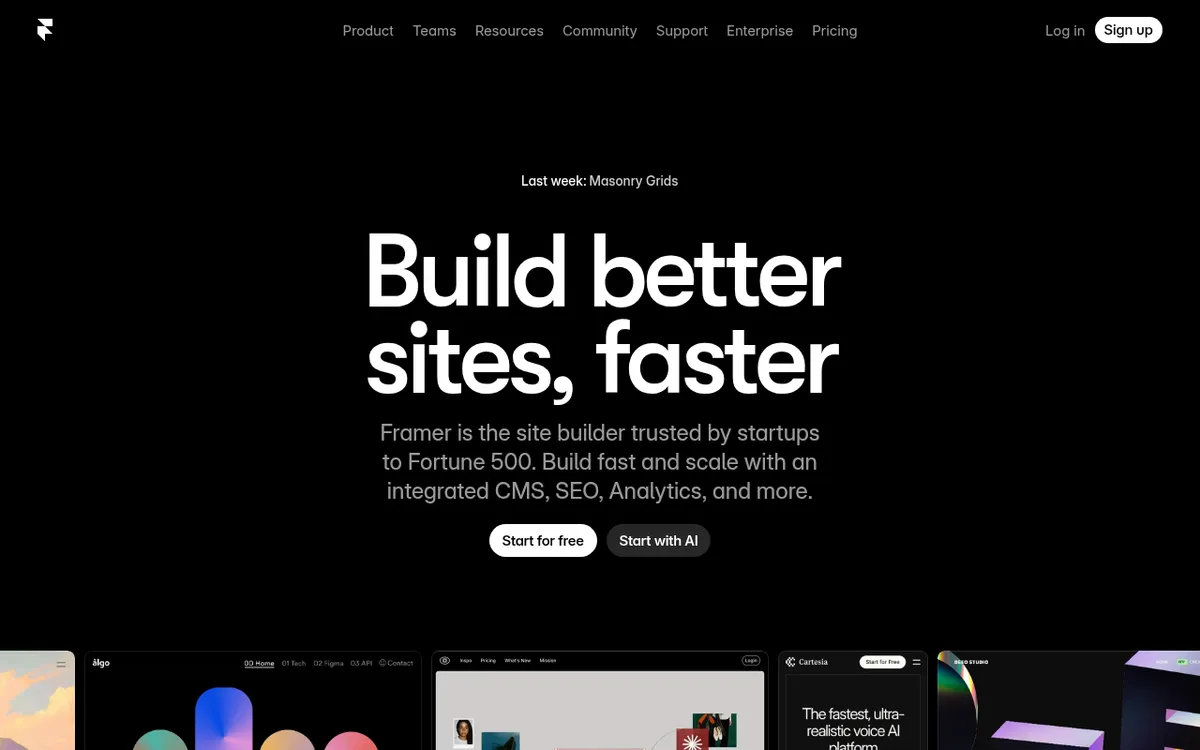
Framer Review 2025: The Complete Guide to AI-Powered Web Design
In 2025, something extraordinary happened in the design world. While developers struggled with complex coding and designers faced endless handoffs between teams, Framer emerged as the tool that didn't just promise to bridge the gap between design and development — it obliterated it entirely. With over 1.7 million unique visitors and 3.2 million total pageviews, Framer has become the go-to platform for professionals who want to create stunning websites without touching a single line of code.
What is Framer? (The Complete Guide for 2025)
Framer is a revolutionary website design platform that combines AI-powered design tools with a no-code visual editor, enabling anyone to build professional, responsive websites in minutes rather than days. Created by Framer, this platform has redefined how teams approach web development by integrating design and coding into one seamless workflow.
What sets Framer apart in 2025 is its sophisticated AI capabilities. The platform's spring 2025 update introduced groundbreaking features like Wireframer, an AI-powered layout generator that creates responsive designs from simple text prompts. This means you can describe the website you want, and Framer's AI will generate a complete layout structure, cutting design time from days to minutes.
Unlike traditional website builders that limit creativity or complex development platforms that require extensive coding knowledge, Framer strikes the perfect balance. It offers the design freedom of professional tools like Figma while maintaining the accessibility of drag-and-drop builders. For teams in 2025, this translates to faster turnaround times, reduced costs, and the ability to iterate quickly without depending on developers for every small change.
Key Features of Framer
| Feature | Description | Why It Matters |
|---|
| AI Wireframer | Generates responsive layouts from text prompts | Cuts design time from days to minutes, eliminates initial design bottlenecks |
| AI Component Generator | Creates interactive elements with minimal manual coding | Reduces development dependencies, speeds up prototyping |
| On-Page Editing | Allows real-time content updates directly on live websites | Enables instant website updates without technical knowledge |
| Automatic Localization | Built-in multilingual support with seamless translation workflow | Expands global reach without complex internationalization setup |
| Advanced Animations | Continuous animations with persistent state management | Creates professional, engaging user experiences |
| Built-in Analytics | Comprehensive traffic tracking and performance monitoring | Eliminates need for separate analytics tools, provides actionable insights |
| CMS with Gallery Fields | Content management system with enhanced image handling | Streamlines content updates and media management |
| Fast Hosting & Publishing | Optimized hosting with up to 150% faster interactivity | Improves user experience and SEO rankings through better performance |
How Framer Works
Getting started with Framer follows a streamlined workflow that leverages its AI capabilities:
- AI-Powered Wireframing: Begin by describing your desired website layout to Framer's Wireframer tool. The AI generates responsive layouts based on your text prompts, providing a solid foundation for your design.
- Visual Design Customization: Use Framer's intuitive drag-and-drop interface to refine the AI-generated layout. The platform offers professional templates and complete design flexibility, similar to working in Figma but with web-specific optimizations.
- Interactive Component Integration: Add dynamic elements using Framer's AI component generator. This feature creates interactive buttons, forms, and animations without requiring coding knowledge.
- Content Management Setup: Leverage Framer's built-in CMS to add and organize your content. The 2025 updates include gallery fields for easier image management and streamlined content workflows.
- Publishing and Optimization: Deploy your website with Framer's fast hosting infrastructure. The platform automatically handles SEO optimization, mobile responsiveness, and performance enhancements, ensuring your site loads quickly and ranks well in search engines.
Framer Pricing in 2025
Framer simplified its pricing structure in 2025 to offer more transparent, usage-based plans:
| Plan | Price | Key Features |
|---|
| Free | $0/month | Unlimited projects, 1,000 monthly visitors, framer.website domain |
| Basic | $10/month | Custom domain, AI-powered design tools, fast hosting, built-in SEO |
| Pro | $30/month | Advanced features, team collaboration, priority support, additional editors ($20/month each) |
| Scale | $100/month | Usage-based pricing, advanced analytics, white-label options |
| Enterprise | Custom pricing | Custom contracts, fixed SLAs, advanced security, direct engineering support |
- Students get a free Basic plan worth $120 annually
- Affiliate program offers 50% commission on first-year subscriptions
- Annual billing discounts available across all paid plans
The pricing represents excellent value, especially considering Framer includes hosting, analytics, CMS, and AI tools that would typically require multiple separate subscriptions.
Pros and Cons
Pros:
- ✅ Powerful AI capabilities eliminate the need for coding expertise, with Wireframer generating layouts in minutes
- ✅ Generous free tier offers unlimited projects and 1,000 monthly visitors, perfect for testing and small projects
- ✅ All-in-one solution includes hosting, analytics, SEO optimization, and CMS in a single platform
- ✅ Intuitive interface familiar to designers, especially those experienced with Figma
- ✅ Fast performance with up to 150% faster interactivity thanks to 2025 optimization updates
- ✅ Excellent collaboration features enable teams to work together seamlessly with role-based access
Cons:
- ❌ Limited CMS functionality compared to dedicated platforms like WordPress for content-heavy websites
- ❌ Learning curve for advanced features like complex animations and custom interactions
- ❌ Team pricing can escalate quickly with additional editors costing $20/month each
- ❌ Missing granular content features such as advanced quote functionality and complex content structures
Who Should Use Framer?
👨💻 Designers and Creative Professionals: If you're building portfolios, showcases, or client websites, Framer's AI-powered design tools and professional templates provide the perfect balance of creativity and functionality without requiring development skills.
🎨 Small Business Owners: Entrepreneurs needing professional websites with multilingual capabilities will appreciate Framer's automatic localization features and built-in SEO optimization, enabling global reach from day one.
📈 Startups and Growing Companies: Teams requiring rapid website development and frequent iterations benefit from Framer's collaborative features and fast deployment capabilities, allowing quick pivots and A/B testing.
🌐 Marketing Teams: Professionals creating landing pages, campaign sites, and marketing assets can leverage Framer's built-in analytics and fast publishing speed to launch and optimize campaigns quickly.
🎓 Students and Educators: With free Basic plans for students, Framer serves as an excellent learning platform for understanding modern web design principles and AI-assisted development.
Framer vs Competitors
| Feature | Framer | Webflow | Figma | WordPress |
|---|
| AI-Powered Design | ✅ Advanced Wireframer | ❌ Limited | ❌ None | ❌ Plugin-dependent |
| No-Code Building | ✅ Excellent | ✅ Good | ❌ Design only | ❌ Requires coding |
| Built-in Hosting | ✅ Fast & optimized | ✅ Good | ❌ None | ❌ Separate required |
| Learning Curve | 🟡 Moderate | 🔴 Steep | 🟢 Easy | 🔴 Complex |
| Free Tier | ✅ Generous | 🟡 Limited | ✅ Good | ✅ Basic |
| CMS Capabilities | 🟡 Good | ✅ Excellent | ❌ None | ✅ Excellent |
Getting Started with Framer
- Start with AI Wireframing: Begin your first project by describing your website concept to Framer's Wireframer. Be specific about layout preferences, target audience, and key features to get better AI-generated results.
- Explore Template Library: Browse Framer's professional templates to understand design patterns and best practices. Templates serve as excellent starting points and learning resources.
- Master the Design Canvas: Spend time familiarizing yourself with Framer's design tools. If you're coming from Figma, you'll find many similarities, but web-specific features like responsive breakpoints work differently.
- Practice with Animations: Start with simple hover effects and transitions before attempting complex animations. Framer's animation system is powerful but requires understanding of timeline and state management.
- Utilize the Free Plan: Take advantage of Framer's generous free tier to build multiple test projects. This allows you to explore features without financial commitment and build confidence before upgrading.
Final Verdict: Is Framer Worth It in 2025?
⭐ Rating: 4.5/5
Framer represents a significant leap forward in web design technology for 2025. Its AI-powered capabilities, particularly the Wireframer tool, genuinely transform how quickly and efficiently professionals can create websites. The combination of design freedom, built-in optimization, and collaborative features makes it an exceptional value proposition.
Framer is BEST for:
- Designers wanting to expand into web development without learning to code
- Small to medium businesses needing professional websites with multilingual support
- Startups requiring rapid iteration and deployment capabilities
- Marketing teams creating campaign-specific landing pages and websites
Consider alternatives if you:
- Require extensive CMS functionality for content-heavy websites
- Need highly specialized e-commerce features beyond basic selling
- Have a team of experienced developers who prefer custom coding solutions
- Work primarily with complex web applications rather than marketing websites
Bottom Line: In 2025, Framer stands as the most compelling option for professionals who want to create beautiful, functional websites without the traditional complexity of web development. While it may not replace dedicated CMS platforms for every use case, its AI-powered approach to design and development makes it an essential tool for modern digital professionals. The generous free tier makes it risk-free to explore, and the pricing structure scales reasonably with growing needs.
For anyone serious about web design in 2025, Framer deserves a place in your toolkit. The question isn't whether you can afford to try it — with the free plan offering unlimited projects, the real question is whether you can afford not to explore what AI-powered web design can do for your projects.