
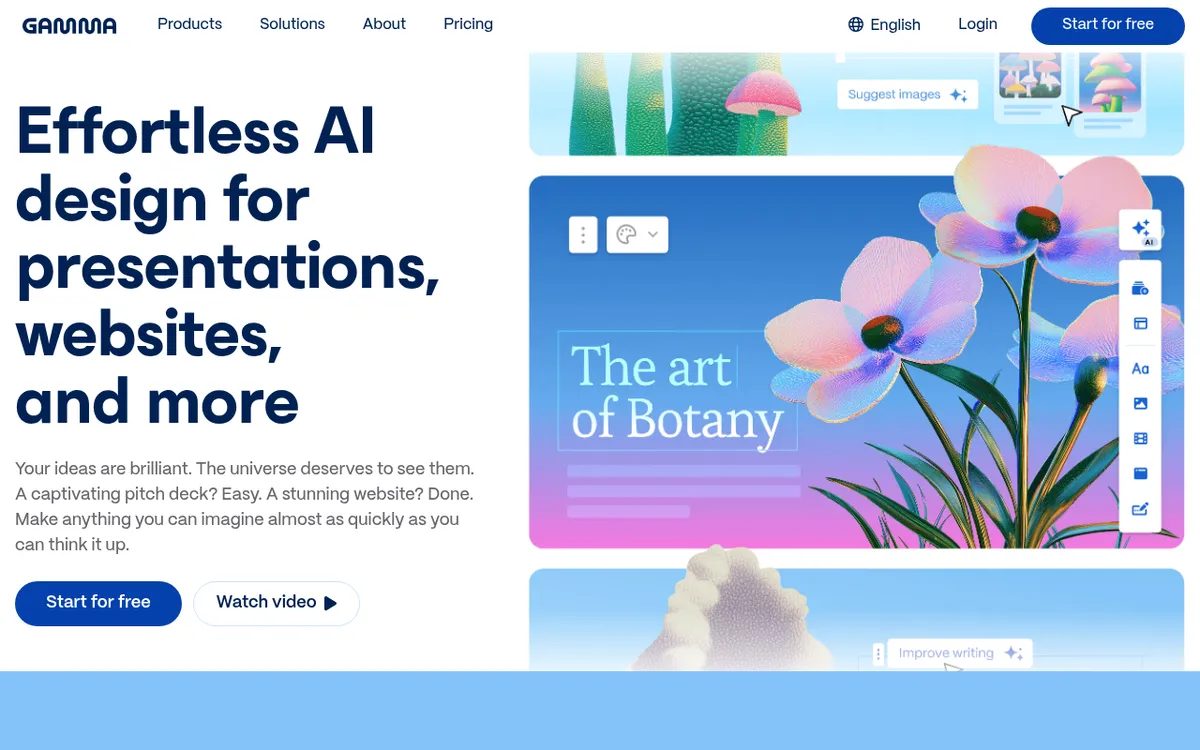
About Gamma
Gamma creates polished presentations, documents, and webpages from simple text prompts. It combines AI content generation with automatic design for quick, professional results.
Pros & Cons
Pros
- Full AI generation
- Beautiful defaults
- Easy sharing
- Good free tier
Cons
- Less customization
- New platform
- Export limitations
- Gamma aesthetic
Best For
In-Depth Analysis of Gamma
A comprehensive look at features, pricing, and everything you need to know.
Gamma Review 2025: The AI-Powered Presentation Tool That's Redefining Content Creation
In the fast-paced world of 2025, creating professional presentations, documents, and web content shouldn't be a time-consuming ordeal. Yet millions of professionals still struggle with outdated tools that require hours of manual design work and content structuring. Enter Gamma, an AI-powered platform that's revolutionizing how we approach content creation by transforming simple text prompts into polished, professional presentations in minutes.
Gamma represents a fundamental shift from traditional presentation tools like PowerPoint and Google Slides. Instead of starting with blank slides and painstakingly crafting each element, Gamma's AI engine handles everything from content generation to visual design, allowing users to focus on their message rather than mechanics. This approach has made Gamma increasingly popular among busy professionals, educators, and businesses looking to streamline their content creation workflow.
As we navigate 2025's competitive landscape, the ability to quickly produce high-quality presentations and documents has become a crucial differentiator. Gamma's recent integration of GPT-Image-1, smart layout suggestions, and advanced AI features has positioned it as a serious contender in the presentation software market, challenging established players with its innovative approach to AI-driven content creation.
What is Gamma?
Gamma is an AI-powered presentation and document creation platform developed by Gamma Tech, Inc. that transforms simple text prompts into complete, professionally designed presentations, documents, and webpages. Unlike traditional presentation tools that require users to manually create each slide and design element, Gamma leverages advanced artificial intelligence to generate both content and visual layouts automatically.
The platform was created to address a fundamental problem in content creation: the time and effort required to produce professional-looking presentations. Traditional tools like PowerPoint have remained largely unchanged for decades, requiring users to spend countless hours on design and formatting instead of focusing on their core message. Gamma's founders recognized that AI could eliminate these bottlenecks, creating a tool that prioritizes speed and quality without sacrificing professional appearance.
At its core, Gamma combines AI content generation with automatic design systems to create what the company calls "beautiful defaults." Users can input a topic or upload existing documents, and Gamma's AI engine will structure the content, select appropriate visuals, and apply professional design principles to create a cohesive presentation. The platform supports multiple content types, including presentations, standalone documents, and web-based content, making it versatile enough for various professional needs.
What sets Gamma apart is its focus on web-native design and easy sharing capabilities. Unlike traditional presentation software that was designed for offline use, Gamma creates content that's optimized for digital sharing and remote collaboration, reflecting the modern workplace's emphasis on cloud-based tools and distributed teams.
Key Features
| Feature | Description | Benefit |
|---|---|---|
| AI Content Generation | Creates complete presentations from simple text prompts using advanced AI | Eliminates writer's block and saves hours of content creation time |
| Smart Layout Engine | Automatically applies professional design principles and layouts | Ensures consistent, polished appearance without design expertise |
| GPT-Image-1 Integration | Advanced AI image generation and editing capabilities | Creates custom visuals that perfectly match your content |
| Document Import | Converts PDFs and PowerPoint files into Gamma format | Easily modernize existing content with AI-powered redesign |
| Multi-Format Export | Export to PDF, PPTX, PNG, and Google Slides | Maintains compatibility with existing workflows and tools |
| Web-Native Sharing | Built-in sharing and collaboration features | Streamlines distribution and team collaboration |
| Template Library | Extensive collection of professionally designed templates | Provides starting points for various industries and use cases |
| Real-Time Collaboration | Multiple users can edit and comment simultaneously | Enhances team productivity and feedback cycles |
How Gamma Works
Using Gamma is remarkably straightforward, designed to minimize the learning curve while maximizing output quality:
- Start with a Prompt: Enter a simple text description of what you want to create, such as "quarterly sales review" or "product launch presentation"
- Choose Your Format: Select whether you want a presentation, document, or webpage, and specify your target audience
- AI Content Generation: Gamma's AI engine analyzes your prompt and generates structured content, including headings, bullet points, and supporting text
- Automatic Design Application: The platform applies professional layouts, color schemes, and typography based on your content and intended use
- Review and Refine: Use Gamma's editing interface to modify content, adjust layouts, or regenerate specific sections
- Add Custom Elements: Incorporate your own images, data, or branding elements to personalize the final product
- Export or Share: Publish directly to the web, share via link, or export to traditional formats like PowerPoint or PDF
The entire process typically takes minutes rather than hours, with Gamma handling the heavy lifting of content structuring and design while allowing users to focus on refining their message and adding personal touches.
Pricing & Plans
| Plan | Price | Key Features | Best For |
|---|---|---|---|
| Free | $0/month | • Up to 10 cards per prompt • Basic AI features • PDF/PPTX export • 50k input tokens (no refresh) | Personal use, testing the platform |
| Plus | $8/month (billed annually) | • Unlimited AI generations • Advanced AI models • Remove Gamma branding • Priority support | Small teams, regular users |
| Pro | $16/month (billed annually) | • Everything in Plus • Advanced analytics • Team collaboration tools • API access | Businesses, larger teams |
Gamma offers excellent value for money, particularly considering the time savings compared to traditional presentation creation. The free tier is genuinely useful for occasional users, providing enough functionality to create professional presentations without any cost. For regular users, the Plus plan offers compelling value at under $10 per month, while the Pro plan includes enterprise-grade features for larger organizations.
The platform also offers monthly billing options for users who prefer flexibility, though the annual plans provide significant savings. Notably, Gamma doesn't require a credit card for the free trial, making it easy to test the platform's capabilities before committing to a paid plan.
Pros and Cons
✓ Pros
- Lightning-fast content creation - Generate complete presentations in minutes rather than hours
- Beautiful default designs - Professional appearance without design skills
- Generous free tier - Substantial functionality available at no cost
- Web-native platform - Optimized for modern sharing and collaboration
- AI-powered content generation - Eliminates writer's block and content structuring challenges
- Multiple export formats - Maintains compatibility with existing tools and workflows
- Regular feature updates - Platform continuously improves with new AI capabilities
- Intuitive interface - Minimal learning curve for new users
✗ Cons
- Limited customization options - Less granular control compared to traditional presentation tools
- Relatively new platform - Fewer third-party integrations and established workflows
- Export limitations on free plan - Some advanced export features require paid subscriptions
- Distinctive Gamma aesthetic - Generated content may have recognizable styling patterns
- Internet dependency - Requires consistent internet connection for full functionality
- AI content quality varies - May require human refinement for complex or specialized topics
Who Should Use Gamma?
Business Professionals who regularly create presentations, pitch decks, or internal documentation will find Gamma invaluable for streamlining their workflow. Sales teams, consultants, and managers can particularly benefit from the platform's speed and professional output quality. Educators and Students can leverage Gamma to create engaging educational content, research presentations, and academic materials. The platform's ability to transform complex topics into well-structured presentations makes it ideal for academic environments. Small Business Owners and Entrepreneurs often lack dedicated design resources but need professional-quality presentations for investors, clients, or marketing purposes. Gamma democratizes access to professional presentation design. Marketing Teams can use Gamma for creating pitch materials, campaign presentations, and client reports. The platform's template library and AI capabilities make it easy to maintain brand consistency across materials. Remote Teams benefit from Gamma's web-native design and collaboration features, making it easier to create and share content across distributed organizations. Anyone seeking efficiency in content creation will appreciate Gamma's ability to eliminate the time-consuming aspects of presentation development while maintaining professional quality.Gamma vs Alternatives
| Feature | Gamma | PowerPoint | Canva | Beautiful.AI |
|---|---|---|---|---|
| AI Content Generation | ✓ Advanced | ✗ Limited | ✗ None | ✓ Basic |
| Speed of Creation | ✓ Minutes | ✗ Hours | ⚠️ Moderate | ✓ Fast |
| Design Quality | ✓ Professional | ⚠️ User-dependent | ✓ Excellent | ✓ Good |
| Learning Curve | ✓ Minimal | ✗ Steep | ⚠️ Moderate | ✓ Low |
| Collaboration | ✓ Web-native | ⚠️ Cloud-based | ✓ Real-time | ✓ Good |
| Export Options | ✓ Multiple formats | ✓ Industry standard | ✓ Various | ⚠️ Limited |
| Pricing | ✓ Freemium | ✗ Expensive | ✓ Affordable | ⚠️ Mid-range |
Tips for Getting Started
- Start with Clear, Specific Prompts - Instead of "marketing presentation," try "Q4 2025 marketing campaign results for SaaS product targeting small businesses." Specific prompts generate more relevant, structured content.
- Use the Document Import Feature - If you have existing PowerPoint presentations or PDFs, upload them to see how Gamma reimagines your content with modern design principles.
- Experiment with Different Content Types - Try creating both presentations and standalone documents to understand Gamma's versatility and find your preferred format.
- Leverage the Template Library - Browse available templates before creating custom content to understand design possibilities and find inspiration for your projects.
- Take Advantage of the Free Tier - Use your free credits strategically to test different types of content and understand Gamma's capabilities before upgrading.
- Refine AI-Generated Content - Treat Gamma's initial output as a strong first draft. Add your expertise, specific data, and personal insights to create truly compelling presentations.
- Practice with Low-Stakes Projects - Start with internal presentations or personal projects to build famiciency with Gamma's interface and workflow before using it for critical business presentations.
Final Verdict
Overall Rating: 4.2/5 starsGamma represents a significant leap forward in presentation technology, successfully combining AI-powered content generation with professional design principles to create a tool that genuinely saves time while improving output quality. The platform excels at its core promise: transforming simple prompts into polished presentations that would typically require hours of manual work.
The generous free tier makes Gamma accessible to individual users and small teams, while the paid plans offer compelling value for organizations that regularly create presentations. The platform's web-native approach and collaboration features align perfectly with modern work patterns, making it particularly valuable for remote and distributed teams.
However, users seeking granular control over design elements or working with highly specialized content may find Gamma's automated approach limiting. The platform works best for standard business presentations, educational content, and marketing materials where speed and professional appearance take precedence over detailed customization.
Recommendation: Gamma is an excellent choice for busy professionals, educators, small businesses, and anyone who wants to dramatically reduce the time spent on presentation creation without sacrificing quality. The free tier provides enough functionality to determine if Gamma fits your workflow, making it a risk-free investment in productivity. Ready to revolutionize your presentation workflow? Start with Gamma's free tier today and experience how AI can transform your content creation process. Visit gamma.app to create your first AI-powered presentation in minutes, not hours.