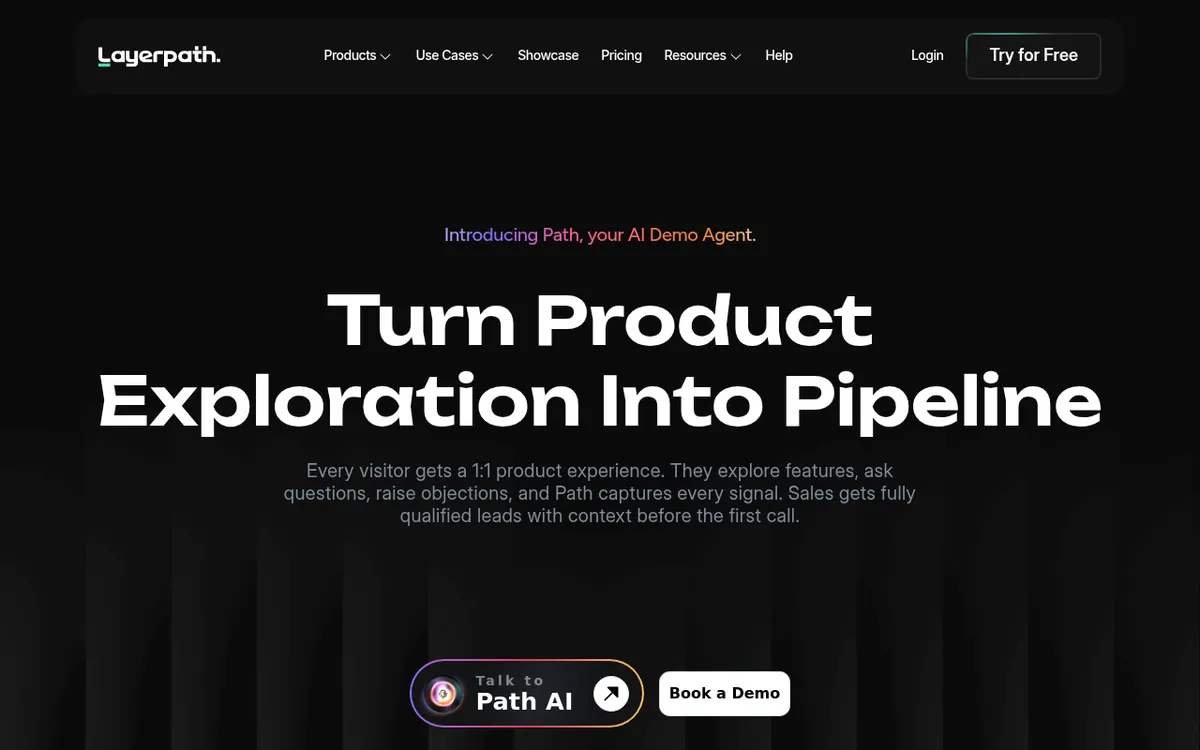
LayerPath Review 2025: AI-Powered Interactive Demo Software + Demo Agent
Rating: 4.4/5 ⭐⭐⭐⭐☆
Executive Summary
| Category | Details |
|---|
| Product Name | LayerPath: Interactive Demo Software + Path AI Demo Agent |
| Founded | 2024 |
| Headquarters | San Francisco, CA, USA |
| Product Hunt Rating | 4.9/5 (Top B2B AI Tool) |
| Core Products | Studio (Demo Creation) + Path AI (Demo Agent) |
| Target Market | B2B SaaS, Sales, Marketing, Customer Success teams |
| Unique Innovation | AI Demo Agent that qualifies leads 24/7 |
| Pricing | Studio: Free to $129/month, Path AI: $499/month |
| Best For | Early/mid-stage SaaS companies, Sales enablement, Product-led growth |
| Key Competitors | Supademo, Arcade, Navattic, Storylane, Fable, Reprise |
| Key Differentiator | Combines demo creation + AI agent for automated qualification |
What is LayerPath?
LayerPath is a dual-product platform that revolutionizes how B2B SaaS companies showcase their products. It consists of two powerful components:
- Studio - Create interactive demos, videos, and step-by-step guides from screen recordings
- Path AI - An AI-powered demo agent that engages website visitors 24/7, answers questions, and qualifies leads
The LayerPath Philosophy
While traditional demo tools stop at content creation, LayerPath goes further: your demos become intelligent, interactive sales agents. Instead of static "watch this video" experiences, Path AI creates personalized conversations with every visitor.
The Problem LayerPath Solves:
Traditional B2B buying is broken:
- Buyers don't want to fill forms just to see a demo
- Sales reps waste time on unqualified leads (tire-kickers)
- Marketing struggles to capture intent data early in the funnel
- Product teams can't scale 1:1 demos
LayerPath's Solution:
Path AI bridges the gap by turning curiosity into qualified pipeline:
- Visitors explore products interactively (no forms required)
- AI answers questions in real-time (like a sales engineer)
- Every interaction captures intent signals (what they care about, objections raised)
- Sales only talks to pre-qualified, educated leads
The LayerPath Ecosystem
Studio: Create Once, Use Everywhere
What Studio Does:
Turns screen recordings into three formats simultaneously:
- Interactive Demos - Clickable product tours (no code)
- Videos - Narrated product videos with AI voiceovers
- Help Docs - Step-by-step guides for knowledge bases
How It Works:
- Record: Capture your workflow with Chrome extension (multi-tab supported)
- AI Processing: Automatically breaks recording into steps based on clicks
- Customize: Add AI voiceovers (32 languages, 300+ voices), branding, callouts
- Publish: Share anywhere (website, email, Slack, docs)
Key Studio Features:
AI-Powered Automation:
- Auto-generates step descriptions
- Creates voiceover scripts (edit before generating)
- Supports 32 languages + native accents
- Converts existing videos/YouTube/Loom links into interactive demos
Customization:
- Brand colors, fonts, logos
- Blur sensitive data
- Add tooltips, zoom effects, animations
- Custom domains (white-label)
Lead Generation:
- Embed lead forms at any step
- Capture viewer information
- Integration with CRMs (HubSpot, Salesforce)
Analytics:
- Track views, completion rates, drop-offs
- See which steps get most engagement
- Measure time spent per step
- Playlist feature: Organize demos into collections
Example Use Case:
SaaS company with 500 outdated product videos:
- Uploaded all 500 videos to Studio
- AI converted them to interactive demos
- Time: Less than 1 hour (vs. weeks to recreate manually)
- Result: Engagement increased 3×, leads captured at every demo step
Path AI: Your 24/7 Demo Agent
What Path AI Does:
Acts as an intelligent sales engineer on your website, engaging visitors in personalized conversations about your product.
How Path AI Works:
1. Knowledge Base:
- Upload demos (from Studio)
- Add documentation, FAQs, product specs
- Path learns your product inside-out
2. Customization:
- Adjust tone (professional, friendly, technical)
- Set persona (sales engineer, product expert)
- Brand visuals (colors, logo)
3. Deployment:
- Embed in website (one line of code)
- Add to chat widget
- Share in email campaigns
4. Analyze:
- See what questions buyers ask
- Track objections raised
- Identify high-intent signals (pricing inquiries, feature comparisons)
- Lead scoring based on engagement
Path AI Capabilities:
Real-Time Product Q&A:
- Answers technical questions instantly
- Shows relevant demo sections (not entire demo)
- Adapts explanations based on visitor's role (CTO vs. Marketing Manager)
Intelligent Qualification:
- Asks discovery questions naturally (company size, use case, timeline)
- Identifies pain points from conversation
- Scores leads based on intent signals
Meeting Booking:
- Schedules demos when buyer is ready
- Passes context to sales rep (what they asked, concerns raised)
- Integrates with Calendly, HubSpot Meetings
CRM Integration:
- Pushes qualified leads to Salesforce, HubSpot, Pipedrive
- Includes conversation transcript + intent data
- Slack notifications for high-intent leads
Example Conversation:
Visitor: "How does your tool handle multi-user collaboration?"
Path AI: "Great question! Our collaboration features include real-time co-editing, role-based permissions, and activity logs. Here's a quick demo showing how teams work together:" [shows relevant 30-second demo clip]
Path AI: "What size team would be using this?"
Visitor: "About 50 people across 3 departments."
Path AI: "Perfect! For teams your size, we recommend our Growth plan. I can show you pricing or schedule a call with our team to discuss custom workflows. What works better for you?"
Target Audience
Perfect For:
Early/Mid-Stage SaaS Companies
- Need to scale demos without scaling headcount
- Limited sales engineering resources
- Product-led growth strategy
Sales Teams
- Tired of demoing to unqualified leads
- Want prospects to self-educate before calls
- Need better lead qualification data
Marketing Teams
- Struggling with low conversion from website traffic
- Want to capture intent data early in funnel
- Need to show product value without gating everything behind forms
Customer Success
- Onboarding new users at scale
- Creating self-serve support resources
- Reducing support ticket volume
Product Managers
- Showcasing new features quickly
- Creating product launch materials
- Demonstrating complex workflows
Not Ideal For:
Enterprise Sales with Complex Custom Demos
- Path AI works best for standardized product demos
- Custom enterprise demos still need human sales engineers
- Better suited for: Reprise (demo sandboxes)
Companies with Non-Technical Products
- Path AI optimized for software demos
- Physical products, services better suited for traditional marketing
Businesses with <$1M ARR
- Path AI at $499/month significant investment
- Consider: Studio alone (free to $129/month)
Teams Needing Advanced HTML Demos
- Studio uses screenshot-based demos (faster but less flexible)
- HTML demos with data injection: Reprise, Navattic
Core Features Breakdown
Studio Features
1. Multi-Format Output
From one screen recording, get three assets:
| Format | Use Case | Delivery |
|---|
| Interactive Demo | Website embed, sales calls | Clickable steps |
| Video | Social media, emails | MP4 with AI voiceover |
| Help Doc | Knowledge base, onboarding | Step-by-step text guide |
: Reduce content creation time by 70% (one recording = three assets)
2. AI Voiceovers
Features:
- 32 languages supported
- 300+ native-accented voices
- Editable scripts (review before generating)
- Tone control (professional, casual, enthusiastic)
Example Languages:
- English (US, UK, Australian, Indian accents)
- Spanish (Spain, Latin America)
- French, German, Italian, Portuguese
- Japanese, Korean, Mandarin Chinese
Use Case:
- Create English demo → Auto-translate to Spanish, French, German for global GTM
- Time saved: 90% (vs. manually recording in each language)
3. Screen Recording + Upload Flexibility
Recording Options:
- Chrome extension (multi-tab support)
- Upload existing video files
- Paste YouTube/Loom links (converts to interactive)
Multi-Tab Support (unique):
- Record workflows spanning multiple browser tabs
- Automatically captures tab switches
- Critical for complex SaaS workflows (e.g., data flows from Tool A → Tool B)
4. Customization Engine
Visual Customization:
- Brand colors, fonts, logos
- Custom backgrounds
- Button styles, hover effects
Interaction Customization:
- Tooltips (explain what to click)
- Zoom effects (highlight specific UI elements)
- Hotspots (clickable areas that trigger actions)
- Dynamic variables (personalize with viewer's name, company)
Privacy Features:
- Blur sensitive data (credit cards, personal info)
- Redact text automatically
- Password fields auto-hidden
5. Analytics Dashboard
Metrics Tracked:
- Total views (unique visitors)
- Completion rate (% who finish demo)
- Average time spent
- Drop-off points (which steps lose viewers)
- Click-through rate (on CTAs)
- Geographical data (where viewers are from)
Advanced Insights:
- Heatmaps (which demo steps get most attention)
- User flow (how viewers navigate non-linearly)
- A/B testing (compare two demo versions)
Lead Intelligence:
- Viewer's company (reverse IP lookup)
- Role/title (from lead form)
- Questions asked (if Path AI integrated)
Path AI Features
1. Intelligent Conversations
Natural Language Understanding:
- Understands intent, not just keywords
- Handles follow-up questions
- Remembers context throughout conversation
Example:
Visitor: "Does this work with Salesforce?"
Path AI: "Yes! We integrate natively with Salesforce. You can sync contacts, deals, and activities. Would you like to see how the setup works?"
Visitor: "Sure, but I'm also using HubSpot."
Path AI: "No problem—we support HubSpot too! In fact, 40% of our customers use both. Here's how you can set up dual-CRM sync:" [shows demo]
2. Adaptive Demo Delivery
Context-Aware Snippets:
- Shows 20-30 second relevant clips (not full 10-minute demo)
- Selects based on question asked
- Jumps to specific features on demand
Example:
Question: "How do I export data?"
Path AI: [Shows 15-second clip of export workflow]
vs. traditional approach: "Here's a 10-minute demo, export feature is at 7:23"
3. Lead Qualification Engine
Intent Signals Captured:
| Signal | Qualification Score |
|---|
| Asks about pricing | +15 points |
| Compares to competitor | +10 points |
| Mentions timeline ("need by Q1") | +20 points |
| Asks technical integration questions | +12 points |
| Requests meeting | +25 points |
| Views demo multiple times | +8 points per view |
- 0-30 points: Low intent (newsletter follow-up)
- 31-60 points: Medium intent (nurture campaign)
- 61-100 points: High intent (immediate sales outreach)
4. CRM + Slack Integration
Data Pushed to CRM:
- Contact information (name, email, company, role)
- Conversation transcript (every question asked)
- Intent signals (scored)
- Objections raised ("too expensive", "need X feature")
- Competitors mentioned
Slack Notifications:
- Real-time alerts for high-intent leads
- Daily digest of qualified conversations
- Custom alerts (e.g., "notify if enterprise company engages")
5. Meeting Booking
Smart Scheduling:
- Integrated calendar (Calendly, HubSpot Meetings)
- Pre-qualifies before offering meeting
- Passes context to rep before call
Example:
Path AI: "Based on your questions about enterprise features and annual billing, I think a 30-minute call with our team would be valuable. Does Tuesday at 2 PM ET work?" [Calendar link appears]
Sales Rep Gets:
- Full conversation transcript
- Company info (50-employee SaaS company)
- Pain points (struggling with multi-team collaboration)
- Objections (concerned about integration complexity)
- Competitor mentions (currently using Loom)
Result: Rep arrives to call fully prepared, closes 2× faster
Pricing: Studio vs. Path AI
Studio Pricing
Free Plan:
- ✅ Unlimited screen recordings
- ✅ 3 projects (demos, videos, guides)
- ✅ Basic AI features
- ✅ 720p video export
- ✅ Basic analytics
- ✅ Layerpath branding
- ❌ No custom domain
- ❌ No lead forms
- ❌ Limited AI voiceovers
Best For: Testing the platform, personal use, small projects
Professional Plan - $39/month:
- ✅ Everything in Free
- ✅ Unlimited projects
- ✅ Remove Layerpath branding
- ✅ Lead forms (capture emails at any step)
- ✅ Advanced analytics (heatmaps, drop-offs)
- ✅ 1080p video export
- ✅ Priority support
- ✅ 50 AI voiceovers/month
Best For: Solo marketers, small teams, startups
Growth Plan - $59/user/month:
- ✅ Everything in Professional
- ✅ Unlimited AI voiceovers
- ✅ Custom domain (demos.yourcompany.com)
- ✅ Team collaboration (shared projects, comments)
- ✅ CRM integrations (HubSpot, Salesforce)
- ✅ A/B testing
- ✅ Advanced lead forms (conditional logic)
- ✅ 4K video export
Best For: Marketing/sales teams (5-20 people)
Enterprise Plan - Custom:
- ✅ Everything in Growth
- ✅ SSO (Single Sign-On)
- ✅ Custom integrations
- ✅ Dedicated account manager
- ✅ SLA guarantees
- ✅ Unlimited users
- ✅ White-label options
Best For: Large enterprises (50+ people)
Path AI Pricing
Currently in Private Beta - Early bird pricing locked in before public launch
Path AI Plan - Starting at $499/month:
- ✅ Includes Studio (full Growth plan features)
- ✅ AI demo agent (24/7 website engagement)
- ✅ Real-time Q&A (answers product questions)
- ✅ Lead qualification (intent scoring)
- ✅ CRM integration (Salesforce, HubSpot, Pipedrive)
- ✅ Slack notifications (high-intent alerts)
- ✅ Meeting booking (Calendly integration)
- ✅ Conversation analytics (what buyers ask)
- ✅ Buyer intent insights (objections, pain points)
Volume Pricing:
- 1,000 conversations/month: $499
- 5,000 conversations/month: $999
- 10,000+ conversations/month: Custom
ROI Calculation:
Scenario: Mid-stage SaaS (10K website visitors/month)
- 10,000 visitors → 2% fill demo form = 200 leads - Sales qualification time: 15 min/lead × 200 = 50 hours - Qualified leads: 30% = 60 SQLs - Cost: 50 hours × $75/hr (sales rep) =
$3,750/month
- 10,000 visitors → 5% engage with Path AI = 500 conversations - AI qualifies automatically = 0 hours - Qualified leads: 40% = 200 SQLs (3.3× more!) - Cost:
$499/month + 0 sales time
Net Savings: $3,251/month + 3.3× more qualified leads
Break-Even: If Path AI generates just 2-3 extra deals/year, ROI is 10×
LayerPath vs. Competitors
LayerPath vs. Supademo
| Feature | LayerPath | Supademo |
|---|
| Primary Focus | Demo creation + AI agent | Demo creation only |
| AI Agent | ✅ Path AI (24/7 qualification) | ❌ No |
| AI Voiceovers | ✅ 32 languages, 300+ voices | ✅ 18 languages |
| Multi-Tab Recording | ✅ Yes | ❌ No |
| Video Output | ✅ Yes (from same recording) | ⚠️ Separate workflow |
| Help Docs | ✅ Yes (auto-generated) | ❌ No |
| Free Plan | ✅ 3 projects | ✅ 5 demos |
| Pricing | $39-$129/month + $499 (AI) | $39-$99/month |
| Best For | Sales-led + Product-led SaaS | Marketing teams |
- Need AI agent for lead qualification
- Want multi-format output (demo + video + docs)
- Multi-tab workflows critical
When to Choose Supademo:
- Don't need AI agent
- Budget-conscious ($99/month max)
- Simpler use case (just interactive demos)
LayerPath vs. Arcade
| Feature | LayerPath | Arcade |
|---|
| Demo Type | Screenshot-based | Screenshot-based |
| AI Agent | ✅ Path AI | ❌ No |
| Ease of Use | ⭐⭐⭐⭐⭐ | ⭐⭐⭐⭐⭐ |
| Customization | High | Medium |
| Analytics | Advanced (heatmaps, drop-offs) | Basic |
| Pricing | $39-$129/month | $29-$79/month |
| Best For | B2B SaaS sales | Marketing content |
- Need lead qualification automation
- Want deeper analytics
- B2B SaaS with complex sales cycle
When to Choose Arcade:
- Budget is priority
- Simple marketing use case
- Don't need AI features
LayerPath vs. Navattic
| Feature | LayerPath | Navattic |
|---|
| Demo Type | Screenshot-based | HTML-based |
| Realism | Good | Excellent (live product) |
| Setup Complexity | Easy (record screen) | Complex (developer required) |
| Maintenance | Low (AI auto-updates) | High (manual updates on product changes) |
| AI Agent | ✅ Path AI | ❌ No |
| Pricing | $39-$129/month | $500+/month |
| Best For | Fast demo creation | Pixel-perfect demos |
- Need demos quickly (hours, not weeks)
- Limited dev resources
- Want AI-powered qualification
When to Choose Navattic:
- Need fully interactive product clone
- Have dev resources for setup/maintenance
- Enterprise budget ($500-$2K/month)
LayerPath vs. Reprise
| Feature | LayerPath | Reprise |
|---|
| Approach | AI-powered automation | Developer-heavy customization |
| Demo Type | Screenshot + AI | HTML sandbox |
| Data Injection | ❌ No | ✅ Yes (Reprise Reveal) |
| Sandbox Environment | ❌ No | ✅ Yes (Reprise Replicate) |
| AI Agent | ✅ Path AI | ❌ No |
| Setup Time | Minutes | Weeks |
| Pricing | $39-$499/month | $2,000-$10,000+/month |
| Best For | Early/mid-stage SaaS | Enterprise SaaS |
- Need demos in minutes/hours
- Budget under $500/month
- Want AI-powered lead qualification
When to Choose Reprise:
- Need pixel-perfect demo sandbox
- Have $50K+ budget
- Enterprise with complex demo requirements
LayerPath vs. Storylane
| Feature | LayerPath | Storylane |
|---|
| Demo Type | Screenshot-based | Screenshot-based |
| AI Agent | ✅ Path AI | ❌ No |
| Collaboration | ✅ Team features (Growth plan) | ⚠️ Limited |
| Video Export | ✅ Yes | ❌ No |
| Pricing | $39-$129/month | $40-$100/month |
| G2 Rating | N/A (new) | 4.7/5 |
- Need AI demo agent
- Want video output option
- Prefer modern AI-first approach
When to Choose Storylane:
- Proven track record important (established 2021)
- Don't need AI features
- Just need solid interactive demos
Strengths: What LayerPath Does Better
Dual Product Strategy
Unique Position:
Most competitors offer either:
- Demo creation tools (Supademo, Arcade)
- OR AI chatbots (Drift, Intercom)
LayerPath offers
both:
- Studio creates demos
- Path AI turns those demos into intelligent conversations
Impact:
- Time to value: Create demo (5 min) → Deploy AI agent (2 min) = 7 minutes to automated sales
- Cost efficiency: One platform (vs. buying separate demo tool + AI chatbot)
- Data continuity: Analytics from Studio feed Path AI (knows which demos perform best)
AI Agent Lead Qualification
The Problem Path AI Solves:
Traditional lead qualification:
- Visitor fills form → 2. Rep schedules call → 3. Rep qualifies (15-30 min) → 4. Rep demos product → 5. Buyer decides
Path AI's Approach:
- Visitor engages with AI → 2. AI shows relevant demos + qualifies simultaneously → 3. Rep calls only pre-qualified, educated buyers
ROI:
- Sales time saved: 60-80% (reps skip tire-kickers)
- Lead quality increase: 2-3× more SQLs (AI filters better than forms)
- Conversion rate: +40% (buyers arrive educated, not cold)
Example:
Traditional Process:
- 100 demo requests → 60 unqualified leads wasted → 40 qualified leads → 10 closed deals
- Sales time: 100 × 30 min = 50 hours
Path AI Process:
- 100 AI conversations → 10 unqualified filtered out → 90 qualified leads → 22 closed deals (2.2× conversion!)
- Sales time: 90 × 15 min (shorter calls) = 22.5 hours (55% time savings)
Record Once, Use Everywhere:
From one 10-minute screen recording:
| Output | Creation Time | Use Case |
|---|
| Interactive Demo | Auto (0 min) | Website embed, sales calls |
| Video (MP4) | 2 min (AI voiceover) | Social media, email campaigns |
| Help Doc | Auto (0 min) | Knowledge base, onboarding |
: 12 minutes for 3 assets (vs. 4+ hours creating separately)
Real-World Example:
Product launch workflow:
- Record 10-min product tour
- Studio outputs:
- Interactive demo → Embed on website homepage - Video → Share on LinkedIn, Twitter, email - Help doc → Add to knowledge base
- Path AI references all three in conversations
Result: Consistent messaging across all channels from single source recording
AI-Powered Speed
Auto-Update Feature:
When product UI changes:
- Upload new screen recording
- Studio compares to old version
- Auto-updates older demos with new UI
- Preserves customizations (branding, voiceovers)
Time saved: 90% (update 50 demos in minutes vs. days)
AI Voiceovers at Scale:
Scenario: Create demos in 10 languages
- Without LayerPath: Record voiceover in English → Hire 9 translators → Record 9 more voiceovers = 40+ hours + $3,000+
- With LayerPath: Record once → Select "translate to 10 languages" → AI generates all 10 voiceovers = 15 minutes + $0
Savings: 40 hours + $3,000 per demo set
Early Access to Cutting-Edge AI
Private Beta Advantage:
Path AI is in private beta (as of Dec 2025), meaning:
- ✅ Early bird pricing locked in (before public launch price increase)
- ✅ Direct influence on product roadmap (feedback → features)
- ✅ Competitive advantage (competitors don't have AI agents yet)
Historical Context:
Similar tools that launched AI features:
- Intercom: Early adopters got 50% discount, now standard pricing
- Drift: Beta users grandfathered into $500/month (now $2,500/month)
Path AI Beta Pricing:
- $499/month now (locked in)
- Expected public launch: $999-$1,499/month (estimated)
- Potential savings: $500-$1,000/month for early adopters
4.9/5 Product Hunt Rating
Social Proof:
- Featured on Product Hunt (Top B2B AI Tool)
- 4.9/5 rating (among highest in category)
- Positive reviews from GTM teams
Common Praise:
- "Simplicity and effectiveness"
- "Intuitive interface, quick demo creation"
- "Improves efficiency, collaboration, productivity"
- "Playlist, Lead Forms, and Analytics features enhance engagement"
Limitations: Where LayerPath Falls Short
Screenshot-Based Demos (Not HTML)
What This Means:
LayerPath creates demos from screenshots (images of your product), not HTML clones.
Limitations:
1. Not Fully Interactive:
- Users can't type into form fields
- Can't interact with dropdowns, sliders, etc.
- Clicks trigger pre-recorded actions (not live product)
Example:
HTML Demo (Navattic, Reprise):
- User types "John Doe" → Form shows "John Doe"
- User selects dropdown → Sees actual dropdown options
Screenshot Demo (LayerPath):
- User clicks "Name" field → Demo advances to next step (pre-recorded)
- No ability to explore freely
Impact:
- ✅ Good for: Guided product tours (specific workflows)
- ❌ Not ideal for: Sandbox exploration (try anything, anywhere)
Who This Affects:
- Enterprise SaaS: May need fully interactive demos for complex buyer journeys
- Sales Engineers: Can't customize demos on the fly during calls
Better Alternative for HTML Demos:
- Navattic ($500+/month)
- Reprise ($2,000+/month)
No Data Injection
What Data Injection Means:
Tools like Reprise allow you to inject custom data into demo (e.g., show buyer's company name, logo, their actual data in the demo).
Example:
With Data Injection (Reprise):
- Demo shows "Welcome, Microsoft!" with Microsoft logo
- Data dashboard shows "You have 1,250 users" (buyer's actual numbers)
Without Data Injection (LayerPath):
- Demo shows generic "Welcome, [Company Name]!"
- Uses placeholder data (not buyer's actual numbers)
Impact:
- Personalization limited to basic text variables (name, company)
- Can't show buyer-specific dashboards with their data
Who This Affects:
- Enterprise Sales: High-touch sales requiring hyper-personalized demos
- Data-Heavy Products: Analytics platforms, dashboards where seeing "their data" is critical
Workaround:
- Use LayerPath for top-of-funnel (generic demos)
- Switch to Reprise for late-stage enterprise deals
Path AI in Private Beta
Current Status:
- Path AI is in private beta (not generally available)
- Must book demo with LayerPath team to get access
- Waitlist may have delays (weeks)
Uncertainty:
1. Features May Change:
- Beta features sometimes removed before public launch
- Pricing may increase (early bird pricing expires)
2. Bugs/Stability:
- Beta software inherently less stable
- May encounter issues not present in GA (Generally Available) products
3. Limited Documentation:
- Beta products have incomplete docs
- May need to rely on support for troubleshooting
Who This Affects:
- Risk-averse companies: May prefer proven, stable products
- Immediate need: If you need AI agent today, Path AI may not be accessible yet
Recommendation:
- Sign up for beta now (even if waitlist) to lock in pricing
- Use Studio (available today) while waiting for Path AI access
Current Integrations:
CRMs:
- ✅ HubSpot
- ✅ Salesforce
- ✅ Pipedrive
- ❌ Zoho, Microsoft Dynamics, SugarCRM (not mentioned)
Calendars:
- ✅ Calendly
- ✅ HubSpot Meetings
- ❌ Google Calendar, Outlook Calendar (not direct)
Communication:
- ✅ Slack
- ❌ Microsoft Teams, Discord
Marketing Automation:
- ❌ Marketo, Pardot, ActiveCampaign, Mailchimp
Comparison:
| Platform | Integrations | Maturity |
|---|
| LayerPath | ~10 | New (2024) |
| Storylane | 20+ | Established |
| Supademo | 15+ | Growing |
| Navattic | 30+ | Mature |
- May need Zapier to connect to non-supported tools
- Manual workflows for unsupported platforms
Who This Affects:
- Companies using niche tools: Zoho, Pardot, etc.
- Complex tech stacks: Need many integrations
Workaround:
- Use Zapier ($20-$50/month) to bridge gaps
- LayerPath is adding integrations (check roadmap)
No Offline Access
Limitation:
LayerPath demos require internet connection to view (cloud-hosted).
Impact:
Cannot Use:
- At trade shows with poor Wi-Fi
- In offline sales presentations (airplanes, remote locations)
- For internal demos in secure environments (air-gapped networks)
Workaround:
- Export video version (MP4) for offline use
- Pre-download demos to tablet before event
Competitor Advantage:
- Tools like Loom allow offline video downloads
- Reprise offers on-premise deployment (for air-gapped environments)
Learning Curve for Path AI Customization
The Challenge:
While Studio is easy (record → publish), Path AI requires training:
- Knowledge Base Setup: Upload docs, FAQs, demos
- Tone Calibration: Adjust how AI speaks (professional vs. casual)
- Qualification Rules: Define what "qualified lead" means
- Response Refinement: Review AI answers, correct mistakes
Time Investment:
- Initial setup: 4-8 hours
- Ongoing refinement: 1-2 hours/week (first month)
Who This Affects:
- Small teams: May not have bandwidth for setup
- Non-technical users: May find AI customization intimidating
Recommendation:
- LayerPath offers onboarding support (book demo)
- Start with pre-built templates (less customization needed)
No Mobile App
Limitation:
LayerPath is web-only (no iOS/Android app).
Impact:
Cannot:
- Record demos on mobile device (must use desktop Chrome)
- View analytics on the go
- Edit demos from phone/tablet
Workaround:
- Use mobile browser (not optimized, clunky experience)
- Stick to desktop for demo creation
Competitor Advantage:
- Some tools offer mobile apps (though most are web-only too)
Real-World Use Cases
Use Case 1: SaaS Startup - PLG Motion
Company: Project management SaaS (50 employees, $3M ARR)
Challenge:
- 15K website visitors/month, only 2% signed up for trial
- Marketing team spent 10 hours/week creating demo content
- Sales team demoed to 100+ unqualified leads/month
Before LayerPath:
- Static product screenshots on website
- "Book a demo" form (gated)
- Sales reps manually qualified every lead (30 min each)
With LayerPath:
Studio Implementation:
- Created 10 interactive demos (one per feature)
- Embedded on website homepage
- Added lead forms after demo step 3
Path AI Implementation:
- Deployed AI agent on pricing page + feature pages
- Knowledge base: All 10 Studio demos + product docs
- Qualification criteria: Company size >20, timeline <3 months
Results (3 months):
| Metric | Before | After | Improvement |
|---|
| Trial signups | 2% (300/month) | 5% (750/month) | +150% |
| Qualified leads | 30/month | 120/month | +300% |
| Sales time on unqualified | 50 hours/month | 5 hours/month | -90% |
| Demo content creation | 10 hours/week | 2 hours/week | -80% |
| Deals closed | 8/month | 22/month | +175% |
- LayerPath cost: $499/month (Path AI) + $59/month (Studio Growth) = $558/month
- Additional revenue: 14 deals × $5K ACV = $70K/month
- ROI: 125×
Use Case 2: Enterprise SaaS - Sales Enablement
Company: Cybersecurity platform (200 employees, $50M ARR)
Challenge:
- 50+ sales reps creating their own demos (inconsistent messaging)
- Product updates every 2 weeks → demos always outdated
- Sales engineers overwhelmed with demo requests
Before LayerPath:
- Each rep recorded own demos (quality varied wildly)
- Updates required re-recording 50+ demos
- Sales engineering team bottleneck (3-week wait for custom demos)
With LayerPath:
Studio Implementation:
- Centralized demo library (20 core demos)
- Marketing maintains "source of truth"
- Auto-update feature: Product changes → demos updated automatically
Result:
- Consistent messaging across all 50 reps
- Product updates propagate instantly (2 hours vs. 2 weeks)
- Sales engineers freed up (now handle only enterprise custom demos)
Impact:
- Time saved: 200 hours/month (4 hours/rep × 50 reps)
- Sales cycle reduced: 45 days → 32 days (-29%)
- Close rate improved: 18% → 25% (+7 percentage points)
ROI:
- LayerPath cost: $499 (Path AI) + $59 (Studio Enterprise) = $558/month
- Additional deals: 7% close rate improvement = +$2.1M/year
- ROI: 314×
Use Case 3: Customer Success - Onboarding at Scale
Company: Marketing automation platform (1,000 customers)
Challenge:
- Onboarding 50-100 new customers/month
- Each onboarding took 2 hours (CS team = 10 people)
- Support tickets: 300/month ("how do I...?" questions)
Before LayerPath:
- 1:1 onboarding calls (2 hours each)
- Static help docs (PDF guides)
- Support team answered same questions repeatedly
With LayerPath:
Studio Implementation:
- Created 30 onboarding demos (one per major workflow)
- Organized into 5 playlists (beginner → advanced)
- Embedded in help center + sent in onboarding emails
Impact:
- Self-serve onboarding: 60% of customers (no call needed)
- 1:1 calls reduced: 2 hours → 30 min (just Q&A)
- Support tickets: 300/month → 120/month (-60%)
ROI:
- LayerPath cost: $129/month (Studio Growth)
- CS team time saved: 200 hours/month
- Cost savings: 200 hours × $50/hr = $10,000/month
- ROI: 77×
Use Case 4: Product Launch - GTM Speed
Company: AI-powered analytics tool (Series A startup)
Challenge:
- Launching new feature in 2 weeks
- Marketing needed: Website content, sales demos, help docs
- Traditional approach: 3 weeks to create all assets
Before LayerPath:
- Product manager records demo → 3 days
- Marketing creates website content → 5 days
- Technical writer creates help docs → 7 days
- Total: 15 days (missed launch deadline)
With LayerPath:
Studio Implementation:
- Product manager records 15-min workflow
- Studio auto-generates:
- Interactive demo (for website) - Video (for social media) - Help doc (for knowledge base)
- Marketing customizes branding: 2 hours
- Total: 1 day
Impact:
- Launch on time (2-week deadline met)
- Consistent messaging (all assets from same source)
- Marketing bandwidth freed (used for campaign creation)
ROI:
- LayerPath cost: $39/month (Studio Professional)
- Time saved: 14 days
- Opportunity cost avoided: Delayed launch = $100K potential revenue
- ROI: Priceless (launch success)
Use Case 5: Event Marketing - Conference Demos
Company: HR tech platform (attending 10 conferences/year)
Challenge:
- Creating booth demos for 10 conferences
- Each demo needed to be tailored (different audience per event)
- Setting up live product demos at booths (Wi-Fi, login issues)
Before LayerPath:
- Bring laptops with live product (login issues, slow Wi-Fi)
- Create custom slides for each event (20 hours prep)
- Attendees couldn't self-explore (booth reps needed to drive)
With LayerPath:
Studio Implementation:
- Created 5 core demos (different personas: HR managers, CEOs, IT admins)
- Deployed on iPads at booth (offline video versions)
- QR code → Interactive demo (attendees explore at own pace)
Path AI Implementation:
- Follow-up: Sent personalized email with Path AI link
- AI re-engaged attendees post-conference
- Qualified leads before sales follow-up
Impact:
- Booth engagement: 3× more attendees engaged (self-serve)
- Lead quality: 40% of scanned badges → Path AI conversations → 25% qualified
- Sales follow-up: Only qualified leads (vs. 100% cold outreach)
- Deals closed: 8 deals traced to conference + Path AI follow-up
ROI:
- LayerPath cost: $558/month × 12 months = $6,696/year
- Conference-sourced deals: 8 × $15K ACV = $120K/year
- ROI: 17×
Tips for Getting the Most Out of LayerPath
Tip 1: Plan Your Recording
Before Recording:
1. Script Your Workflow:
- Write down exact clicks in order
- Identify "decision points" (where users might go different directions)
- Plan for 5-10 minute recording (optimal length)
2. Clean Your UI:
- Close unnecessary browser tabs
- Hide bookmarks bar
- Use generic test account (not your personal data)
- Clear notifications
3. Prepare Test Data:
- Create sample companies, contacts, projects
- Use placeholder names (e.g., "Acme Corp" not "Bob's Biz")
- Avoid sensitive information
Why This Matters:
- Clean recordings = less editing later
- Structured workflow = better AI step detection
- Generic data = reusable demos (not customer-specific)
Don't Just Create Demos:
From one recording, maximize value:
1. Interactive Demo:
- Embed on website (product pages, pricing page)
- Use in sales calls (screen share)
- Add to email campaigns
2. Video:
- Share on LinkedIn, Twitter
- Embed in blog posts
- Use in paid ads
3. Help Doc:
- Add to knowledge base
- Send in onboarding emails
- Link from support articles
Pro Tip: Create "playlist" of related demos:
- Beginner → Intermediate → Advanced
- Feature A → Feature B → Feature C
- Organizes learning path for users
Tip 3: Optimize for Lead Capture
Strategic Lead Form Placement:
Don't gate entire demo:
- ❌ Show 1 step → Lead form (annoying)
- ✅ Show 3-5 steps → Lead form → Continue demo
Why This Works:
- Visitors see value before giving info
- Higher form completion (40% vs. 10%)
Form Fields:
- Minimum: Name, Email, Company
- Optional: Role, Company Size, Use Case
- Avoid: Long forms (reduces conversions)
Example:
Step 1-3: Show core product value
Step 4: Lead form ("Want to see more? Drop your email!")
Step 5-8: Continue with advanced features
Result: Qualified leads + they've seen enough to be interested
Tip 4: Use Path AI to Disqualify Fast
Goal: Sales time is expensive—use Path AI to
filter out bad fits early.
Disqualification Questions:
Budget:
- Path AI: "Our pricing starts at $X/month. Does that work with your budget?"
- If No → Share free resources, don't book meeting
Timeline:
- Path AI: "When are you looking to implement a solution?"
- If "Just exploring" → Nurture campaign, not immediate sales call
Authority:
- Path AI: "Are you the decision-maker, or should we include others in the conversation?"
- If "I need to check with boss" → Multi-stakeholder meeting needed
Need:
- Path AI: "What's driving your search for a solution like ours?"
- If vague → Not urgent, low priority
Impact: Sales only talks to
high-intent, qualified, budget-ready buyers
Tip 5: Monitor AI Conversations Weekly
Path AI Analytics Review:
Every Monday:
- High-Intent Leads: Review conversations with >60 qualification score
- Common Questions: Identify patterns (e.g., "Does this integrate with X?" asked 20 times)
- Objections: Note recurring concerns (e.g., "too expensive", "missing Y feature")
- Drop-Offs: See where AI conversations end (maybe AI doesn't have answer)
Action Items:
- Common questions → Add FAQ to knowledge base
- Objections → Update messaging (address concerns proactively)
- Drop-offs → Improve AI training (add missing info)
Result: AI gets smarter each week, qualification improves
Tip 6: Create Role-Specific Demos
Don't Create One Generic Demo:
Create 3-5 demos tailored to personas:
| Persona | Demo Focus | Length |
|---|
| CEO / Business Owner | ROI, high-level value | 3 min |
| End User (e.g., Marketer) | Day-to-day workflow | 5 min |
| IT Admin | Security, integrations, setup | 4 min |
| Manager / Team Lead | Reporting, team management | 4 min |
- Path AI asks role → Shows appropriate demo
- Better relevance = higher engagement
Example:
Visitor: "I'm a marketing manager."
Path AI: "Great! Here's a quick demo focused on how our platform helps marketing teams automate campaigns:" [Shows marketer-specific demo, not generic overview]
Tip 7: A/B Test Demo Versions
Experiment with:
1. Demo Length:
- Version A: 10-minute comprehensive demo
- Version B: 3-minute "quick win" demo
- Measure: Which has higher completion rate?
2. CTA Placement:
- Version A: CTA at end (step 10)
- Version B: CTA in middle (step 5)
- Measure: Which drives more conversions?
3. Voiceover Tone:
- Version A: Professional, formal
- Version B: Casual, friendly
- Measure: Which resonates better?
Use Studio's Analytics:
- Track completion rates, drop-offs, conversions
- Double down on winner
Tip 8: Integrate with Sales Workflow
CRM Integration Best Practices:
1. Automated Lead Creation:
- Path AI conversation → Auto-create lead in Salesforce/HubSpot
- Include conversation transcript, qualification score
2. Slack Alerts:
- High-intent conversation → Slack notification → Sales rep follows up within 1 hour
- Speed matters: Respond fast = 2× higher close rate
3. Sales Rep Briefing:
- Before call, rep reviews:
- Conversation transcript - Objections raised - Competitors mentioned - Features they cared about
Result: Rep arrives prepared, call is consultative (not pitchy)
Tip 9: Refresh Demos Quarterly
Product Changes Fast:
Even with auto-update feature:
- Review demos every quarter
- Re-record if major UI changes
- Update messaging (value props evolve)
Why This Matters:
- Outdated demos = confused prospects
- Fresh demos = better conversion
Efficiency Tip:
- Use Studio's auto-update for minor changes
- Full re-record only for major overhauls
Tip 10: Combine with Human Touch
Path AI is Not Replacement for Sales:
Best Workflow:
- Top-of-funnel: Path AI handles initial engagement (saves sales time)
- Mid-funnel: Sales rep does personalized outreach (high-intent leads)
- Bottom-funnel: Human demo call (close deals)
Avoid:
- ❌ Using Path AI for enterprise sales (too complex)
- ❌ Never having human interaction (buyers want human connection)
Ideal Balance:
- Path AI: Pre-qualification, education, objection handling
- Human: Relationship-building, customization, closing
Frequently Asked Questions
What's the difference between Studio and Path AI?
Studio = Demo
creation tool (you create content)
Path AI = Demo
delivery tool (AI engages visitors with your content)
Analogy:
- Studio = Kitchen (where you cook food)
- Path AI = Waiter (serves food to customers)
You need both for full experience.
Can I use Studio without Path AI?
Yes! Studio is standalone:
- Create demos, videos, guides
- Share anywhere (website, email, social)
- Capture leads with forms
Path AI is optional (adds AI-powered qualification layer)
How long does it take to create a demo?
Recording: 5-15 minutes (typical product workflow)
AI Processing: 1-2 minutes (auto-generates steps)
Customization: 5-30 minutes (depends on detail level)
Total: 15-45 minutes per demo
Compare to:
- Manual video editing: 2-4 hours
- Building HTML demo: 1-2 weeks (with dev team)
Does Path AI work for non-SaaS products?
Best for: Software/SaaS products
Works okay for: Hardware with software component
Not ideal for: Physical products, services (no product to demo)
Reason: Path AI shows demos of your product—needs something visual to demonstrate.
What languages does LayerPath support?
AI Voiceovers: 32 languages
UI Interface: English only
Path AI Conversations: English (multilingual coming 2025)
Top Languages:
- English (US, UK, Australian, Indian accents)
- Spanish (Spain, Latin America)
- French, German, Italian, Portuguese
- Japanese, Korean, Mandarin Chinese
- Hindi, Arabic, Russian
How does Path AI handle questions it doesn't know?
Three-Tier Fallback:
- Knowledge Base Check: Searches uploaded docs, demos, FAQs
- Deflection: "That's a great question—let me connect you with our team" → Books meeting
- Human Escalation: Notifies sales rep via Slack for complex queries
Path AI will NOT:
- Make up answers (no hallucinations)
- Provide competitor information (unless you train it to)
Can I white-label LayerPath demos?
Yes, with Growth+ plans:
- Custom domain (demos.yourcompany.com)
- Remove LayerPath branding
- Add your logo, colors, fonts
Free/Professional plans: LayerPath branding present
How secure is LayerPath?
Security Features:
- Data encryption: In transit (TLS) and at rest (AES-256)
- SSO: Available on Enterprise plan
- Data residency: US-based servers (EU option available)
- Compliance: SOC 2 Type II (in progress), GDPR compliant
Privacy:
- Visitor data not sold to third parties
- Opt-out options for tracking
- CCPA compliant
What's the setup time for Path AI?
Technical Setup: 30 minutes (embed code on website)
Knowledge Base: 2-4 hours (upload docs, demos, FAQs)
Customization: 2-4 hours (tone, persona, qualification rules)
Testing: 1-2 hours (test conversations, refine responses)
Total: 6-10 hours (first-time setup)
Ongoing: 1-2 hours/week (first month), then 1-2 hours/month (maintenance)
How much does LayerPath cost for a team of 10?
Studio Only:
- Growth plan: $59/user/month × 10 = $590/month
Studio + Path AI:
- Path AI: $499/month (includes Studio for all users)
- Additional users: Included
- Total: $499/month (best value for teams!)
Can I export demos for offline use?
Yes:
- Video format: MP4 export (works offline)
- Interactive demos: Require internet (cloud-hosted)
Use Case: Export video for trade shows, offline presentations
How does Path AI compare to Drift or Intercom?
Drift/Intercom = Live chat software (human or AI chatbots)
Path AI = Product demo agent (shows demos + qualifies)
Key Difference:
- Drift: "Hi! Want to chat?" (general conversation)
- Path AI: "Hi! What feature are you interested in?" → Shows relevant demo → Qualifies based on engagement
Path AI is specialized for product demos (not general support)
What if my product UI changes?
Auto-Update Feature:
- Record new screen capture
- Upload to Studio
- Studio compares old vs. new
- Auto-updates demos with new UI
- Preserves branding, voiceovers, customizations
Time: 10 minutes (vs. hours to manually update)
Can I customize Path AI's personality?
Yes! Customize:
Tone:
- Professional (formal, corporate)
- Friendly (casual, approachable)
- Technical (detailed, expert-level)
Persona:
- Sales engineer
- Product expert
- Customer success rep
Conversation Style:
- Direct (short answers)
- Consultative (asks questions, explores needs)
- Educational (detailed explanations)
What happens if a lead talks to Path AI multiple times?
Path AI remembers:
- Previous conversations (context persists)
- Questions already answered (doesn't repeat)
- Qualification score updates (based on new info)
Example:
Visit 1: Asked about pricing → Score +15
Visit 2: Returned, asked about integrations → Score +10
Total: 25 points → Medium intent → Nurture campaign triggered
Final Verdict
Rating Breakdown:
| Category | Score | Reasoning |
|---|
| Ease of Use | 5/5 | Chrome extension, intuitive editor, minimal learning curve |
| AI Quality | 4.5/5 | Path AI intelligently qualifies, occasional limitations (beta) |
| Feature Richness | 4/5 | Strong core features, lacks HTML demos, data injection |
| Value for Money | 5/5 | $499/month for AI agent + Studio = excellent ROI |
| Multi-Format Output | 5/5 | Demo + Video + Docs from one recording (unique) |
| Integrations | 3.5/5 | Core CRMs covered, lacks advanced integrations |
| Customer Support | 4/5 | Responsive, helpful (based on reviews) |
| Innovation | 5/5 | AI Demo Agent concept is cutting-edge |
| Scalability | 4.5/5 | Grows with team, enterprise features available |
| OVERALL | 4.4/5 | Best-in-class for AI-powered demo automation |
Recommendation Matrix:
| Your Situation | Recommendation | Alternative |
|---|
| Early-stage SaaS (PLG motion) | ✅ Highly Recommended | Supademo (if no AI needed) |
| Sales team (5-50 reps) | ✅ Highly Recommended | Storylane (no AI) |
| Customer Success (onboarding) | ✅ Highly Recommended | Arcade (simpler) |
| Marketing (content creation) | ✅ Recommended | Supademo (similar price) |
| Enterprise (complex demos) | ⚠️ Consider Alternatives | Navattic, Reprise (HTML demos) |
| Budget <$500/month | ⚠️ Use Studio Only | Skip Path AI until scale justifies |
Conclusion
LayerPath is revolutionizing B2B SaaS demos by combining fast demo creation (Studio) with intelligent, automated lead qualification (Path AI). While it's not perfect—screenshot-based demos lack the full interactivity of HTML clones—the speed and AI-powered automation make it unbeatable for early/mid-stage SaaS companies.
LayerPath Wins When:
- You need demos fast (minutes, not weeks)
- You want AI to pre-qualify leads (save sales time)
- You value multi-format output (demo + video + docs from one recording)
- Your product is SaaS (software demos are ideal)
- You're scaling GTM (sales/marketing teams growing)
LayerPath Loses When:
- You need pixel-perfect HTML demos (use Navattic, Reprise)
- You want data injection (personalized demos with buyer's data)
- Your product isn't software (physical products, services)
- You need 100+ integrations (mature tools have more)
The Bottom Line:
For $499/month, Path AI turns your website into an always-on sales engineer that qualifies 300-500 leads/month while you sleep. Add Studio's lightning-fast demo creation ($39-$129/month), and you have the most efficient demo workflow in B2B SaaS.
Is it perfect? No—it's in beta (Path AI), lacks some enterprise features, and screenshot-based demos aren't for everyone.
Is it worth it? Absolutely—for 90% of SaaS companies, the ROI is 10-100× (2-3 extra deals/month pays for itself).
Final Recommendation:
- Sign up for Studio free trial today (test demo creation)
- Join Path AI waitlist now (lock in $499 early bird pricing)
- If satisfied after 30 days, upgrade to Growth + Path AI ($558/month total)
Who wins: LayerPath or Supademo? LayerPath wins if you want AI qualification. Supademo wins if you just need demos (no AI). Both are excellent—pick based on your need for automation.
Quick Reference Card
At-a-Glance LayerPath Specs:
| Metric | Value |
|---|
| Founded | 2024 |
| Product Hunt Rating | 4.9/5 |
| Core Products | Studio (Demo Creation) + Path AI (Demo Agent) |
| Free Plan | 3 projects, basic features |
| Studio Pricing | $39-$129/month |
| Path AI Pricing | $499/month (beta) |
| Best Feature | AI Demo Agent (24/7 qualification) |
| Biggest Limitation | Screenshot-based (not HTML) |
| Ideal User | B2B SaaS (early/mid-stage) |
Best Use Cases:
- PLG SaaS companies (self-serve + sales-assist)
- Sales enablement (consistent demos across reps)
- Customer onboarding (scale 1:1 with demos)
- Product launches (fast content creation)
- Event marketing (booth demos + follow-up)
Avoid LayerPath If:
- Need HTML demos with data injection (use Reprise)
- Physical products (not software)
- Budget under $300/month (too expensive)
- Need 50+ integrations (use mature tools)
- Want proven, stable product (LayerPath is new)
Additional Resources
Official LayerPath Links:
Learning Resources:
Comparison Resources:
- LayerPath vs. Supademo: Demo creation speed vs. features
- LayerPath vs. Navattic: Screenshot vs. HTML demos
- LayerPath vs. Reprise: AI automation vs. enterprise customization
Last Updated: December 2025
Disclaimer: This review is based on publicly available information, user reviews, and product documentation. Features and pricing are accurate as of December 2025 but subject to change (especially Path AI, which is in private beta). The author is not affiliated with LayerPath or competitors. Always verify current details on LayerPath's website before purchasing.