Songen Review 2025: Complete Guide to iOS MIDI Composer & AI Music Generator
Quick Summary
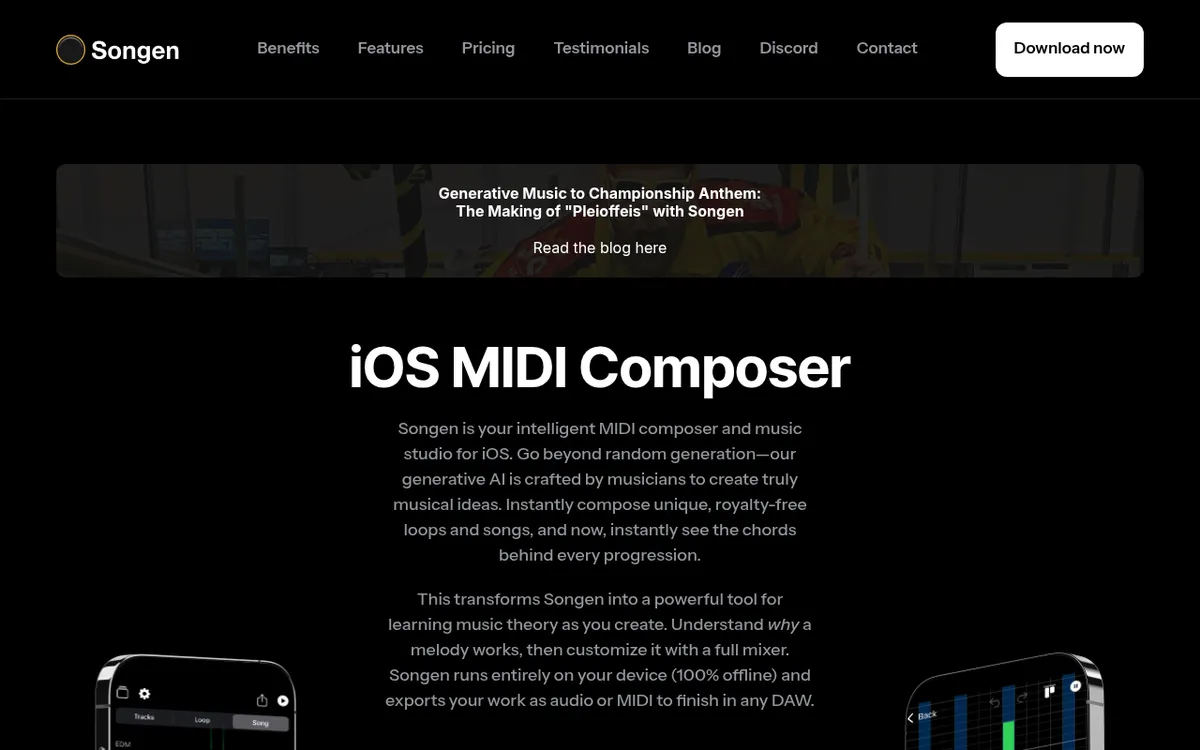
Songen is a Finnish iOS music creation app developed by Vibin Oy that combines algorithmic MIDI generation with hands-on editing tools. Unlike mainstream AI music generators that produce finished audio tracks, Songen focuses on generating structured MIDI loops and full songs that users can deeply customize and export to any DAW. The app uses hand-crafted algorithms created by professional musicians rather than neural network training, making it ideal for music producers, beatmakers, and composers who want royalty-free musical ideas they can own and refine. Works 100% offline with no internet connection required.
| Metric | Value |
|---|
| Founded | 2019 |
| Headquarters | Helsinki, Finland |
| Developer | Vibin Oy |
| CEO/Co-Founder | Pirkka Räisänen |
| Platform | iOS only (iPhone, iPad) |
| App Launch | December 2020 |
| Downloads | 150,000+ |
| Global Reach | 100+ countries |
| Music Genres | 50+ (Dark Trap, Lo-fi, EDM, Synthwave, etc.) |
| Built With | AudioKit (open-source audio framework) |
| App Size | 320-339 MB |
| Last Update | January 29, 2025 (v3.1.18) |
| Rating | ⭐ 4.1-4.2/5 (210+ ratings) |
| Pricing | Free (1 export/month), Premium $8.99/mo |
| Annual Discount | 25% savings on yearly subscription |
Company History & Background
Origin Story
Songen was born from a unique observation about the evolving music industry. The founders of Vibin Oy noticed that modern artists were becoming increasingly genre-agnostic, with albums featuring everything from EDM to trap to disco in a single release. Simultaneously, music producers faced mounting pressure to deliver fresh material daily, and new genres were constantly emerging as combinations of existing styles.
The company set out to create a tool that could help music creators overcome creative blocks and generate musical ideas at the speed of modern content demands, without sacrificing quality or musical integrity.
Founders & Team
Pirkka Räisänen — Co-Founder & CEO
- Music producer with millions of streams on streaming platforms
- Bachelor's degree in Digital Sound and Commercial Music from Tampere University of Applied Sciences
- Audio engineer specializing in recording, mixing, and mastering
- Video producer with portfolio work including Sony Music Finland and Helsingin Energia
- Background in brand management, marketing, and UX design
Vibin Oy Team:
- Based in Helsinki, Finland
- Small, focused team of musicians and developers
- Philosophy: Every feature developed has been requested by a beatmaker or artist
- Close collaboration with music producer community
- Emphasis on user-driven development
Corporate Timeline
- 2019: Vibin Oy founded in Helsinki, Finland
- December 2020: Songen app launched on iOS App Store
- January 2021: Featured by AudioKit Pro for innovative use of AudioKit framework
- February 2022: Major 2.0 version launched with expanded features and genre library
- 2022-2024: Continuous updates adding new genres, features, and improvements
- 2024-2025: Integration of SharePlay for collaborative music creation; chord visualization features
- January 2025: Version 3.1.18 released with latest refinements
Technology Stack
AudioKit Integration: Songen is built on the open-source AudioKit framework, which provides professional-grade audio synthesis and processing. The team credits AudioKit for:
- Clean API that maintains focus on core music generation algorithms
- Mental model aligned with modern DAWs
- Active community support
- Stable architecture during major version upgrades
- No abstraction leaks from underlying Apple APIs
The collaboration between musicians and developers was streamlined by AudioKit's intuitive design, enabling rapid prototyping and user-driven feature development.
The Songen Approach
Unlike most modern AI music generators (Suno, Udio, etc.) that use neural networks trained on massive datasets of existing music, Songen uses hand-crafted algorithms developed by professional musicians. This fundamental difference shapes the entire user experience:
Hand-Crafted Algorithms:
- No training data or scraped audio used
- No copyright concerns from AI training
- Music theory-based generation ensuring harmonic coherence
- Predictable, musical results
- Transparent, rule-based composition
- Full ownership with zero licensing ambiguity
Why This Matters:
- Generated music is genuinely unique and owned by the user
- No risk of accidentally reproducing copyrighted material
- Better for users who care about musical logic and clear harmony
- Appeals to musicians who want tools, not black-box AI magic
- Ideal for commercial use with complete legal clarity
Core Features
1. Music Generation Engine
Genre Library: 50+
- Hip-Hop: Wavy Trap, Lo-fi, Boom Bap, Dark Trap, Drill
- Electronic: Synthwave, EDM, Future Bass, Deep House
- Pop: Tropical Pop, Indie Pop, Bedroom Pop
- Other: Afrobeats, Westcoast Rap, Ambient, Film Score, and more
Generation Capabilities:
- Instant generation with single tap
- Mix multiple genres for unique hybrid styles
- Generate complete songs with chord progressions, melodies, basslines, and drums
- Loop mode for short, repeatable patterns
- Song mode for full arrangements with structure (verse/chorus/bridge)
Algorithm Intelligence:
- Understands characteristics of each music genre
- Creates musically coherent progressions
- Ensures harmonic relationships make sense
- Rhythms feel intentional, not random
- Melodies resolve properly according to music theory
2. Chord Visualization & Music Theory Learning
Real-Time Chord Display:
- See exact chords behind every progression
- Understand why a melody works
- Learn music theory through creation
- Visual feedback for educational purposes
Lock Chord Progression:
- Lock in specific chord sequences
- Generate new melodies over same chord structure
- Rearrange chords by dragging
- Create variations while maintaining harmonic foundation
Learning Tool:
- Ideal for beginners learning music composition
- Helps understand harmonic relationships
- Practical music theory education
- Bridges gap between theory and practice
Track Customization:
- Change tempo (BPM)
- Adjust key/scale
- Swap instruments
- Modify individual parts (drums, bass, melody, chords)
- Note repetition settings
- Groove adjustments
- Octave changes
- Syncopation controls
Full Mixer:
- Individual track volume control
- Pan settings
- Solo/mute tracks
- Premium instrument sounds
- Professional mixing capabilities
Arrangement Builder:
- Sketch song structure within app
- Create verse/chorus/bridge sections
- Build complete compositions
- Premade arrangement templates
4. Premium Sound Library
High-Quality Instruments:
- Professional-grade virtual instruments
- Curated sound selection
- Clean, polished production quality
- Multiple instrument options per track type
- Suitable for commercial release quality
5. Export Capabilities
MIDI Export:
- Individual stems or full song MIDI
- Direct integration with DAWs (Logic Pro, Ableton, FL Studio, GarageBand, etc.)
- Preserves note data for complete re-orchestration
- Ability to use your own virtual instruments
- Perfect for producers who want to customize sounds
Audio Export:
- High-quality audio files
- Full mix or individual stems
- WAV format support
- Ready for sampling or direct use
Video Export:
- Export with visual representation
- Share on social media
- Demo tracks for artists
Export Limits:
- Free: 1 export per month
- Premium: 250 exports per calendar month
6. Collaborative Features
Apple SharePlay Support:
- Create music synchronously with friends during FaceTime calls
- Real-time co-production
- Generate new tunes together remotely
- Next-level collaborative music creation
7. Offline Operation
100% On-Device Processing:
- No internet connection required
- Compose on planes, trains, coffee shops
- Complete privacy (no data sent to servers)
- Latency-free experimentation
- Works anywhere, anytime
User Interface & Experience
Interface Design
Visual Layout:
- Horizontal track grid similar to DAW layout
- Clean, intuitive design
- Minimal learning curve
- Visual roadmap through composition layers
- Familiar to anyone who's used music production software
User Testing Philosophy: The Vibin Oy team learned that
user testing was the last thing they would skip. Direct quotes from the team:
"Cool features are worthless if users are puzzled and scared to try out anything in the app."
"As a developer it's impossible to know the pitfalls of the user experience and flow without proper user testing."
This philosophy shows in the final product's accessibility.
Workflow
Typical Creation Flow:
- Select genre(s) or randomize
- Tap generate button
- Listen to instant composition
- Adjust tempo, key, instrumentation
- Lock chord progression if desired
- Regenerate melody variations
- Fine-tune individual parts
- Mix and master
- Export MIDI or audio to DAW
- Finish with own sounds and processing
Speed:
- Lightning-fast generation (seconds)
- One of fastest AI music generators available
- Minimal latency due to on-device processing
- Instant playback and iteration
Pricing Plans 2025
Free Plan
Price: $0
What's Included:
- ✅ Unlimited generations
- ✅ Unlimited saves
- ✅ Access to all 50+ genres
- ✅ All editing features
- ✅ Chord visualization
- ✅ Full mixer access
- ❌ 1 export per month only
Best For:
- Trying the app
- Casual exploration
- Learning music theory
- Budget-conscious users who rarely export
Premium Plan
Price:
- $8.99/month (monthly billing)
- $6.74/month (annual billing - 25% savings)
- ~$80.88/year (annual total)
What's Included:
- ✅ Unlimited generations
- ✅ Unlimited saves
- ✅ Unlimited exports (up to 250/month)
- ✅ All genres and features
- ✅ Premium instrument sounds
- ✅ SharePlay support
- ✅ MIDI + Audio + Video export
- ✅ Full mixer and mastering tools
Notes:
- Prices may vary by location
- Auto-renews unless canceled 24 hours before period ends
- Cancel anytime via Apple ID account settings
- Unused portion of free trial forfeited upon subscription
Competitor Pricing Comparison
| Service | Monthly Price | Focus | Platform |
|---|
| Songen | $8.99 | MIDI generation & editing | iOS only |
| Suno AI | $10 | Complete songs with vocals | Web + Mobile |
| Udio | ~$10-30 | Audio-quality songs | Web |
| Soundraw | $19.99 | Customizable instrumental tracks | Web |
| Beatoven | $6+ | Background music/mood-based | Web |
| Mubert | $14 | Ambient/mood music | Web + API |
| AIVA | $11-33 | Orchestral/complex compositions | Web |
- Lower price than most competitors
- Only iOS-native music generator
- MIDI export focus (others often lock audio)
- Works offline
- Complete ownership of generated music
- 25% annual discount available
Use Cases & Target Audience
Ideal Users
1. Music Producers:
- Overcome creative blocks
- Generate fresh loop ideas quickly
- Create backing tracks for development
- Find melodic inspiration
- Speed up initial composition phase
- Export MIDI for full production in DAW
2. Beatmakers:
- Rapid beat generation
- Hip-hop/trap pattern creation
- Sample creation
- Baseline ideas for further development
- Genre experimentation
3. Songwriters & Artists:
- Create demo tracks
- Generate instrumentals for vocals
- Explore chord progressions
- Find melodic hooks
- Build reference tracks
4. Content Creators:
- Royalty-free background music
- Podcast intros/outros
- YouTube/TikTok soundtracks
- Instagram/social media content
- No licensing worries
5. Music Students & Beginners:
- Learn music theory through visualization
- Understand chord progressions
- Practice composition concepts
- Low barrier to entry
- Educational tool for harmonic relationships
6. DAW Users:
- MIDI workflow integration
- Supplement existing production process
- Pocket sketchpad for ideas on-the-go
- Quick idea generation between sessions
- Travel-friendly music creation
Real-World Applications
Sync Music Production: Users creating music for licensing (TV, film, ads) have reported using Songen to quickly generate foundation tracks and chord progressions, then finishing in their main DAW.
Creative Block Breakthrough: Multiple producers report opening Songen when stuck at 3am, generating ideas in their current key, and finding the exact groove missing from their mix.
Hip-Hop Production: Beatmakers use Songen to generate trap, lo-fi, and boom bap foundations, then customize drums and add their signature sounds.
Education: Music theory students use chord visualization to understand why progressions work, bridging gap between theory textbooks and practical creation.
User Reviews & Reputation
App Store Rating
Overall: 4.1-4.2/5 stars (210+ ratings)
Last Updated: January 29, 2025 (v3.1.18)
Positive Feedback
Common Praise:
"This thing is powerful. I have been using it every day since I subscribed. It gets better with every update and worth the monthly cost."
"Simply put, this is the wildest tool I've came across. I produce daily. Tonight I was up until 3am trying to get a mix down but I was missing something. I plugged in the key I was playing in a BAM! Literally the groove I was missing. Y'all should up the price an make it where we can purchase to own. I wish I could rate this 1000 stars."
"Love the app it's always steadily improving a wonderful tool for anyone to have in their beat making process."
"The app is perfect so yea.. I use this all the time"
"Dang I was actually left speechless this sounds amazing"
"App is great so far! Love experimenting!"
"This app almost never fails, offers incredible and versatile chords and melodies with great song editing abilities"
"The EXPORT FEATURES superb! You had to be a producer to even think of this! I'm in love."
"Songen has resparked my love for music and creativity. Just about everything is customizable with the press of a button."
Critical Feedback
Common Complaints:
"The sad fact that it is a subscription app, I would keep it. However, as a musician on a limited budget, it would be financial suicide if I began subscribing to music apps. I'd much rather pay a single price."
"Subscription?? No Way!!"
"Was upset at the 3 beat limit and the fact that you can't even customize your own beat without subscribing."
Issue: Many users prefer one-time purchase over recurring subscription, especially for tools they use occasionally.
"As the title states. I used all three free exports to find no stems or MIDI. I tried to bounce to NS2 and Cubasis 3. When I attempted a GarageBand export it wasn't even on the list."
Issue: Free tier too restrictive; export process has occasional compatibility issues.
- Recent Update Concerns (2024):
"This new update came at the cost of 90% of what I liked and used this app for. You can't simplify the parts, can't mix how loud they are anymore, can't change the syncopation nor make it export without crashing."
Issue: Version 3.x removed some features present in earlier versions; export crashes reported.
"I like how it goes a little in depth on different types of hip hop like wavy trap, Lofi, and boom bap. We need Trap Soul, chillout, New Orleans Bounce, Classic or New West Coast, Detroit Off-Beat, and more."
Issue: Users want more genre variety and sub-genre depth.
- MIDI Export Inconsistencies:
"The midi export was a little wonky tho. Sounded different than what i had in the app."
"Notes being a little bit off beat like about a 1/32"
Issue: MIDI timing can be slightly off; requires manual correction in DAW.
"Was really excited when I got started and made my first beat. Though that I finally found an app that would allow me to make endless beats without a catch, then I discovered the 8.99 a month subscription."
Issue: Free version feels like extended trial rather than functional free tier.
"All saved content including saved songs is bound to a device. Signing in with another device will not transfer any content to the new device."
Issue: No cloud sync; deleting app deletes all saved songs.
Trending Sentiment
Positive Aspects:
- Core functionality highly praised
- Export features considered innovative
- Regular updates show active development
- Responsive developer team (fixes reported bugs quickly)
- Chord visualization widely appreciated
Pain Points:
- Subscription model divisive
- Version 3.x update controversial (feature removals)
- Export reliability inconsistent
- Free tier too limited
- No cloud backup/sync
Competitive Analysis
Songen vs. Major AI Music Generators
#### Suno AI
Suno's Approach:
- Text-to-complete-song with vocals
- "Type prompt, get finished track"
- Black-box AI generation
- Instant radio-ready audio
- No MIDI or stem access (locked audio)
Songen's Approach:
- Hand-crafted algorithmic generation
- Structured MIDI you can edit and own
- Transparent, rule-based composition
- Export everything to DAW for finishing
- Full creative control
Key Difference: With Suno, the creative act is
prompt engineering and curation—you describe a vibe and pick the best result. With Songen, the creative act is closer to
traditional composition—you tweak chords, melodies, structure, mix, then move everything into your DAW to use your own sounds.
Best For:
- Suno: Complete songs for social media, instant sharing, non-musicians
- Songen: Music producers, DAW users, musicians who want MIDI control
#### Udio
Similarities to Suno:
- Text-to-music with high audio quality
- Vocal generation capabilities
- Polished, professional sound
- Extend and remix functionality
Songen Difference:
- iOS-native vs. web-based
- MIDI-first vs. audio-only
- Offline vs. requires internet
- Producer tool vs. consumer tool
Best For:
- Udio: High-fidelity finished tracks, vocal content, audiophile quality
- Songen: Mobile workflow, MIDI editing, DAW integration
#### Soundraw
Similarities:
- Customizable music generation
- Genre and mood selection
- Royalty-free licensing
- Subscription model
Key Differences:
- Soundraw: Web-based, $19.99/month, audio-only export
- Songen: iOS-native, $8.99/month, MIDI + audio export
Best For:
- Soundraw: Video editors, content creators needing instant audio
- Songen: Music producers needing MIDI for custom instrumentation
#### Beatoven / Mubert
Focus: Background music, mood-based instrumental tracks
Comparison:
- Similar use case for content creators
- Both produce instrumental-only content
- Beatoven/Mubert: Web-based, no MIDI
- Songen: iOS-only, full MIDI export
Best For:
- Beatoven/Mubert: Ambient background tracks, study music, podcast beds
- Songen: Beat production, hip-hop, structured songs with chords
Competitive Positioning Table
| Feature | Songen | Suno AI | Udio | Soundraw | Beatoven | AIVA |
|---|
| Platform | iOS only | Web + Mobile | Web | Web | Web | Web |
| Price | $8.99/mo | $10/mo | ~$10-30/mo | $19.99/mo | $6+/mo | $11-33/mo |
| MIDI Export | ✅ Yes | ❌ No | ❌ No | ❌ No | ❌ No | ✅ Yes |
| Offline Mode | ✅ Yes | ❌ No | ❌ No | ❌ No | ❌ No | ❌ No |
| Vocals | ❌ No | ✅ Yes | ✅ Yes | ❌ No | ❌ No | ❌ No |
| DAW Integration | ✅ Strong | ⚠️ Limited | ⚠️ Limited | ⚠️ Limited | ⚠️ Limited | ✅ Yes |
| Ownership | ✅ Full | ⚠️ Depends | ⚠️ Depends | ✅ Full | ⚠️ Depends | ✅ Full |
| Real-Time Edit | ✅ Yes | ❌ No | ⚠️ Limited | ✅ Yes | ⚠️ Limited | ✅ Yes |
| Chord Display | ✅ Yes | ❌ No | ❌ No | ❌ No | ❌ No | ⚠️ Limited |
| Genre Count | 50+ | 100+ | 100+ | 20+ | 15+ | 250+ |
| Learning Tool | ✅ Strong | ❌ No | ❌ No | ⚠️ Limited | ❌ No | ⚠️ Some |
Songen's Unique Advantages
- Only iOS-Native MIDI Generator:
- No other major AI music tool is iOS-exclusive - Optimized for mobile workflow - Truly portable music creation
- No training data concerns - Complete legal clarity on ownership - Transparent composition process - Appeals to ethical AI concerns
- Music Theory Visualization:
- Chord display for educational value - Helps users understand composition - Bridges theory and practice
- No competitors offer full offline functionality - Privacy-focused (no data sent anywhere) - Works on planes, remote locations
- Designed for DAW users - Complete re-orchestration possible - Producer-focused workflow
- $8.99/mo vs. $10-30 for competitors - 25% annual discount - Best value for MIDI generation
Songen's Limitations vs. Competitors
- Suno and Udio excel at singing/lyrics - Songen is instrumental-only
- Not accessible to Android or web users - Limited market reach
- AIVA has 250+ genres - Suno/Udio have broader style range
- Cannot extend existing tracks like Udio - Must start from generation
- Raw MIDI vs. professionally mastered audio - Requires additional production work
Technical Specifications
System Requirements
iOS Version: iOS 13.0 or later
Compatible Devices:
- iPhone (all models supporting iOS 13+)
- iPad (all models supporting iOS 13+)
- iPod touch (7th generation or later)
Download Size: 320-339 MB
Storage: Additional space required for saved songs
Internet: Not required (100% offline operation)
MIDI:
- Standard MIDI file format
- Individual stems or full song
- Compatible with all major DAWs
- Preserves note timing, pitch, velocity
Audio:
- High-quality WAV
- Individual stems or full mix
- Professional audio fidelity
Video:
- Visual representation of composition
- Shareable on social platforms
DAW Compatibility
Tested & Supported:
- Logic Pro X
- Ableton Live
- FL Studio
- GarageBand (iOS and macOS)
- NanoStudio 2
- Cubasis 3
- BeatMaker 3
- AUM (Audio Mixer)
- Audiobus integration
Export Workflow:
- Generate and refine in Songen
- Export MIDI + audio stems
- Import to DAW of choice
- Replace sounds with own virtual instruments
- Add effects, mixing, mastering
- Final production polish
Pros & Cons
Pros
- iOS-Native Mobile Music Production:
- Truly portable composition - Optimized performance on Apple devices - Seamless iOS ecosystem integration
- Hand-Crafted Algorithms (No Training Data):
- Complete ownership clarity - No copyright concerns - Ethical AI approach - Musically coherent results
- Full creative control - DAW integration - Re-orchestrate with own sounds - Professional producer workflow
- No internet required - Complete privacy - Use anywhere (planes, remote locations) - Zero latency
- Music Theory Visualization:
- See chords in real-time - Educational value - Understand harmonic relationships - Learn while creating
- $8.99/month (lower than most competitors) - 25% savings on annual plan - Functional free tier for testing
- Lightning-fast results - One of fastest generators available - Minimal wait time
- Wide style variety - Current/trending genres - Genre mixing capability - Regular updates with new styles
- Royalty-Free & Full Ownership:
- Use commercially without restrictions - No licensing fees - Complete creative rights
- Responsive Development Team:
- Regular updates - User-requested features - Bug fixes within days - Active community engagement
- Real-time co-creation - FaceTime integration - Remote production sessions
- Professional instrument quality - Polished production sounds
Cons
- No Android version - No web interface - Limited to Apple ecosystem - Excludes significant user base
- No one-time purchase option - Recurring cost - Limited free tier (1 export/month) - Subscription fatigue for some users
- No cloud sync - Saved songs locked to device - Deleting app deletes content - Cannot transfer between devices
- Instrumental-only - Cannot compete with Suno/Udio for complete songs - Limited for lyric-based projects
- Occasional off-beat notes (1/32 timing) - Exported MIDI sounds different than app - Requires manual correction in DAW
- Export Crashes (Recent Updates):
- Version 3.x has reported stability issues - Export failures, especially with multiple stems - Google Drive upload problems
- Some mixing controls removed - Syncopation adjustment removed - Parts simplification removed - Users frustrated by regression
- 1 export/month too restrictive - Feels like trial version - Cannot evaluate properly
- 250 exports/month cap - May be limiting for heavy users - No unlimited tier
- Cannot load custom samples - Limited to built-in sounds - No user sample library
- Users request more sub-genres - Some styles not covered (Trap Soul, New Orleans Bounce) - Drum variation limited in some genres
- Learning Curve (Advanced Features):
- Advanced editor somewhat hidden - Chord progression rearrangement clunky - Zoom issues with many chords
Best Use Cases
Ideal For:
- Music Producers & Beatmakers:
- Daily music production workflow - Creative block breakthroughs - Rapid idea generation - Mobile sketching between studio sessions
- Need MIDI not finished audio - Want to use own virtual instruments - Integrate with existing production process - Value customization over convenience
- Hip-Hop & Electronic Producers:
- Trap, lo-fi, EDM, synthwave focus - Beat-making emphasis - Loop-based production - Genre-mixing experimentation
- iPad-based music production - GarageBand users - Mobile-first creators - Apple ecosystem devotees
- Learning chord progressions - Understanding harmonic relationships - Practical theory application - Visual learning style
- Content Creators (Budget-Conscious):
- Need royalty-free music - Lower budget than Artlist/Epidemic - Want ownership of tracks - Comfortable with basic production
- Create music on planes, trains - No internet needed - Portable inspiration capture - Mobile-first lifestyle
- FaceTime co-production sessions - Remote collaboration needs - SharePlay integration value
Not Recommended For:
- No platform support (iOS exclusive)
- Requires some DAW knowledge for best use - MIDI export meaningless without production skills
- No singing or lyrics - Better alternatives: Suno, Udio
- Subscription model not cost-effective - Free tier too limited
- Cloud-Dependent Workflow:
- No sync between devices - Device-bound content limitation
- Users Wanting Finished Tracks:
- Generates raw MIDI, not polished audio - Requires production knowledge - Better alternatives: Soundraw, Epidemic Sound
- Free tier insufficient for regular use - 1 export/month too limiting
- No cross-platform support - iOS hardware required
Comparison: Songen vs. Traditional Workflow
Traditional Music Production
Typical Process:
- Stare at blank DAW project
- Try random chord progressions on keyboard
- Spend hours finding right key
- Program MIDI notes one by one
- Layer instruments manually
- Mix and master
- Total time: 2-10 hours
Challenges:
- Creative block paralysis
- Time-consuming trial and error
- Requires music theory knowledge
- Difficult to escape familiar patterns
Songen-Enhanced Workflow
Process:
- Open Songen on iPhone/iPad
- Select genre(s)
- Generate idea in seconds
- Adjust tempo, key, feel
- Export MIDI to DAW
- Replace sounds, add unique elements
- Mix and master
- Total time: 30 minutes - 2 hours
Benefits:
- Overcome creative block instantly
- Discover unexpected chord progressions
- Learn music theory through visualization
- 10x faster initial composition
- More time for sound design and mixing
- Mobile-friendly iteration
Expert Tips & Best Practices
Getting the Most from Songen
1. Genre Mixing Strategy:
- Don't limit yourself to one genre
- Mix 2-3 genres for unique results
- Example: Lo-fi + Synthwave + Ambient = unique chill vibes
- Experiment with unexpected combinations
2. Lock Chord Progressions:
- Find a progression you love
- Lock it in
- Generate 10+ melody variations
- Pick the best, export all
- Massive creative options from one chord sequence
3. MIDI Export Workflow:
- Generate multiple ideas in batches
- Export MIDI for all promising concepts
- Organize in DAW project folders
- Build personal MIDI idea library
- Reference later when stuck
4. Learning Music Theory:
- Study chord progressions Songen creates
- Analyze why they work
- Note common harmonic patterns
- Apply learnings to own compositions
- Use as interactive theory textbook
5. Collaborative Sessions:
- Use SharePlay with producer friends
- Generate ideas together remotely
- Instant feedback loop
- Build on each other's choices
6. Key Matching:
- When stuck on existing project
- Note current track key
- Set Songen to same key
- Generate complementary ideas
- Find missing puzzle piece
7. Tempo Experimentation:
- Generate at default tempo
- Export MIDI
- Try at different tempos in DAW
- 100 BPM trap becomes 150 BPM drum & bass
- Same MIDI, entirely new vibe
8. Instrument Swapping:
- Don't settle for first instrument choices
- Try every option for each track
- Small changes = big impact
- Find unique sound combinations
9. Save Everything:
- Don't delete generations hastily
- Ideas that seem bad now may inspire later
- Build large saved library
- Revisit with fresh ears
10. Premium Strategy:
- Use free month to explore extensively
- Generate tons of ideas
- Export all promising concepts in one month
- Cancel if needed
- Re-up when inspiration needed
Frequently Asked Questions
Q: Does Songen use AI trained on copyrighted music? A: No. Songen uses hand-crafted algorithms developed by musicians, not neural networks trained on existing songs. This means zero copyright concerns and complete ownership clarity.
Q: Can I use Songen-generated music commercially? A: Yes, absolutely. All music generated is 100% royalty-free and owned by you. Use in client projects, YouTube monetization, Spotify releases, anywhere.
Q: Do I need internet to use Songen? A: No. Songen works 100% offline. Perfect for planes, remote locations, anywhere without wifi.
Q: Is Songen available on Android? A: No, currently iOS-only (iPhone, iPad).
Q: Can I export individual MIDI stems? A: Yes. Export individual instrument MIDI files (drums, bass, melody, chords separately) or full song MIDI.
Q: What DAWs work with Songen? A: All major DAWs support standard MIDI import: Logic Pro, Ableton, FL Studio, GarageBand, Cubase, Pro Tools, Reaper, etc.
Q: Does the free version limit generation? A: No. Free tier allows unlimited generation and saves. Only export is limited (1/month).
Q: Are my saved songs backed up? A: No. Songs are device-only. Deleting app deletes content. No cloud sync currently available.
Q: Can I change chord progressions manually? A: Yes, using "Lock Chord Progression" feature. Drag to rearrange, generate new melodies over locked chords.
Q: Why does exported MIDI sound different than in-app? A: Timing can be slightly off (1/32 notes). Minor manual correction may be needed in DAW. Team is aware and working on improvements.
Q: Is the subscription worth it? A: If you export music regularly (more than once/month) and use DAWs, yes. For occasional users, maybe not—free tier is quite limited.
Q: Can I collaborate with others? A: Yes, via Apple SharePlay during FaceTime calls for real-time co-creation.
Q: How many songs can I generate? A: Unlimited. No generation limits on any tier.
Q: Does Songen create vocals? A: No, instrumental/MIDI only. For vocals, try Suno AI or Udio instead.
Final Verdict
Rating: 4.2/5 ⭐⭐⭐⭐
Songen occupies a unique niche in the AI music generation landscape. While most tools focus on creating finished audio tracks for passive consumption, Songen empowers active music production by generating structured MIDI that producers can genuinely own, edit, and build upon.
Strengths
For the Right User, Songen is Exceptional:
- The MIDI-first approach is a game-changer for producers who work in DAWs
- Hand-crafted algorithms provide ethical peace of mind and complete ownership
- iOS-native optimization makes it the only truly mobile-first professional music tool
- Offline capability is unmatched among AI music generators
- Price point ($8.99/mo) is lower than comparable tools
- Music theory visualization adds genuine educational value
The combination of portability, MIDI export, and offline operation creates a workflow no competitor offers.
Concerns
Limitations Are Significant:
- iOS-exclusivity eliminates 70%+ of potential users
- Subscription model is divisive (many prefer one-time purchase)
- Device-bound content (no cloud sync) is a major UX flaw
- Recent updates (v3.x) removed features users loved
- Export reliability issues reported
- Free tier too restrictive to properly evaluate
Version 3.x appears to have introduced regressions that frustrate loyal users.
Who Should Use Songen?
✅ Recommended If You:
- Are an iOS user (iPhone/iPad)
- Produce music in a DAW (Logic, Ableton, FL Studio, etc.)
- Value MIDI control over finished audio
- Want to learn music theory through creation
- Need mobile-friendly music production
- Create hip-hop, electronic, or beat-based music
- Want ethical AI without training data concerns
- Appreciate offline, privacy-focused tools
❌ Look Elsewhere If You:
- Use Android or prefer web apps
- Want finished audio tracks, not MIDI
- Need vocals/lyrics (try Suno or Udio)
- Hate subscription models
- Rarely use DAWs or produce music
- Want cloud sync across devices
- Need one-time project without recurring cost
Comparison to Alternatives
vs. Suno/Udio: Completely different use case. Suno/Udio for instant sharing; Songen for producers who compose.
vs. Soundraw/Beatoven: Songen cheaper with MIDI export, but iOS-only. Choose based on platform needs.
vs. AIVA: Similar MIDI focus, but AIVA web-based and more expensive. Songen better value for mobile users.
Recommendation
Use Songen if:
- You're an iOS-based music producer
- You value MIDI export for DAW integration
- You want a mobile music creation companion
- You need offline functionality
- You're willing to pay $8.99/month (or $6.74/mo annual)
- You produce at least a few tracks per month
Try free tier, but know:
- 1 export/month insufficient for evaluation
- Subscribe for one month to truly test
- Generate tons of ideas, export best ones
- Cancel if workflow doesn't fit
Better Alternatives by Use Case
Largest Feature Set: AIVA (but more expensive, web-only)
Complete Songs with Vocals: Suno AI, Udio
Web-Based MIDI: Soundraw (but double the price)
One-Time Purchase: Unavailable in AI music space—consider traditional loop packs
Android Users: Literally any competitor (all are web-based)
Quick Reference
| Category | Details |
|---|
| Website | https://www.songen.app |
| App Store | https://apps.apple.com/app/songen/id1526063160 |
| Developer | Vibin Oy |
| Founded | 2019 (app launched December 2020) |
| Headquarters | Helsinki, Finland |
| CEO | Pirkka Räisänen |
| Platform | iOS only (iPhone, iPad) |
| App Size | 320-339 MB |
| Downloads | 150,000+ |
| Countries | 100+ |
| Genres | 50+ |
| Technology | Hand-crafted algorithms + AudioKit framework |
| Offline | Yes (100% on-device) |
| Internet Required | No |
| Free Tier | Unlimited generation, 1 export/month |
| Premium Price | $8.99/month or $6.74/month (annual) |
| Annual Savings | 25% |
| Export Formats | MIDI, Audio (WAV), Video |
| Export Limit | 250/month (Premium) |
| Rating | ⭐ 4.1-4.2/5 (210+ ratings) |
| Last Update | January 29, 2025 (v3.1.18) |
| DAW Compatible | Yes (all major DAWs) |
| SharePlay | Yes (FaceTime collaboration) |
| Cloud Sync | No (device-bound) |
| Support | Via app, responsive team |
| Discord | https://discord.gg/5T7keyrjc2 |
Conclusion
Songen represents a different philosophy in AI music generation—one that prioritizes producer empowerment over consumer convenience. While tools like Suno and Udio race to create instant, shareable songs, Songen focuses on giving music creators the raw materials and creative control needed for genuine artistry.
For iOS-based music producers who value MIDI export, offline capability, and ethical AI, Songen is an essential tool worth every penny of the $8.99/month subscription. The combination of portability, speed, and DAW integration creates a workflow no competitor can match.
However, platform limitations (iOS-only), UX issues (no cloud sync), and the divisive subscription model mean Songen isn't for everyone. Android users, casual creators, and those seeking finished tracks should look elsewhere.
The verdict: Songen excels at what it does—mobile MIDI generation for producers—but occupies a narrow niche. If you're in that niche, it's indispensable. If you're not, there are better alternatives.
Final Rating: 4.2/5 — Exceptional for the right user, irrelevant for most others.
Review last updated: December 2025
Data sources: Official Songen website, App Store, AudioKit Pro, user reviews, competitive analysis, press releases
Additional Resources
Official Links:
- Website: https://www.songen.app
- App Store: https://apps.apple.com/app/songen/id1526063160
- Discord Community: https://discord.gg/5T7keyrjc2
- Blog: https://www.songen.app/blog
- Terms of Service: https://www.songen.app/terms-of-service
- Privacy Policy: https://www.songen.app/privacy-policy
Related Articles:
- AudioKit Pro Feature: "Songen: AI-assisted music production, Built with AudioKit!"
- Sound Tech Insider: "Songen Review: An AI Co-Producer at Your Fingertips"
- Press Release (Feb 2022): "Songen Launches 2.0, AI-powered royalty-free iOS music generator app"
Developer:
- Vibin Oy LinkedIn: https://www.linkedin.com/company/vibin-app
- Pirkka Räisänen LinkedIn: https://www.linkedin.com/in/pirkka-räisänen-39368874
Competitor Comparisons:
- Best AI Music Generators 2025 (Humai Blog)
- Testing the 5 Best AI Music Generators in 2025 (Lummi)
- Suno vs Udio Comparison (Tom's Guide)