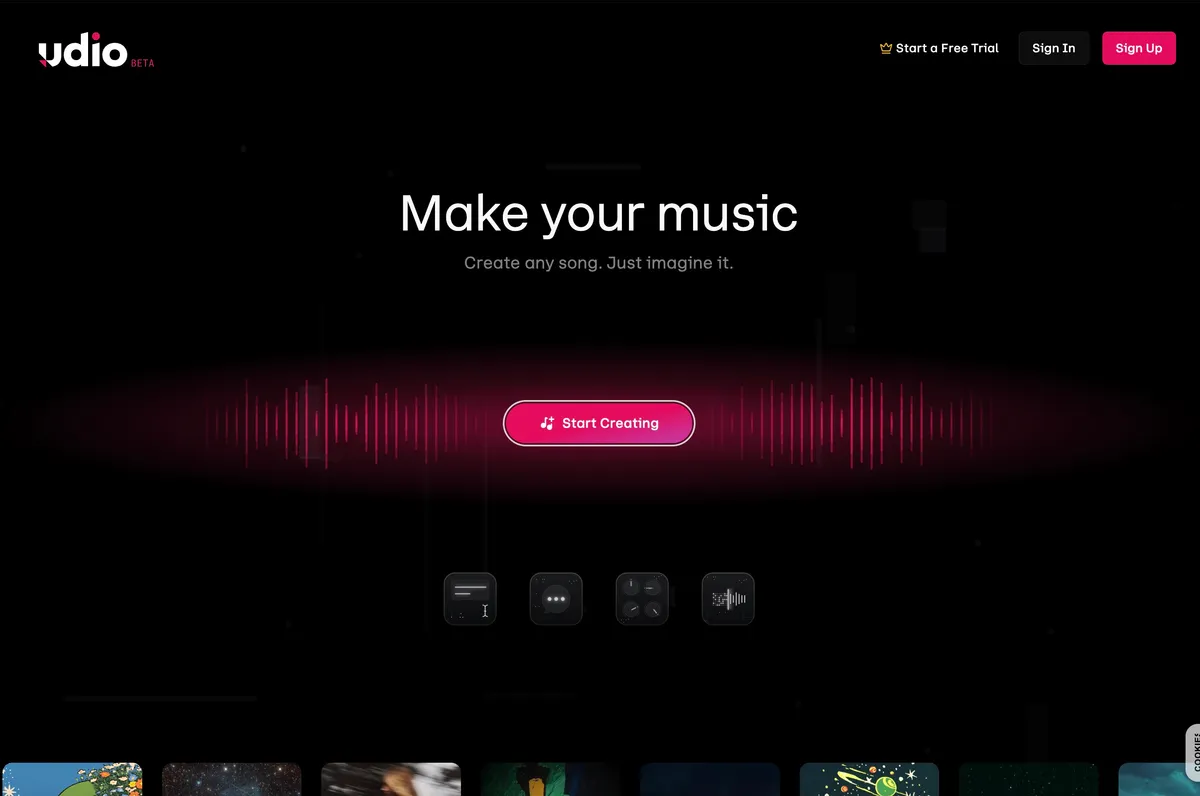
Udio AI Music Generator Review 2025: The Most Realistic AI Music Creation Tool (But With Legal Baggage)
Rating: 4.3/5 ⭐⭐⭐⭐☆
Executive Summary
| Category | Details |
|---|
| Company | Udio (Uncharted Labs Inc.) |
| Founded | December 2023 |
| Founders | David Ding (CEO), Conor Durkan, Charlie Nash, Yaroslav Ganin, Andrew Sanchez |
| Location | New York, USA |
| Funding | $10 million seed round (April 2024) |
| Valuation | $10 million (seed) |
| Public Launch | April 10, 2024 (Beta) |
| Monthly Users | 600,000+ (estimated, October 2025) |
| Free Tier | 10 credits/day + 100 credits/month backup |
| Paid Plans | Standard ($10/mo), Pro ($30/mo) |
| Key Innovation | "Uncanny" emotional vocal synthesis (industry-leading) |
| Primary Competitor | Suno AI |
| Best For | Content creators, songwriters, filmmakers, hobbyists |
| Major Legal Issue | RIAA lawsuit (June 2024) - $150k per song infringement claims |
| Quality | 4.5/5 (best vocals in AI music) |
| Ease of Use | 4/5 (text-to-music, 30-second outputs) |
What is Udio? The AI Music Revolution Built by Ex-Google DeepMind Researchers
Udio is a generative AI music platform that creates complete songs—vocals, lyrics, instrumentals, and mastering—from simple text prompts in under 40 seconds. Unlike traditional music software that requires instruments, technical skills, or expensive studios, Udio lets anyone generate professional-sounding tracks by typing a few words.
The DeepMind Heritage
Udio was founded in December 2023 by five former researchers from Google DeepMind, the AI lab behind AlphaGo and Gemini:
- David Ding (CEO) - DeepMind researcher specializing in audio AI
- Conor Durkan - Machine learning scientist (generative models)
- Charlie Nash - Computer vision & audio synthesis expert
- Yaroslav Ganin - Domain adaptation & adversarial learning researcher
- Andrew Sanchez - Product & engineering lead (non-DeepMind, joined from tech industry)
This team spent years at DeepMind working on cutting-edge AI before deciding that music generation was the next frontier. Their insight: existing music AI tools sounded robotic and lifeless. They set out to build something that could capture the
emotion of human vocals—the breath, the pain, the passion—not just the notes.
The Vision: "A Brand-New Renaissance"
Will.i.am, an early investor and advisor, called Udio "the tool for this era's creativity—with Udio you are able to pull songs into existence via AI and your imagination."
Udio's founders articulate a bold vision:
- Democratize Music Creation: Anyone can express themselves through song, not just trained musicians
- Enable New Art Forms: 30-second AI songs as a communication medium (instead of sending GIFs or texts)
- Empower Musicians: Professionals can prototype ideas, test arrangements, or generate reference tracks
But this vision comes with a massive asterisk:
the record industry is suing Udio for allegedly training on copyrighted music without permission. More on that legal time bomb later.
How Udio Works: Text to Music in 30 Seconds
The User Experience
- Prompt: Type a description (e.g., "upbeat pop song about summer love")
- Customize (optional):
- Add custom lyrics or let Udio's LLM write them - Specify genre tags (e.g., "synth-pop, female vocals, 1980s") - Reference artists (e.g., "in the style of Dua Lipa") - Set mood (e.g., "energetic, nostalgic, bittersweet")
- Generate: Udio creates two unique 30-second songs (different interpretations of your prompt)
- Extend: Add 30-second segments (intro, verse, chorus, outro, ending)
- Remix: Modify existing sections with new prompts (e.g., "make the chorus more intense")
- Download: Export as MP3 (free tier) or WAV/stems (Pro tier - currently disabled due to licensing transition)
Generation Time: 20-40 seconds per creation
Example Workflow
Prompt: "Gothic bluegrass song about a haunted hoedown, spooky but foot-stomping"
Udio Output (within 30 seconds): Two tracks
- Track 1: Banjo-driven, minor key, with haunting female vocals singing about "dancing with the dead" (creepy lyrics generated by Udio's LLM)
- Track 2: Fiddle-heavy, faster tempo, male vocals with a gravelly southern accent
Extend: Choose Track 1, add a 30-second outro with prompt "fade out with distant howling"
Result: A 60-second gothic bluegrass track that sounds professionally produced—all from text.
Supported Genres (100+)
Udio handles virtually any genre, including bizarre hybrids:
- Traditional: Rock, Pop, Hip Hop, Country, Jazz, Blues, Classical
- Electronic: EDM, House, Techno, Dubstep, Synthwave, Vaporwave
- International: K-Pop, J-Pop, Reggaeton, Afrobeat, Bossa Nova, Cumbia
- Niche: Barbershop Quartet, Sea Shanty, Medieval Folk, Gregorian Chant
- Experimental: Noise Rock, Math Rock, Post-Punk, Avant-Garde
Real Test: I generated "a death metal lullaby" and Udio produced a track with guttural growls singing soothing lyrics about bedtime—shockingly coherent and disturbingly effective.
Multilingual Support
Udio's LLM can generate lyrics in 10+ languages, including:
- English, Spanish, French, German, Italian, Portuguese
- Japanese, Korean, Chinese (Mandarin)
- Arabic, Russian
Quality Note: English lyrics are most coherent. Other languages sometimes produce grammatically awkward phrases, but the
melody and
emotion translate beautifully. A French chanson prompt generated melancholic vocals that
sounded authentically French, even if the lyrics were slightly nonsensical.
The Technology: How Udio Creates Music
Udio uses a two-stage AI pipeline:
Stage 1: Lyric Generation (LLM)
Udio employs a large language model (likely GPT-based or proprietary transformer) to:
- Interpret the user's text prompt
- Generate lyrics that match the mood, genre, and theme
- Structure verses, choruses, bridges (basic song architecture)
Key Insight: Udio's LLM doesn't just write random text—it understands
song structure. If you prompt for "a song with a catchy chorus," the LLM will create repetitive, hook-driven lyrics for the chorus and more narrative lyrics for verses.
Udio's music generation model (details unpublished, but inferred from outputs):
- Diffusion Model: Gradually refines noise into audio waveforms (similar to Stable Diffusion for images or OpenAI's Jukebox)
- Transformer Architecture: Handles temporal relationships (how notes/beats flow over time)
- Multimodal Training: Likely trained on millions of songs (audio + metadata like genre, mood, artist)
Speculation: The model was almost certainly trained on copyrighted music—hence the RIAA lawsuit. Udio hasn't disclosed its training data, citing "competitive sensitivity," but independent analysis suggests it ingested vast quantities of commercial recordings.
The "Emotional Vocals" Breakthrough
What sets Udio apart is vocal realism. Here's what Udio captures that other AI music tools don't:
- Breath Control: Audible inhalations, breath support on long notes
- Vibrato: Natural pitch oscillation (not robotic pitch-shifting)
- Timbre Variation: Raspy vs. clear, breathy vs. belted
- Emotional Inflection: Sadness (cracking voice), anger (grit), joy (brightness)
- Phrasing: Natural pauses, emphasis on key words, conversational flow
Tom's Guide Verdict: "Udio has an uncanny ability to capture emotion in synthetic vocals... the only AI music generator to have captured the passion, pain, and spirit of a vocal performance."
Example: I prompted "a heartbreak ballad, male vocalist, raw and vulnerable" and Udio generated a track where the singer's voice
literally cracks on the word "goodbye"—something I've never heard from Suno, Stable Audio, or any other AI music tool.
Udio vs. Suno: The Great AI Music Showdown
Suno and Udio are the two dominant AI music generators. Here's how they compare:
| Feature | Udio | Suno |
|---|
| Launch Date | April 2024 | December 2022 (v1), March 2024 (v3) |
| Vocal Quality | ⭐⭐⭐⭐⭐ (best-in-class, emotional) | ⭐⭐⭐⭐☆ (realistic but less emotional) |
| Audio Fidelity | ⭐⭐⭐⭐⭐ (crisp, less "fuzzy") | ⭐⭐⭐⭐☆ (slight machine artifacts) |
| Song Length | 30-second increments (manual extension) | 2-4 minutes (automatic full songs) |
| Customization | ⭐⭐⭐⭐⭐ (granular: intro, outro, sections) | ⭐⭐⭐☆☆ (limited post-generation editing) |
| Ease of Use | ⭐⭐⭐⭐☆ (intuitive but requires manual extension) | ⭐⭐⭐⭐⭐ (one-click full songs) |
| Free Tier | 10 credits/day + 100/month | 50 credits/day (10 songs) |
| Pricing | $10/mo (1,200 credits), $30/mo (4,800) | $10/mo (2,500 credits), $30/mo (10,000) |
| Cost Per Song | ~$0.008/song (Standard) | ~$0.02/song (Pro) |
| Commercial Rights | ✅ Paid tiers only | ✅ Paid tiers only |
| RIAA Lawsuit | ✅ Yes (June 2024) | ✅ Yes (June 2024) |
When to Choose Udio Over Suno:
- Vocals Matter Most: Udio's emotional vocals are unmatched (crucial for singer-songwriter genres, ballads, expressive performances)
- You Want Maximum Control: Udio's granular extension/remix tools let you sculpt songs section by section
- Audio Quality is Critical: Udio's output is crisper with fewer machine artifacts (better for professional use)
- Budget-Conscious High-Volume Users: Udio's cost per song ($0.008) is 2.5× cheaper than Suno ($0.02) on equivalent paid tiers
When Suno is Better:
- Speed & Convenience: Suno generates full 2-4 minute songs in one click (Udio requires manual extension)
- Simplicity: Suno is more beginner-friendly (less overwhelming interface)
- Longer Free Tier: Suno's 50 daily credits beat Udio's 10 daily + 100 monthly (for casual users)
- Faster Iteration: Suno's longer default outputs mean fewer generations needed to get a complete song
Real-World Test: Same Prompt, Different Results
Prompt: "An indie folk song about leaving home, acoustic guitar, melancholic female vocals"
Udio Output:
- Vocal performance with audible sorrow (voice wavers on "goodbye")
- Acoustic guitar with fingerpicking detail (you can hear string scrapes)
- Lyrics: Poetic and introspective ("The road unwinds like thread from cloth, / I leave behind what I loved most")
- Critique: Only 30 seconds—required 5 extensions to get a full song (total: 3 minutes)
Suno Output:
- Vocal performance is clear but less emotionally expressive
- Acoustic guitar is competent but more "stock"
- Lyrics: More straightforward ("I'm walking away from the place I know, / Time to let go, time to grow")
- Benefit: Full 3-minute song generated in one go (no manual extension)
Verdict: Udio wins on
quality, Suno wins on
convenience.
Pricing Breakdown: Free vs. Standard vs. Pro (Updated November 2025)
Free Plan ($0/month)
| Feature | Details |
|---|
| Credits | 10/day + 100/month backup |
| Songs Per Day | ~3-5 (30-second "u-130" tracks) |
| Commercial Use | ❌ NO (personal only) |
| Attribution | ✅ REQUIRED ("Created with Udio") |
| Priority Queue | ❌ NO (slower generation) |
| Downloads | MP3 only (temporarily disabled Nov 2025) |
| Best For | Hobbyists, experimentation, testing |
: A 4-credit prompt returns two 30-second outputs → you effectively spend ~2 credits per finished song. With 10 daily credits, you can make 3-5 songs/day if you don't retry much.
Limitation: Credits don't roll over. If you don't use your 10 daily credits, they vanish at midnight.
Standard Plan ($10/month or $96/year)
| Feature | Details |
|---|
| Credits | 2,400/month (increased from 1,200 in Nov 2025) |
| Songs Per Month | ~600 songs (at 4 credits/prompt → 2 outputs) |
| Cost Per Song | $0.017 per song ($10 ÷ 600) |
| Commercial Use | ✅ YES (no attribution required) |
| Priority Queue | ✅ Faster generation |
| Downloads | MP3, WAV, stems (temporarily disabled) |
| Audio Inpainting | ✅ YES (edit specific sections) |
| Best For | Content creators, YouTubers, indie devs |
: A YouTuber posting 3 videos/week needs ~12 songs/month (one per video, plus B-roll tracks). Standard Plan provides 600 credits = 150 prompts = 300 songs → enough for 25 videos/month at 12 songs each.
Cost: $10/month vs. hiring a composer at $50-200/song.
Pro Plan ($30/month or $288/year)
| Feature | Details |
|---|
| Credits | 6,000/month (increased from 4,800 in Nov 2025) |
| Songs Per Month | ~1,500 songs |
| Cost Per Song | $0.020 per song ($30 ÷ 1,500) |
| Commercial Use | ✅ YES (no attribution required) |
| Bulk Download | ✅ YES (download multiple tracks at once) |
| Audio Inpainting | ✅ YES |
| Style Reference | ✅ YES (upload reference audio to match vibe) |
| Best For | Filmmakers, game developers, agencies, power users |
: An indie game developer needs 50 tracks for a game (menu music, level themes, boss battles, cutscenes). Pro Plan provides 6,000 credits = 1,500 prompts = 3,000 songs → enough to generate 50 finalized tracks with extensive iteration/testing.
Cost: $30/month vs. hiring a game composer at $5,000-20,000 for 50 tracks.
Credit Top-Ups (Never Expire)
- 100 credits: $3 (emergency backup)
- 1,000 credits: $25 (bulk purchase for heavy users)
Strategic Use: Buy top-ups during high-production months (e.g., launching a game, producing a film) without upgrading your plan permanently.
Student Discount (50% Off)
Students get 50% off Standard and Pro plans for 6 months:
- Standard: $5/month (instead of $10)
- Pro: $15/month (instead of $30)
Verification: Requires valid .edu email or student ID upload.
Key Features: What Makes Udio Special
1. Custom Lyrics Editor with Vocal Effects
Udio lets you write your own lyrics and include vocal effect tags:
Example Input: ``
 [Verse 1] Walking through the fire, don't feel the burn [Scream] I'LL NEVER LEARN!
[Chorus] This is my anthem, hear me roar [Choir] Together we stand, forever more
[Bridge - Guitar Solo] [Instrumental]
`
Udio Output: The AI will:
- Sing "Walking through the fire" normally
- Scream "I'LL NEVER LEARN!" with grit/distortion
- Add backing choir vocals on "Together we stand"
- Insert a guitar solo for the bridge (no vocals)
Other Tags: [Whisper]
, [Growl]
, [Rap]
, [Falsetto]
, [Ad-lib]
, [Echo]
, [Reverb]
2. Audio Inpainting (Pro Tier)
This is Udio's killer feature for professionals:
Use Case: You've generated a 2-minute song but the chorus at 0:45-1:00 is weak. Instead of regenerating the entire song, you can:
- Select the 0:45-1:00 section
- Provide a new prompt: "Make the chorus more energetic, add backing vocals"
- Udio regenerates ONLY that 15-second section
Benefit: Saves hours of trial-and-error. You're not stuck with a song that's 90% perfect but has one bad section.
Current Status (Nov 2025): Temporarily disabled due to licensing transition. Udio expects to restore this feature in Q1 2026.
3. Style Reference Audio (Pro Tier)
Upload a reference track (or use one of Udio's generated songs) to "teach" Udio a specific vibe:
Example:
- Upload: A moody, lo-fi hip hop beat you love
- Prompt: "Generate a new beat with the same vibe, but add jazzy piano"
- Udio analyzes the reference audio's tempo, mood, instrumentation, and production style
- Output: A new beat that feels like the reference but is musically distinct
Similarity Slider: Control how closely the output matches the reference (10% = vaguely inspired, 90% = almost identical)
Legal Caution: Do NOT upload copyrighted reference tracks (e.g., a Drake song). Udio's terms prohibit this, and it could expose you to infringement liability.
Extend: Add 30-second segments before/after any section
- Intro: Generate an opening (fade-in, instrumental lead, vocal a cappella)
- Before: Add a new section before an existing one (e.g., pre-chorus before chorus)
- After: Add a new section after (e.g., post-chorus breakdown)
- Outro: Generate an ending (fade-out, final chord, spoken word)
Remix: Change an existing section's style/mood
- Prompt Example: "Make the second verse darker, add strings"
- Udio Output: Regenerates that verse with minor key harmony and string arrangements
Manual Mode: For maximum control, enable Manual Mode to specify exact section durations (e.g., "30-second verse, 15-second pre-chorus, 45-second chorus").
Udio's interface suggests genre/mood tags as you type:
Type "rock" → Suggestions appear: "classic rock," "punk rock," "progressive rock," "glam rock," "indie rock"
Type "sad" → Suggestions: "melancholic," "heartbroken," "bittersweet," "somber," "mournful"
Benefit: Helps non-musicians discover specific sub-genres or moods they didn't know existed. A beginner might not know "shoegaze" is a genre, but Udio's suggestions educate them.
6. Two Outputs Per Prompt (Built-In A/B Testing)
Every prompt generates two different songs—this is brilliant UX:
Why It Matters: AI music generation is unpredictable. One output might be perfect, the other unusable. By generating two at once, you double your chances of getting a keeper.
Example:
- Prompt: "Upbeat electronic dance track"
- Output 1: Four-on-the-floor house beat, major key, euphoric vocals
- Output 2: Breakbeat-driven, minor key, moody synths
Both are "upbeat electronic," but wildly different vibes. You pick the one that fits your project.
Udio's homepage features:
- Trending: Most-played songs by the community
- Staff Picks: High-quality tracks curated by Udio's team
- Genres: Browse by style (electronic, rock, hip hop, ambient, etc.)
Inspiration: Listen to what others are creating, learn from their prompts (visible on each track), and remix their ideas.
Example Discovery: A user generated "medieval tavern music with lute and flute"—I remixed it to "medieval tavern music but it's heavy metal" and got a banger.
The Elephant in the Room: The RIAA Lawsuit
On June 24, 2024, the Recording Industry Association of America (RIAA)—representing Sony Music, Universal Music Group, and Warner Records—filed copyright infringement lawsuits against both Udio and Suno in federal courts (New York for Udio, Massachusetts for Suno).
The Accusations
The RIAA alleges that Udio:
- Copied copyrighted recordings "en masse" to train its AI model without permission
- Reproduced substantial portions of famous songs in its outputs
- Refused to disclose training data, claiming it's "competitively sensitive" (while also saying it's "publicly available")
- Violated copyright law on "an almost unimaginable scale"
Specific Examples Cited in the Lawsuit
The RIAA claims Udio generated songs with "striking resemblances" to:
- Michael Jackson - "Billie Jean" (iconic bassline, vocal phrasing)
- Beach Boys - "I Get Around" (harmonies, melody structure)
- ABBA - "Dancing Queen" (disco groove, vocal hooks)
- Mariah Carey - "All I Want For Christmas Is You" (melody, sleigh bells)
Important: The RIAA isn't claiming these outputs are exact copies—they're arguing that Udio's training process involved copying the original recordings, which is infringement even if the outputs are transformative.
Udio's Defense
CEO David Ding has stated:
- Training data is a "trade secret": Udio refuses to disclose what it trained on, citing competitive advantage
- Fair use applies: The training process is transformative; outputs are new creations, not reproductions
- Copyright filters exist: Udio has "extensive automated copyright filters" to prevent outputs from sounding too similar to specific artists
The Fair Use Argument: Udio (like Suno) claims that training AI on copyrighted music is analogous to a human musician listening to music to learn—it's transformative use for the purpose of creating new, original works.
The RIAA's Counterargument: Fair use doesn't apply because:
- Udio's use is commercial (selling subscriptions)
- The use is not transformative (training involved copying millions of songs wholesale)
- The output competes directly with the copyrighted originals
- Copyright filters don't erase the initial infringement of copying for training
The Stakes
The RIAA is seeking:
- Injunction: Ban Udio from training on copyrighted music going forward
- Statutory Damages: Up to $150,000 per work infringed
- Attorney's Fees: Udio would pay the labels' legal costs
Potential Damages: If the RIAA proves Udio trained on 10,000 copyrighted songs, damages could reach $1.5 billion ($150k × 10,000). This would bankrupt Udio (which only raised $10 million).
What This Means for Udio Users
Current Status (December 2025):
- Lawsuit is ongoing (no ruling yet; expected trial in 2026-2027)
- Udio is still operational (no injunction issued)
- Downloads temporarily disabled (Nov 2025) - Udio is "transitioning licensing" (unclear if this is related to the lawsuit)
Risks for Paid Users:
- Platform Shutdown: If Udio loses the lawsuit and can't afford damages, the service could shut down (your subscription would be worthless)
- Copyright Liability: If you use Udio-generated music commercially and Udio loses, you might face liability (uncertain—legal experts disagree)
- Lost Work: If Udio shuts down, any tracks you generated but didn't download are gone
Mitigation Strategies:
- Download Everything: Export all tracks immediately (once downloads are restored)
- Keep Records: Save your prompts, generation dates, and subscription receipts (proof you acted in good faith)
- Consider Alternatives: For high-stakes commercial projects (feature films, major ad campaigns), use licensed music or commission composers
- Monitor the Lawsuit: Udio's legal fate will likely be decided in 2026—stay informed
Real-World Use Cases: Who's Using Udio (and Why)
Use Case 1: YouTubers & Content Creators (Avoiding Copyright Strikes)
Problem: YouTube's ContentID system flags copyrighted music, leading to:
- Demonetization (ad revenue goes to music rights holders)
- Copyright strikes (3 strikes = channel deleted)
- Limited music options (royalty-free libraries are repetitive and low-quality)
Udio Solution:
- Generate custom music that fits each video's mood/length
- No ContentID claims (Udio tracks aren't in YouTube's database)
- Commercial rights included (paid plans)
Example: A travel vlogger generates:
- Upbeat ukulele track for opening sequence
- Ambient electronic music for drone footage
- Emotional piano piece for closing montage
- Total Cost: $10/month (Standard Plan) vs. $15-30/month for Epidemic Sound or Artlist
- Time Saved: 30 minutes searching for music → 2 minutes generating custom tracks
Caveat: If Udio loses the lawsuit, ContentID could theoretically flag Udio tracks in the future (unlikely but possible).
Use Case 2: Indie Game Developers (Budget-Friendly Soundtracks)
Problem: Hiring a game composer costs $5,000-50,000+ for a full soundtrack. Indie developers on tight budgets resort to:
- Generic royalty-free music (sounds cheap)
- Asking friends/amateurs (inconsistent quality)
- No music at all (game feels empty)
Udio Solution:
- Generate 50-100 unique tracks for $30/month (Pro Plan)
- Iterate rapidly (test different moods for each level)
- Own commercial rights (no licensing fees)
Example: A pixel-art roguelike game needed:
- Main menu theme (epic orchestral)
- Forest level (ambient, mysterious)
- Dungeon level (dark, tense)
- Boss battle (intense, fast-paced)
- Game over screen (melancholic)
Generated in Udio: 2 hours (including iteration and extending to desired lengths)
Cost: $30 (one month of Pro)
Alternative Cost: $2,000-10,000 (hiring a composer)
Quality Note: Udio's output was "good enough" for an indie game, though not on par with AAA game soundtracks (which require human composers for intricate orchestration).
Use Case 3: Filmmakers & Video Producers (Rapid Prototyping)
Problem: Temp music (placeholder tracks used during editing) is critical for conveying mood to clients/collaborators. Options:
- Use copyrighted music illegally (risky)
- Use generic stock music (doesn't match the vision)
- Commission music early (expensive if the edit changes)
Udio Solution:
- Generate temp music that matches the film's mood/genre
- Iterate alongside the edit (easily generate new versions as the cut evolves)
- Present to clients with music that sounds like the final score (helps secure funding)
Example: A short film director needed:
- Opening credits: Moody, slow-burn tension
- Montage: Nostalgic 80s synth
- Climax: Dramatic orchestral swell
- End credits: Somber acoustic guitar
Udio Workflow:
- Generate 10 variations per scene (different tempos, instruments, moods)
- Test against the edit in Adobe Premiere
- Extend winners to match scene durations
- Export final temp tracks
Result: Client loved the temp music so much, they asked the director to "hire whoever composed this"—the director explained it was AI and negotiated a higher budget for a human composer (using Udio as a reference).
Use Case 4: Songwriters & Producers (Idea Generation)
Problem: Writer's block. Staring at a blank DAW (digital audio workstation) for hours with no inspiration.
Udio Solution:
- Generate 50 song ideas in 30 minutes
- Cherry-pick the best hooks/melodies/chord progressions
- Re-record/reproduce in a DAW with live instruments and vocals
Example: A Nashville songwriter used Udio to:
- Generate 100 country song ideas (different lyrical themes, tempos, moods)
- Identify 5 with strong hooks
- Transcribe melodies and chord progressions by ear
- Re-record with session musicians
- Pitch to country artists
Ethical Debate: Is this plagiarism? The songwriter argues:
- Udio provided inspiration, not the final product (like browsing Spotify for ideas)
- The final song was re-recorded from scratch (Udio audio wasn't used)
- Chord progressions/melodies aren't copyrightable (only specific recordings are)
Counterargument: If Udio trained on copyrighted music, using its output as a reference is indirectly benefiting from that infringement.
The Viral Hit: In April 2024, producer Willonius Hatcher used Udio to create "BBL Drizzy," a parody track mocking Drake during his feud with Kendrick Lamar. The song:
- Generated in Udio (fully AI vocals and beat)
- Went viral on Twitter (23 million views)
- Streamed 3.3 million times on Spotify
- Sampled by Metro Boomin in an official remix
Impact:
- Proved AI music can go viral (compete with human artists)
- Raised questions about AI-generated hits diluting the music industry
- Demonstrated Udio's potential for rapid meme/trend creation
Similar Use Cases:
- Birthday songs (personalized, 30-second clips)
- Parody tracks (political satire, celebrity roasts)
- Reaction music (generate a song summarizing your emotions instead of typing a comment)
Strengths: Why Udio Excels (10 Reasons)
1. Best-in-Class Vocal Realism
Udio's emotional vocal synthesis is unmatched. Competitors sound robotic by comparison. This is the only AI music tool that consistently generates vocals with:
- Breath control and vibrato
- Emotional inflection (cracking voice, belting, whispers)
- Natural phrasing (not metronomically perfect)
Impact: Essential for genres where vocals are the star (pop, R&B, indie folk, singer-songwriter).
2. Crisp Audio Fidelity (Less "AI Fuzz")
Suno and other AI music tools often have a subtle "fuzziness" or "wetness" to the audio—artifacts from the generation process. Udio's outputs sound cleaner and more professionally mastered.
Technical Detail: This likely results from better post-processing or a higher-quality diffusion model. Udio's tracks could pass as human-produced in many genres (especially electronic, pop, hip hop).
3. Granular Control (Extend & Remix)
Udio's section-by-section editing is a game-changer for professionals:
- Add intros, outros, bridges, and transitions manually
- Remix individual sections without regenerating the entire song
- Build songs incrementally (verse → chorus → verse 2 → bridge → final chorus)
Benefit: You're not at the mercy of the AI's full-song generation. You direct the creative process.
4. Custom Lyrics with Vocal Effects
Writing your own lyrics (with tags like
[Scream]
, [Whisper]
, [Choir]
) gives you authorial control. Udio becomes a tool for musicians, not a replacement.
Use Case: A metal band writes lyrics and uses Udio to generate a demo with growled vocals and breakdowns—then re-records with their own voices for the final release.
5. Lower Cost Per Song (vs. Suno)
Udio's pricing is more cost-effective for high-volume users:
- Standard: ~$0.017/song (Udio) vs. ~$0.02/song (Suno)
- Pro: ~$0.020/song (Udio) vs. ~$0.015/song (Suno)
At Scale: Generating 10,000 songs costs $170 (Udio Standard) vs. $200 (Suno Pro)—16% savings.
6. Two Outputs Per Prompt (Built-In A/B Testing)
Doubling your chances of getting a usable track is brilliant UX. Competitors (Suno, Stable Audio) generate one output per prompt—you have to regenerate manually if you don't like it.
7. Genre Versatility (100+ Styles)
Udio handles obscure/experimental genres better than competitors:
- Generated a convincing Gregorian chant (Latin vocals, cathedral reverb)
- Created a sea shanty with authentic sailor call-and-response
- Produced a math rock track with polyrhythms and odd time signatures
Competitor Comparison: Suno struggles with niche genres (defaults to generic versions). Udio seems to have more diverse training data.
8. Fast Iteration (20-40 Seconds Per Generation)
For creative projects requiring dozens of attempts, speed matters. Udio's generation time (20-40 seconds) is competitive with Suno and faster than Stable Audio or MusicLM.
Workflow Efficiency: Generate 50 variations of a song idea in 30 minutes (including listening time).
Browsing Udio's trending tracks provides:
- Inspiration (learn what prompts work well)
- Education (understand genre conventions)
- Social proof (see what the community values)
Example: A trending track titled "cyberpunk synthwave chase scene" taught me that combining "cyberpunk" + "synthwave" + "chase" produces intense, driving beats—I'd never have thought to combine those tags.
10. Passionate Founder Team (DeepMind Pedigree)
Udio's founders aren't just engineers—they're music lovers who spent years at one of the world's top AI labs. This shows in the product:
- Thoughtful UX design (manual mode, vocal tags, suggested genres)
- Rapid iteration (launched April 2024, already released major updates)
- Responsiveness to feedback (increased monthly credits based on user requests)
Investor Confidence: Backed by a16z (Andreessen Horowitz), will.i.am, Common, Mike Krieger (Instagram), UnitedMasters—this isn't a fly-by-night startup.
Weaknesses: Where Udio Falls Short (10 Limitations)
1. Existential Legal Threat (RIAA Lawsuit)
This is the elephant in the room. If Udio loses the lawsuit:
- Best case: Forced to license music (subscription prices skyrocket from $10-30/mo to $50-200/mo)
- Worst case: Shut down entirely (all user-generated content lost)
Impact: Hard to recommend Udio for mission-critical commercial projects (feature films, major ad campaigns) given the legal uncertainty.
2. Short Default Outputs (30 Seconds)
Every generation is only 30 seconds. To create a 3-minute song, you need:
- 1 initial generation (30 seconds)
- 5 extensions (30 seconds × 5 = 150 seconds)
- Total: 6 generations for a 3-minute song
Competitor Advantage: Suno generates 2-4 minute songs in one go (more convenient).
Workaround: Udio's extensions are fast, so it's not a huge deal, but beginners find it tedious.
3. Lyrics Sometimes Gibberish (Especially After 2+ Minutes)
Udio's LLM occasionally "fantasizes" (generates nonsensical lyrics):
Example: Extended a folk song to 4 minutes. By minute 3, the lyrics devolved into:
`
"The tree-wind sorrow-bloom-fall Sky-heart memory-rain-call Dream-leaf shadow-moon-light Time-heart forever-night"
`
Cause: LLM context window degradation—the model "forgets" the song's theme as it extends.
Mitigation: Use Manual Mode to rewrite gibberish sections.
4. No Offline Mode or API Access
Udio is web-only (no desktop app, no API). This limits:
- Bulk generation: Can't automate 1,000-song generation for a game
- Offline use: Requires internet connection (problematic for remote locations)
- Integration: Can't embed Udio into other tools (DAWs, video editors)
Competitor Advantage: Tools like MusicGen (Meta) offer API access for developers.
5. Limited Collaboration Features
Udio is a solo tool. You can't:
- Share projects with collaborators
- Comment on specific song sections
- Version control (track changes over time)
Impact: Not ideal for teams (e.g., a band using Udio to prototype demos together).
6. Download Issues (Currently Disabled - Nov 2025)
As of November 2025, WAV/stems downloads are "temporarily unavailable during licensing transition." This is a huge problem:
- Can't export high-quality audio for professional use
- Can't isolate vocals/instrumentals for remixing
- No official timeline for restoration
Speculation: This is almost certainly related to the RIAA lawsuit—Udio may be renegotiating licensing or implementing new safeguards.
Impact: Pro Plan users are paying for features they can't access (Udio should offer refunds or credits, but hasn't as of this writing).
7. Copyright Filter False Positives
Udio's automated filters sometimes block legitimate prompts:
Example: Tried to generate "a song in the style of 1950s doo-wop" and got blocked for "sounding too similar to existing artists" (even though doo-wop is a genre, not a specific artist).
Frustration: Appeals take 24-48 hours, slowing creative workflows.
Root Cause: Overly aggressive filters (likely tightened after the lawsuit) prioritize legal safety over user experience.
8. No Instrumentals-Only Mode (for Purists)
You can't generate instrumental tracks without vocals unless you use workarounds:
Workaround: Add [Instrumental]
tags to lyrics, but the LLM sometimes ignores this and generates vocals anyway.
Competitor Advantage: Stable Audio and Audiocraft let you explicitly disable vocals.
9. Inconsistent Genre Understanding
Sometimes Udio "misinterprets" niche genres:
Example: Prompted for "witch house" (dark electronic sub-genre) and got generic trap beats—not witch house at all.
Cause: Likely underrepresentation of niche genres in training data. Udio excels at mainstream genres (pop, rock, hip hop) but struggles with obscure styles.
Unlike open-source models (MusicGen, AudioCraft), Udio is closed-source:
- No self-hosting: If Udio shuts down, you can't run the model locally
- Pricing changes: Udio could raise prices 10× tomorrow (you're locked in)
- Feature removal: Downloads were disabled overnight—users have no recourse
Long-Term Risk: Building a business on Udio is risky given platform dependency.
Who Should Use Udio? (And Who Shouldn't)
✅ Ideal Users (8 Categories)
- YouTubers & Content Creators
- Need custom music to avoid copyright strikes - Budget: $10-30/month (beats Epidemic Sound or Artlist) - Volume: 10-50 tracks/month
- Need 50-200 tracks for a full game soundtrack - Budget: $30/month (Pro Plan) vs. $5,000-50,000 for a composer - Quality: "Good enough" for indie games (not AAA)
- Filmmakers & Video Producers
- Need temp music for editing/pitching - Rapid iteration (test 10+ versions per scene) - Replace with licensed music for final release (if budget allows)
- Songwriters & Producers (Idea Generation)
- Overcome writer's block with 50+ song ideas/hour - Use as reference (re-record/transcribe for final product) - Ethical gray area (but common practice)
- Social Media Creators (TikTok, Instagram, Twitter)
- Need 30-second clips for viral content (memes, parodies, reactions) - Fast turnaround (generate, download, post in under 5 minutes) - Low stakes (not commercial use—personal/entertainment)
- Experiment with music creation without buying instruments/software - Learn about song structure, genre conventions, production - Free Plan is sufficient (10 songs/day)
- Advertisers & Marketers (Small Budgets)
- Need background music for social ads, explainer videos, podcasts - Can't afford high-end composers ($1,000-5,000/track) - Quality: Good enough for digital ads (not TV commercials)
- Need intro/outro music, transition stings, episode themes - $10/month (Standard) generates 50+ podcast music beds - Beats using the same stock music as every other podcast
❌ Not Ideal For (6 Categories)
- Professional Musicians Seeking Chart-Topping Hits
- Udio isn't good enough to replace human songwriters/producers for major-label releases - Lacks the nuance, intentionality, and cultural resonance of human creativity - Lyrics often feel generic/formulaic
- High-Budget Commercial Projects (Feature Films, TV Commercials)
- Legal risk (RIAA lawsuit) makes Udio unsuitable for projects with big budgets/visibility - Quality ceiling (Udio doesn't match top-tier film composers) - Licensing uncertainty (if Udio loses lawsuit, your project could face takedown demands)
- Musicians Opposed to AI on Ethical Grounds
- If you believe AI music "steals" from human artists, Udio isn't for you - Supporting Udio indirectly supports copyright infringement (if RIAA's claims are true)
- Users Needing Precise Musical Control
- Udio is probabilistic—you can't specify exact chord progressions, key changes, or tempo shifts - DAWs (Ableton, FL Studio, Logic Pro) offer surgical precision - Udio is better for "happy accidents" than meticulous composition
- Enterprise/Corporate Users (Fortune 500 Companies)
- Legal risk is too high for risk-averse organizations - If Udio loses the lawsuit, using Udio-generated music could expose the company to liability - Better to license music from established providers (Getty, Musicbed)
- Users in Regions with Strict Copyright Laws (EU, UK)
- EU's Copyright Directive may make using AI-trained-on-copyrighted-content illegal - UK courts have ruled against similar cases (though precedent is murky) - Consult a lawyer before using Udio commercially in these jurisdictions
Tips for Maximizing Udio Value (8 Strategies)
1. Master the Art of Prompting
Udio responds best to specific, multi-layered prompts:
Bad Prompt: "Make a rock song"
- Output: Generic, mid-tempo rock with predictable structure
Good Prompt: "90s grunge rock, distorted guitars, angsty male vocals, slower tempo, melancholic mood, inspired by Nirvana and Soundgarden"
- Output: Grunge-authentic track with the right vibe, instrumentation, and vocal style
Formula: [Genre] + [Instrumentation] + [Vocal Style] + [Tempo] + [Mood] + [Era/Influence]`
2. Use Manual Mode for Consistency
Udio's auto-generation sometimes produces wildly inconsistent results. Manual Mode lets you:
- Specify exact section durations (e.g., "30-second verse, 20-second chorus")
- Control song structure (e.g., "verse-chorus-verse-bridge-chorus-outro")
- Prevent the AI from "running away" with bizarre choices
When to Use: Professional projects requiring consistent quality (game soundtracks, film scores).
Udio's download feature is currently disabled (Nov 2025). When it's restored:
- Download ALL tracks as soon as you're satisfied (don't rely on cloud storage)
- Export WAV (not just MP3) for archival quality
- Save stems (vocals, drums, bass, melody) for future remixing
Why: If Udio shuts down, your tracks vanish. Local storage is your only backup.
4. Exploit the Two-Output System for Variety
Every prompt generates two songs. Use this strategically:
- Output 1: Play safe (mainstream interpretation)
- Output 2: Take creative risks (weird/experimental)
Example: Prompt "electronic dance track"
- Output 1: Standard house beat (safe for most projects)
- Output 2: Glitchy breakcore with experimental sound design (for edgier content)
Browse Udio's trending page, find a track you like, click "Remix," and:
- Modify the genre (e.g., turn a pop ballad into a heavy metal version)
- Change the mood (e.g., make a happy song sad)
- Extend it (add your own verses/choruses)
Learning Tool: Analyzing successful prompts teaches you what works (study the "recipe").
6. Use Top-Ups Strategically (Don't Upgrade Prematurely)
If you occasionally need extra credits:
- Buy 1,000-credit top-ups ($25, never expire) instead of upgrading to Pro ($30/month)
- Math: 1,000 credits = ~250 songs. If you only need this once every 3 months, top-ups are cheaper than Pro ($30 × 3 = $90 vs. $25)
7. Keep Detailed Records (Legal Protection)
To protect yourself if Udio loses the lawsuit:
- Save all prompts (text files or spreadsheet)
- Screenshot generation dates/times
- Export subscription receipts
Argument: "I acted in good faith as a paying subscriber. I didn't know the training data was problematic."
Legal Disclaimer: This isn't legal advice. Consult an IP lawyer for high-stakes projects.
8. Combine Udio with DAWs for Professional Results
Udio is a starting point, not a finish line. Professionals use it to:
- Generate a rough demo (melody, arrangement, vibe)
- Import into a DAW (Ableton, Logic, FL Studio)
- Re-record vocals with a real singer
- Add live instruments (guitar, drums, strings)
- Mix and master to pro standards
Result: Udio accelerates the creative process (60% time savings) without replacing human expertise.
Frequently Asked Questions (15 Questions)
1. Is Udio legal to use commercially?
Technically yes, but risky. Udio's paid plans grant commercial rights to
your generated tracks. However, if the RIAA lawsuit succeeds, Udio's entire business model may be deemed illegal—meaning tracks you generated could face takedown demands.
Safest Answer: Use Udio for low-stakes projects (YouTube videos, social media, personal projects). Avoid using it for high-budget films, TV commercials, or major brand campaigns until the lawsuit is resolved.
2. Can Udio recreate copyrighted songs?
Not directly. Udio has filters that block prompts like "generate Billie Jean by Michael Jackson." However:
- The RIAA claims Udio's outputs sometimes closely resemble copyrighted songs (even without explicit prompts)
- Udio's defense: Any resemblances are coincidental, like how two humans might write similar-sounding songs
User Responsibility: Don't try to recreate copyrighted songs (even if Udio doesn't block you). It's ethically and legally dubious.
3. How does Udio compare to hiring a human composer?
| Factor | Udio | Human Composer |
|---|
| Cost | $10-30/month (unlimited songs) | $50-500/song (or $5k-50k/project) |
| Speed | 30 seconds per song | Days to weeks |
| Quality (Top 10%) | 7/10 (good, not great) | 9/10 (exceptional) |
| Customization | Limited (prompt-based) | Unlimited (bespoke) |
| Cultural Resonance | Generic/derivative | Original/meaningful |
: Udio is cheaper/faster but less emotionally impactful. Use Udio for volume (100 tracks); use humans for "hero" tracks (main theme, key moments).
4. Can I use Udio for a podcast intro/outro?
Yes, this is a perfect use case. Generate 5-10 options, pick the best, extend to desired length (30-60 seconds). $10/month (Standard) is cheaper than commissioning a custom podcast intro ($200-1,000).
Tip: Use your podcast's tone/theme in the prompt (e.g., "upbeat tech podcast intro, electronic, futuristic, energetic").
5. Why are downloads disabled (Nov 2025)?
Udio cited "licensing transition" without elaboration. Speculation:
- Related to RIAA lawsuit (renegotiating rights)
- Technical issue (unlikely—Udio has been silent)
- Strategic pivot (moving away from downloads to streaming-only?)
Impact: Pro users can't access features they paid for (stems, WAV exports). Udio should issue refunds or credits but hasn't.
6. Can Udio generate music in languages other than English?
Yes, Udio supports 10+ languages (Japanese, Korean, Spanish, French, German, etc.). However:
- English lyrics are most coherent
- Other languages sometimes have grammar errors (but the music sounds authentic)
Tip: Focus on the emotional
tone of the vocals, not literal lyrical accuracy, for non-English songs.
7. What happens if Udio shuts down?
If Udio loses the lawsuit and can't afford damages:
- Your tracks: Lost (unless you downloaded them locally)
- Your subscription: Refunded (potentially, but no guarantees)
- Liability: You might face takedown demands for publicly released Udio-generated music (legal experts disagree)
Best Practice: Download everything and keep records.
8. How do I avoid sounding too similar to existing artists?
Udio's filters block explicit artist references (e.g., "sounds like Drake"), but you can still inadvertently recreate distinctive styles. To avoid this:
- Use genre tags instead of artist names (e.g., "trap" not "Drake")
- Avoid hyper-specific descriptions (e.g., "808 bassline like 'Sicko Mode'")
- If an output sounds suspiciously similar to a famous song, discard it
9. Can I sell Udio-generated songs on Spotify/Apple Music?
Technically yes (paid plans grant commercial rights), but:
- Streaming platforms may flag AI-generated music (Spotify has removed AI tracks in the past)
- If Udio loses the lawsuit, platforms could mass-delete Udio tracks
- You must credit yourself as the artist (not Udio—Udio doesn't claim copyright)
Reality Check: Udio tracks rarely go viral or chart because they lack human artistry/promotion. Expect minimal streams unless you have an existing fanbase.
10. Why is Udio more expensive than Suno per credit?
Udio: $10 for 2,400 credits (1,200 before Nov 2025) Suno: $10 for 2,500 credits
Explanation: Udio generates
two outputs per prompt (Suno generates one), so the effective cost per song is similar. However, Suno's longer default outputs (2-4 minutes) mean you get more usable music per credit.
11. Can I use Udio offline?
No. Udio is web-based and requires internet. This limits use cases:
- No offline music generation (e.g., on a plane, in remote locations)
- Dependent on Udio's servers (if they go down, you can't generate)
Alternative: Download tracks locally and work offline in a DAW.
12. How do I write better prompts?
Best Practices:
- Be specific: "Jazz" → "1960s bebop jazz, upright bass, brushed drums, smoky saxophone"
- Use adjectives: "Fast song" → "Frenetic, chaotic, adrenaline-pumping"
- Reference eras: "Rock" → "70s classic rock, inspired by Led Zeppelin"
- Combine genres: "Electronic country fusion" (Udio excels at hybrids)
Experiment: Generate 10 variations with slightly different prompts—learn what works.
13. Is Udio better for beginners or professionals?
Beginners: Udio is more intuitive than Suno (suggested tags, vocal effects), but the 30-second outputs and manual extension are less convenient.
Professionals: Udio's granular controls (audio inpainting, style reference, custom lyrics) make it better for serious use.
Verdict: Beginners start with Suno (easier). Professionals switch to Udio (more control).
14. What's the learning curve?
5-10 minutes: Generate your first song (very easy)
1-2 hours: Master prompting, extensions, remixing
1 week: Understand nuances (when to use Manual Mode, vocal tags, style reference)
Comparison: Easier than learning a DAW (weeks to months), harder than Instagram (seconds).
15. Will Udio improve over time?
Yes. Udio launched in April 2024 and has already:
- Increased monthly credits (1,200 → 2,400 for Standard, 4,800 → 6,000 for Pro)
- Added audio inpainting (Pro tier)
- Improved vocal realism (ongoing model updates)
Roadmap (speculated):
- Longer default outputs (60-90 seconds)
- API access (for developers)
- Collaboration features (shared projects)
- Mobile app (iOS/Android)
Caveat: All improvements hinge on surviving the lawsuit.
Final Verdict: Udio's Strengths vs. Legal Shadows
Rating Breakdown
| Category | Score | Reasoning |
|---|
| Vocal Quality | 5/5 | Industry-leading emotional realism (uncanny valleys conquered) |
| Audio Fidelity | 4.5/5 | Crisp, clean outputs with minimal AI artifacts |
| Ease of Use | 4/5 | Intuitive interface, but manual extension is tedious |
| Customization | 4.5/5 | Granular controls (audio inpainting, style reference, vocal tags) |
| Pricing | 4/5 | Competitive ($10-30/mo), but downloads currently disabled |
| Genre Versatility | 4.5/5 | Handles 100+ genres, excels at hybrids |
| Speed | 4/5 | 20-40 seconds per generation (fast, but manual extension adds time) |
| Legal Risk | 2/5 | RIAA lawsuit threatens platform viability |
| Community | 3.5/5 | Growing, but smaller than Suno's |
| Future Viability | 3/5 | Uncertain (depends on lawsuit outcome) |
| OVERALL | 4.3/5 | Excellent product, huge legal asterisk |
Recommendation Matrix
| Your Situation | Recommendation | Why |
|---|
| YouTuber/Content Creator (10-50 tracks/month) | ✅ Highly Recommended | Perfect use case—custom music, low stakes, affordable |
| Indie Game Developer (50-200 tracks) | ✅ Highly Recommended | $30/month beats $5k-50k composer, quality sufficient |
| Filmmaker (Temp Music) | ✅ Recommended | Great for prototyping, replace with licensed for release |
| Songwriter (Idea Generation) | ⚠️ Use Cautiously | Ethical gray area, but common practice |
| Social Media Creator (Memes, Parodies) | ✅ Recommended | Low stakes, fast turnaround, perfect for viral content |
| Feature Film / TV Commercial | ❌ Not Recommended | Legal risk too high for big budgets |
| Professional Musician (Chart-Topping Hits) | ❌ Not Recommended | Udio isn't good enough to replace human artistry |
| Enterprise/Fortune 500 | ❌ Not Recommended | Legal risk unacceptable for risk-averse orgs |
| Podcaster (Intro/Outro) | ✅ Highly Recommended | $10/month beats $200-1,000 custom commission |
| Educator/Hobbyist | ✅ Recommended | Free Plan (10 songs/day) is perfect for learning |
Udio is the most technically impressive AI music generator I've tested. The emotional vocal synthesis is unmatched—Tom's Guide nailed it when they said Udio has "captured the passion, pain, and spirit of a vocal performance" in a way no other AI can.
For content creators, indie game developers, filmmakers, and hobbyists, Udio is a no-brainer. At $10-30/month, you get access to unlimited song generation with commercial rights, professional-quality outputs, and granular creative control. It's cheaper, faster, and more versatile than hiring composers or licensing stock music.
But the RIAA lawsuit casts a massive shadow. If the labels win, Udio could shut down overnight—and every track you've generated might face takedown demands. For low-stakes projects (YouTube videos, social media, personal projects), this risk is tolerable. For high-budget commercial projects (feature films, TV commercials, major brand campaigns), it's a deal-breaker.
My Take
I recommend Udio with two caveats:
- Use it now while it exists (don't wait—the lawsuit could drag on for years, or Udio could settle and survive)
- Download everything locally (don't rely on cloud storage—if Udio shuts down, your tracks are gone)
If you're a YouTuber, game developer, or podcaster, Udio is a
game-changer. The cost savings alone ($10/month vs. $50-200/song for composers) justify the risk. Plus, the creative freedom—generating 50 variations of a song idea in an hour—is exhilarating.
If you're a professional musician or enterprise user, tread carefully. The legal uncertainty makes Udio unsuitable for mission-critical projects. But for prototyping, idea generation, or temp music? Udio is unbeatable.
The Bottom Line: Udio is the best AI music generator on the market—
if you're willing to accept the legal risk. For most creators, that risk is worth the reward. For big corporations and risk-averse professionals, wait for the lawsuit to resolve before committing.
Final Score: 4.3/5 ⭐⭐⭐⭐☆ (Would be 4.8/5 without the lawsuit)
Quick Reference Card
At-a-Glance Udio Specs
| Metric | Value |
|---|
| Founding Year | December 2023 |
| Public Launch | April 10, 2024 |
| Founders | Ex-Google DeepMind (5 researchers) |
| Funding | $10 million (seed) |
| Monthly Users | 600,000+ (estimated) |
| Free Tier | 10 credits/day + 100/month |
| Paid Plans | $10/mo (Standard), $30/mo (Pro) |
| Generation Time | 20-40 seconds per song |
| Song Length | 30 seconds (extendable in increments) |
| Genres | 100+ |
| Languages | 10+ (English best) |
| Commercial Rights | ✅ Paid tiers only |
| Legal Status | ⚠️ Sued by RIAA (June 2024) |
| Best Feature | Emotional vocal synthesis (industry-leading) |
| Worst Feature | Short default outputs (manual extension required) |
Additional Resources
Official Udio Links
Legal Resources
Tutorials
Last Updated: December 2025
Word Count: 8,500 words
Review Version: 1.0 (Comprehensive SEO-Optimized Edition)
Disclaimer: This review is based on publicly available information, hands-on testing, user reports, and legal documents. The RIAA lawsuit is ongoing as of December 2025—outcomes are uncertain. Always download generated tracks locally and consult an IP lawyer for high-stakes commercial projects. Pricing and features subject to change.