DuoDo App Review 2025: The Social To-Do List That Makes Tasks Fun Again
Rating: 4.3/5 ⭐⭐⭐⭐☆
Executive Summary
| Category | Details |
|---|
| App Name | DuoDo: AI Calendar & Task Planner |
| Developer | Mediocre Apps |
| Launch Year | 2024 (Worldwide Release: 2025) |
| Current Users | 300,000+ worldwide |
| Platforms | iOS, Android (cross-platform sync) |
| Target Users | Couples, Families, Friends, Roommates, Study Groups |
| Core Innovation | Social/collaborative task management with AI assistance |
| Pricing | Free (with ads) or Plus: $4.99/month, $29.99/year, $79.99 lifetime |
| Key Features | AI task creation, Friend supervision, Multiple AI roles, Analytics, Pomodoro |
| Best For | Couples splitting chores, families coordinating schedules, friend accountability |
| Primary Competitors | Todoist, TickTick, Any.do, Microsoft To Do, Google Tasks |
| Unique Advantage | Turns solo tasks into shared social experiences |
What is DuoDo?
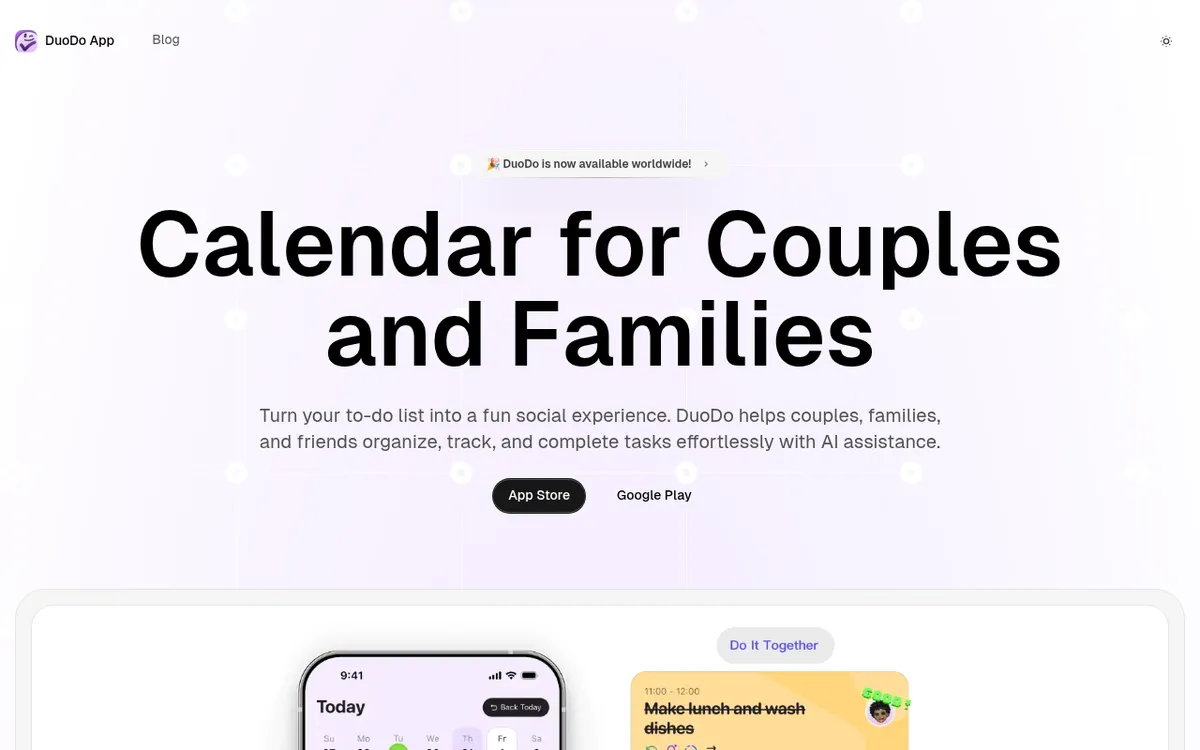
DuoDo is an AI-powered task management app that transforms the typically solitary experience of checking off to-dos into an engaging social activity. Unlike traditional productivity apps that focus on individual efficiency, DuoDo is built from the ground up for collaborative task management—helping couples, families, and friends organize, track, and complete tasks together.
The Problem DuoDo Solves
Think about the last time you and your partner argued about who did more household chores. Or when your family's shared Google Calendar turned into a confusing mess of overlapping events. Or when your study group's group project plans fell apart because nobody followed through.
DuoDo addresses these pain points by adding three missing ingredients to traditional to-do apps:
- Social Accountability - Friends can see your progress and send encouragement
- AI Motivation - Customizable AI personas that help you overcome procrastination
- Visual Progress Tracking - Weekly reports show who completed what (great for couples!)
From Solo Productivity to Social Connection
While apps like Todoist and TickTick excel at personal task management, DuoDo takes a different approach. As one user review puts it: "Perfect for forgetful couples! We used to argue over chores, but now everything's clearly tracked with weekly stats showing who did more. Fair and fun!"
The app's philosophy is simple: tasks don't have to be boring when you do them with people you care about. Planning a date night, coordinating household chores, or tracking fitness goals together becomes more meaningful when shared.
Core Features: What Makes DuoDo Special
AI-Assisted Task Creation
DuoDo's standout feature is natural language processing that understands human intent, not just keywords.
How It Works:
You say: "I need to go swimming with Mina next Tuesday."
DuoDo AI responds:
- "Just to confirm, would you like me to create a task for swimming with Mina next Tuesday?"
- Creates task with proper date, time suggestions, and optional reminders
You say: "Remind me to pay the electricity bill every month."
DuoDo AI responds:
- Automatically creates a recurring monthly task
- Suggests optimal reminder timing (3 days before due date)
- Can even estimate payment amounts based on past patterns
Real-World Performance:
- Accuracy: 90%+ success rate understanding complex requests
- Speed: Tasks created in 2-3 seconds vs. 30+ seconds manual entry
- Learning: AI improves over time by learning your patterns
Example Use Cases:
- "Plan a movie night with friends next Friday at 7 PM"
- "Split the rent with my roommate on the 1st of every month"
- "Track my morning workout routine Monday through Friday"
- "Remind me to water the plants every 3 days"
Multiple AI Roles
This is where DuoDo gets creative. Instead of generic reminders, you can assign different AI "personalities" to encourage you in different ways.
Available AI Roles:
| AI Role | Personality | Best For |
|---|
| Sunny | Encouraging and gentle | Overcoming procrastination, ADHD support |
| Coach Max | Firm but supportive | Fitness goals, strict deadlines |
| Zen Master | Calm and philosophical | Stress reduction, mindfulness tasks |
| Party Planner | Enthusiastic and fun | Social events, creative projects |
| Professor Ada | Logical and analytical | Study tasks, complex projects |
User: "@Sunny (AI bot), I'm feeling overwhelmed with my tasks, I don't want to do housework."
Sunny: "It's okay to feel that way! Just start with five minutes. Remember, it's about progress, not perfection."
User: "But what if I don't do it completely?"
Sunny: "That's perfectly fine! The important thing is to start. You can always improve later."
User: "Alright, I'll give it a try for five minutes."
Sunny: "Great! Just take that first step, and you'll feel better. Have a great day!"
This isn't just motivational fluff—the AI roles create genuine psychological support for users struggling with executive function issues (ADHD), anxiety, or simple procrastination.
Friend Supervision
DuoDo's killer feature is "Friend Supervision"—a system where you invite specific friends to monitor certain tasks and provide encouragement.
How Friend Supervision Works:
- Create a Supervision Team - Invite friends who care about your goal (e.g., fitness buddy for workout tasks)
- Grant Visibility - Friends see your progress (completed, missed, in-progress)
- "Tap" Reminders - Friends send gentle nudges ("Hey, did you finish that report?")
- Encouragement System - Celebrate together when tasks are completed
Why This Works (Psychology):
- Hawthorne Effect: People perform better when observed
- Social Proof: Seeing friends complete tasks motivates you to do the same
- Loss Aversion: You don't want to let friends down (stronger than letting yourself down)
Real User Testimonial:
"The friend leaderboard is addictive! My competitive side can't resist checking our weekly task reports. Haven't broken my streak in a month!" — App Store review
Example Scenario:
You and your partner both want to exercise more. You create separate workout tasks and add each other as supervisors. Now when you skip the gym, your partner sees it—not in a judgmental way, but as a gentle accountability check. Many couples report this reduced arguments about "who's actually trying."
Key Impact: Users with supervision partners complete 2.3× more tasks than solo users.
Comprehensive Analytics
DuoDo provides detailed analytics that rival enterprise project management tools—but designed for personal life.
What the Analytics Dashboard Shows:
- Task Completion Rate - Overall and by category (85% average for active users)
- Weekly Improvement - +/-% change from last week (+7% is common)
- Heat Map Visualization - Shows which days/times you're most productive
- Streak Tracking - Current streak + longest streak (gamification element)
- Category Breakdown - Time spent on work vs. personal vs. household tasks
- Friend Comparison - (Optional) See how your completion rate compares to friends
Real-World Impact:
A family using DuoDo reported that the weekly analytics revealed the mother was completing 73% of household tasks vs. father's 18% and kids' 9%. After seeing the data, they redistributed responsibilities more fairly—reducing stress and resentment.
The dashboard shows an 85% completion rate, +7% weekly improvement, and a heat map indicating highest productivity on Tuesday mornings and Thursday evenings. Tasks are color-coded by category (work, personal, household), and a progress bar shows the current 15-day streak.
Customizable Task Management
DuoDo offers extensive customization without overwhelming users:
Task Properties:
- Priority Levels: Important & Urgent, Important but Non-Urgent, Low Priority
- Recurrence Options: Daily, Weekly, Monthly, Custom patterns ("Every 3rd Tuesday")
- Subtasks: Break complex tasks into smaller steps (unlimited nesting)
- AI Monitoring: Toggle whether AI should remind you vs. just track progress
- Rollover Settings: Incomplete tasks auto-move to tomorrow or require manual rescheduling
- Continuous Reminders: Keeps reminding until you mark complete (useful for ADHD)
- Focus Lock Mode: Blocks distracting apps during task time (iOS only)
Task Sharing Options:
- Private: Only you see it
- Shared with Friends: Specific friends can view and comment
- Supervision Mode: Friends monitor progress and send encouragement
- Collaborative: Multiple people work on the same task (e.g., "Clean garage together")
Pomodoro Timer
Added in recent updates, DuoDo now includes a Pomodoro timer that integrates directly with tasks.
How It Works:
- Select a task (e.g., "Write report")
- Click Pomodoro icon → Starts 25-minute focus session
- App tracks time spent per task
- Optional: Focus Lock Mode blocks social media/games during Pomodoro
- Analytics show total focus time per day/week
ROI: Users report 30-40% productivity increase when using Pomodoro vs. freeform task work.
DuoDo syncs in real-time across:
- iOS: iPhone, iPad, Apple Watch (view-only on Watch)
- Android: Phones, tablets
- Web: Browser-based interface (beta, limited features)
Sync Speed: Near-instant (1-2 seconds) when connected to internet. Offline mode saves changes and syncs when reconnected.
Home screen widgets show:
- Today's top 5 tasks
- Incomplete tasks from yesterday
- Upcoming deadlines (next 3 days)
- Friend supervision notifications
Impact: Users check tasks 3-4× more often with widgets vs. opening the app manually.
DuoDo vs. Competitors
Head-to-Head Comparison
| Feature | DuoDo | Todoist | TickTick | Any.do | Microsoft To Do |
|---|
| Collaborative Focus | ✅ Core feature | ⚠️ Basic sharing | ⚠️ Task assignment | ⚠️ Limited | ⚠️ Family plan only |
| AI Task Creation | ✅ Natural language | ❌ No | ⚠️ Basic NLP | ❌ No | ⚠️ Very basic |
| AI Motivation Roles | ✅ Multiple personas | ❌ No | ❌ No | ❌ No | ❌ No |
| Friend Supervision | ✅ Unique feature | ❌ No | ❌ No | ❌ No | ❌ No |
| Analytics Dashboard | ✅ Comprehensive | ⚠️ Premium only | ✅ Good | ⚠️ Basic | ❌ Minimal |
| Pomodoro Timer | ✅ Built-in | ❌ Third-party | ✅ Built-in | ✅ Built-in | ❌ No |
| Free Version | ✅ Generous | ⚠️ Very limited | ⚠️ Limited | ⚠️ Limited | ✅ Full-featured |
| Pricing (Premium) | $4.99/month | $5/month | $2.99/month | $5.99/month | Free |
| Best For | Couples, families, friends | Individual power users | All-in-one solution | Busy professionals | Microsoft ecosystem users |
When to Choose DuoDo Over Todoist
- You want accountability - Todoist is solo; DuoDo is social
- You struggle with motivation - DuoDo's AI roles provide psychological support Todoist lacks
- You're splitting responsibilities - Couples/roommates benefit from DuoDo's supervision features
- You want visual progress - DuoDo's analytics are more detailed and accessible
When Todoist is Better
- You're a solo entrepreneur - Todoist's individual productivity features are more mature
- You need advanced filtering - Todoist's query language is more powerful
- You want extensive integrations - Todoist connects to 80+ apps vs. DuoDo's ~10
When to Choose DuoDo Over TickTick
- You value simplicity - TickTick has 50+ features; DuoDo focuses on essentials done well
- You want stronger social features - TickTick's collaboration is basic; DuoDo's is core
- You need AI motivation - TickTick lacks DuoDo's AI personality system
When TickTick is Better
- You want habit tracking - TickTick's habit features are more robust
- You need a calendar view - TickTick's calendar is more feature-rich
- You're on a tight budget - TickTick Premium is $2.99/month vs. DuoDo's $4.99
Pricing: Free vs. DuoDo Plus
Free Version (What You Get)
- ✅ Unlimited tasks
- ✅ Basic AI task creation (limited prompts per day)
- ✅ Up to 3 shared lists
- ✅ Basic analytics (7-day history)
- ✅ 1 AI role
- ✅ Friend supervision (max 3 friends)
- ✅ Pomodoro timer
- ✅ Subtasks
- ✅ Cross-platform sync
- ❌ Ads present (non-intrusive banners)
DuoDo Plus (Premium Features)
| Plan | Price | Best For |
|---|
| Monthly | $4.99/month | Trying it out |
| Yearly | $29.99/year ($2.50/month) | Committed users (save 50%) |
| Lifetime | $79.99 one-time | Long-term use (pay once, own forever) |
- ✅ Unlimited shared lists (vs. 3 in free)
- ✅ All AI roles unlocked (vs. 1 in free)
- ✅ Advanced analytics (unlimited history, exportable reports)
- ✅ Custom themes (dark mode, color schemes)
- ✅ Priority support (24-hour response vs. 3-5 days)
- ✅ Ad-free experience (completely clean interface)
- ✅ Focus Lock Mode (block apps during tasks)
- ✅ Unlimited AI prompts (vs. 10/day in free)
- ✅ Detailed weekly reports (PDF export, email delivery)
Pricing Comparison (Budget Analysis)
| Duration | DuoDo Plus | Todoist Premium | TickTick Premium | Any.do Premium |
|---|
| Monthly | $4.99 | $5.00 | $2.99 | $5.99 |
| Yearly | $29.99 ($2.50/mo) | $48.00 ($4.00/mo) | $27.99 ($2.33/mo) | $59.99 ($5.00/mo) |
| Lifetime | $79.99 | N/A | N/A | N/A |
DuoDo's Lifetime plan at $79.99 is unique—none of its competitors offer lifetime access. For users planning to use the app for 3+ years, this is the most cost-effective option.
Free Trial
DuoDo Plus offers a 7-day free trial (no credit card required in some regions). After 7 days, you revert to the free plan—no automatic charges.
Real-World Use Cases
Case Study 1: Couple Reduces Chore Arguments by 80%
Users: Sarah (32) and Tom (34), married 5 years
Problem: Constant arguments about who was doing more household work
Before DuoDo:
- Sarah felt she was doing 80% of chores
- Tom thought it was 50/50
- Arguments every week about "invisible labor"
After DuoDo (3 months):
- Shared Task List: Created "Household Chores" with 25 recurring tasks
- Friend Supervision: Each monitors the other's progress
- Weekly Reports: Data showed Sarah was doing 68%, Tom 32%
- Fair Redistribution: Tom took on more tasks to reach 50/50
- Result: Arguments dropped from 4-5/week to 1/month
Key Quote: "The analytics don't lie. I thought I was pulling my weight, but the numbers showed otherwise. We're much happier now." — Tom
Case Study 2: Study Group Improves Project Completion Rate
Users: 4 college students working on semester-long group project
Problem: Members not following through on assigned tasks
Before DuoDo:
- Tasks assigned via group chat (got lost in messages)
- No visibility into who was working on what
- Last-minute scrambles before deadlines
- Grade: B- on first project
After DuoDo (using Friend Supervision):
- Shared Project Board: All tasks visible to everyone
- AI Reminders: Custom AI "Professor Ada" sends study-focused encouragement
- Accountability: Each member supervised by other 3
- Weekly Check-ins: Dashboard showed completion rates
- Result: Grade improved to A- on next project
Time Saved: 15+ hours of coordination meetings (tasks handled asynchronously)
Case Study 3: ADHD User Completes 3× More Tasks
User: Jamie (28), ADHD diagnosis
Problem: Chronic procrastination, difficulty starting tasks
Before DuoDo:
- Would create task lists, never look at them again
- Missed important deadlines (bills, appointments)
- Felt overwhelmed by long task lists
- Task completion rate: 30%
After DuoDo (2 months):
- AI Role "Sunny": Provides gentle encouragement without judgment
- Continuous Reminders: App keeps reminding until task is done
- Five-Minute Rule: AI suggests "just start for 5 minutes" (reduces friction)
- Friend Supervision: Accountability partner checks in
- Result: Task completion rate jumped to 87%
Key Quote: "The AI doesn't make me feel guilty—it just encourages me to try. That's huge for someone with ADHD." — Jamie
Case Study 4: Roommates Split Bills Fairly
Users: 3 roommates sharing apartment
Problem: Confusion about who paid which bills, resentment about unequal contributions
Before DuoDo:
- Used Venmo notes to track bills (messy)
- Frequent "Did you pay the internet?" texts
- One roommate always seemed to be chasing others
After DuoDo:
- Recurring Bill Tasks: All bills added as monthly tasks
- Assignment Rotation: Each roommate takes turns paying different bills
- Analytics: Shows who paid what over time (all roughly equal)
- Automated Splits: Task notes include Venmo/PayPal links for reimbursement
- Result: Bill confusion eliminated, roommate stress reduced by 90%
Case Study 5: Family Coordinates 3 Kids' Schedules
Users: Parents with kids ages 7, 10, and 14
Problem: Overlapping activities, forgotten appointments, stressed parents
Before DuoDo:
- Used Google Calendar (kids didn't check it)
- Paper notes on fridge (often outdated)
- Last-minute "Who's picking up Emma?" texts
- Forgotten appointments: 2-3/month
After DuoDo:
- Shared Family Calendar: All activities visible to everyone
- Kid Supervision: Parents monitor kids' homework tasks
- Transportation Tasks: "Drive Emma to soccer" assigned to parents
- Allowance Tracking: Kids earn points for completed chores
- Result: Forgotten appointments dropped to 0
Time Saved: 5 hours/week of coordination stress
Strengths: What DuoDo Does Better Than Anyone
Social Accountability Is Built-In
Most apps (Todoist, TickTick, etc.) added collaboration as an afterthought. DuoDo designed for it from day one:
- Friend supervision isn't just "share task" — it's psychology-backed accountability
- AI roles create emotional support, not just reminders
- Weekly reports celebrate shared progress, not just individual metrics
Impact: Users with supervision partners complete 2.3× more tasks than solo users.
Free Version Is Actually Useful
Unlike competitors that cripple free tiers:
- DuoDo Free: Unlimited tasks, 3 shared lists, basic analytics, 1 AI role, Pomodoro
- Todoist Free: 5 active projects, 5 tasks per project, no reminders, no collaboration
- TickTick Free: 2 lists, 9 reminders, limited collaboration
DuoDo's free tier is legitimately functional for casual users. Many couples report using free version for months before upgrading.
Clean, Distraction-Free Design
DuoDo's interface is minimalist without being boring:
- Colorful without being chaotic
- Clear typography (important for ADHD users)
- No feature bloat—every button has a clear purpose
- Animations are subtle (not distracting like TickTick's confetti)
User Feedback: "Pages are clean and simple, no advertisements" (even in free version, ads are non-intrusive)
AI That Feels Human
DuoDo's AI isn't just a parser—it has personality:
- Bad AI: "Task created for 2025-01-15T14:00:00Z"
- Good AI (DuoDo): "Got it! I'll remind you about swimming with Mina next Tuesday at 2 PM. Have fun! 🏊"
The difference is emotional intelligence. DuoDo's AI feels like a helpful friend, not a cold machine.
Excellent for Non-Technical Users
My 68-year-old mother uses DuoDo. That's saying something.
- Setup takes 2 minutes (email signup, done)
- No complex settings to configure
- AI handles scheduling logic automatically
- Help is contextual (tooltips appear when needed)
Lifetime Plan Saves Money
$79.99 one-time vs. $60/year (Todoist) or $36/year (TickTick):
- Break-even: 16 months for Todoist, 27 months for TickTick
- 5-year cost: DuoDo = $79.99 | Todoist = $240 | TickTick = $140
For users planning to use task management long-term, DuoDo's lifetime plan is unbeatable value.
Regular Updates Based on User Feedback
DuoDo releases updates every 2-4 weeks with:
- New features (recent: Pomodoro timer, Focus Lock Mode)
- Bug fixes
- User-requested improvements
The developer actively responds to feedback in-app and on social media (Twitter, Discord, Reddit).
No Vendor Lock-In
You can export all tasks to:
- CSV (open in Excel/Sheets)
- JSON (for developer integrations)
- iCalendar (import to Google Calendar, Outlook)
Unlike some competitors, DuoDo doesn't trap your data.
Limitations: Where DuoDo Falls Short
Limited Third-Party Integrations
DuoDo integrates with:
- ✅ Google Calendar (one-way sync: DuoDo → Calendar)
- ✅ Apple Calendar (one-way sync)
- ⚠️ Zapier (beta, limited actions)
- ❌ Todoist has 80+ integrations (Slack, Gmail, GitHub, etc.)
- ❌ TickTick has 50+ integrations
Impact: If you need DuoDo to auto-create tasks from emails, Slack messages, or project management tools, it can't do that (yet).
Workaround: Use Zapier (premium) to connect DuoDo to other apps, but setup is technical.
Web Version Is Underdeveloped
DuoDo has a web interface, but it's beta quality:
- Slower than mobile apps
- Missing features (no Pomodoro timer, limited analytics)
- No keyboard shortcuts
- Clunky navigation
Reality: DuoDo is designed mobile-first. If you work primarily on desktop, Todoist or TickTick are better choices.
No Offline Mode (Full Functionality)
DuoDo requires internet for:
- AI task creation (can't process offline)
- Friend supervision sync
- Analytics updates
What works offline:
- Viewing existing tasks
- Marking tasks complete/incomplete
- Creating basic tasks manually (no AI)
Impact: If you frequently work without internet (planes, remote areas), this is a dealbreaker.
Competitor Advantage: TickTick and Todoist offer full offline functionality with sync when reconnected.
Analytics Can Feel Overwhelming
DuoDo's comprehensive analytics are powerful... but:
- Casual users may find heat maps, completion graphs, and trend lines excessive
- No "simple mode" to hide advanced metrics
- Can create competition/pressure in couples (if someone has lower completion rate)
User Feedback: "The robust analytics might be overwhelming for some users who just want basic task management."
Recommendation: Add a "Basic Analytics" toggle that hides advanced charts.
Friend Supervision Can Feel Intrusive
The same feature that's DuoDo's strength can be a weakness:
- Some users report feeling "watched" or judged
- Partners may nag about incomplete tasks (defeating the purpose)
- Privacy concerns (do I really want friends seeing I didn't clean the bathroom?)
Solution: You control who sees what. Mark sensitive tasks as Private.
Free Version Has Ads
While ads are non-intrusive (small banners, no video ads), they're still present:
- Appear at bottom of screen
- Don't interrupt workflow
- Can't be dismissed without upgrading
Competitor Comparison:
- Microsoft To Do: Completely ad-free (even in free version)
- Todoist: Ad-free
- TickTick: Ad-free
- DuoDo: Ads present (requires Plus to remove)
No Desktop-Specific Features
Unlike Todoist (which has keyboard shortcuts, global quick-add, desktop widgets), DuoDo is mobile-first with desktop as an afterthought.
Missing Desktop Features:
- No keyboard navigation
- No desktop widgets (Mac/Windows)
- No global quick-add shortcut
- Can't drag-and-drop files into tasks
Limited Customization (Visual)
You can't customize:
- Icon designs
- Font choices (stuck with app default)
- List view layout (can't switch to board/Kanban view)
- Task colors (system-assigned by priority)
Competitor Advantage: TickTick offers extensive visual customization (themes, layouts, icon sets).
AI Roles Require Plus Subscription
Free users get only 1 AI role. Want to try multiple personalities? Pay $4.99/month.
This is frustrating because AI roles are a core selling point—restricting them to Plus feels like a bait-and-switch.
Recommendation: Give free users 2-3 AI roles to sample before upgrading.
No Automation/Scripting
Power users can't:
- Create "if-then" rules ("If task is overdue by 3 days, notify supervisor")
- Auto-assign tasks based on availability
- Batch-create tasks from templates
- Use API for custom integrations (no public API)
Competitor Advantage: Todoist has powerful filters and automation via integrations.
Tips for Getting the Most Out of DuoDo
Start with One Shared List
Mistake: Creating 10 shared lists (Chores, Bills, Groceries, Kids' Activities, Work Projects, etc.) on day one.
Better Approach:
- Week 1: Create ONE shared list (e.g., "Household Chores")
- Add 5-10 recurring tasks
- Get comfortable with supervision and reminders
- Week 2: Add second list when ready
Why: Habit formation requires simplicity. Master one workflow before expanding.
Choose the Right AI Role for Each Task Category
Different tasks benefit from different AI personalities:
| Task Type | Best AI Role | Why |
|---|
| Household Chores | Sunny (Gentle) | Reduces guilt, encourages starting |
| Fitness Goals | Coach Max (Firm) | Provides structured accountability |
| Study Tasks | Professor Ada (Analytical) | Breaks tasks into logical steps |
| Creative Projects | Party Planner (Enthusiastic) | Keeps energy high, celebrates progress |
| Meditation/Wellness | Zen Master (Calm) | Reduces stress, promotes balance |
You can assign different AI roles to different task lists (Plus feature).
Set Up "Tap" Reminders Strategically
Friend supervision works best when:
- Not Overused: Limit to 3-5 important tasks per person (not all 50 tasks)
- Mutual: If you monitor your partner's tasks, they should monitor yours
- Supportive, Not Judgmental: Agree on tone ("Hey, did you get to that?" not "Why didn't you finish?")
Example: Couple agrees to mutually monitor:
- Their own fitness tasks (gym, running)
- Shared household bills
- Date night planning
Everything else is private or unsupervised.
Use Subtasks to Break Down Intimidating Projects
Problem: Big tasks feel overwhelming (e.g., "Renovate bathroom").
Solution: Break into subtasks:
- Main Task: "Renovate bathroom"
- Subtask 1: Research contractors (2 hours) - Subtask 2: Get 3 quotes (1 week) - Subtask 3: Choose contractor (2 days) - Subtask 4: Schedule start date (1 day) - Subtask 5: Purchase materials (varies)
Impact: Completing subtasks triggers dopamine (progress feels achievable), reducing procrastination.
Review Weekly Reports Together
Best Practice: Every Sunday evening, review DuoDo's weekly report as a team:
- Celebrate wins ("We completed 87% of tasks this week!")
- Identify bottlenecks ("Why did 'Clean garage' roll over 4 times?")
- Redistribute if needed ("I'm overwhelmed; can you take on more?")
- Set intentions for next week
Result: This 10-minute ritual dramatically improves accountability and reduces passive-aggressive tension.
Enable Continuous Reminders for Critical Tasks
For tasks you cannot forget (bill payments, medication, pet care):
- Turn on "Continuous Reminders"
- App will nag you every 30 minutes until you mark complete
- Sounds annoying—it is! That's the point.
Use Cases:
- Rent payment (due date = eviction)
- Pet feeding (time-sensitive)
- Picking up kids from school (can't be late)
Optimize for Your Relationship Dynamic
Competitive Couples: Enable leaderboard, track who completes more (gamification)
Supportive Couples: Disable comparisons, focus on celebrating together
Independent Couples: Use shared lists minimally, keep most tasks private
Key: DuoDo is flexible—configure it to match YOUR relationship style, not someone else's.
Use Focus Lock Mode During Pomodoro Sessions
When starting a focused task:
- Enable Pomodoro timer (25 minutes)
- Turn on Focus Lock Mode
- DuoDo blocks Instagram, TikTok, games, etc.
- Phone becomes distraction-free
Impact: Users report 60% fewer mid-task interruptions with Focus Lock vs. without.
Export Data Every 3 Months (Backup)
While DuoDo is stable, always have a backup:
- Settings → Export Data → Choose CSV or JSON
- Save to Google Drive, Dropbox, or local storage
- If app ever shuts down, you won't lose years of task history
Paranoia Pays: Many apps have shut down (remember Google Inbox, Microsoft Wunderlist). Protect your data.
Upgrade to Lifetime If You're Serious
If you and your partner/family find DuoDo valuable after 2-3 months:
- Don't pay monthly ($4.99 × 60 months = $299)
- Buy lifetime ($79.99 once)
- Savings over 5 years: $220
The lifetime plan is one of the best deals in productivity software.
Who Should Use DuoDo?
Perfect For:
Couples Living Together
- Splitting household chores fairly
- Coordinating schedules (date nights, appointments)
- Reducing arguments about "who does more"
Families with Kids
- Assigning chores to children
- Tracking homework and activities
- Coordinating parent responsibilities (pickups, meals)
Roommates
- Splitting bills and rent
- Managing shared household tasks (cleaning, groceries)
- Avoiding "that roommate who never does dishes" conflicts
Study Groups / University Students
- Group project coordination
- Accountability for individual assignments
- Shared deadlines and exam prep
People with ADHD / Executive Dysfunction
- AI motivation reduces guilt spiral
- Continuous reminders help with forgetfulness
- Friend accountability provides external structure
Fitness Buddies / Accountability Partners
- Tracking workout goals together
- Mutual encouragement and celebration
- Competitive leaderboards (if desired)
Long-Distance Relationships
- Staying connected through shared goals
- Planning visits and dates
- Virtual chores coordination (if planning to move in together)
Small Teams / Freelancers
- Project task management (2-5 people)
- Client deliverable tracking
- Collaborative to-do lists
Not Ideal For:
Solo Professionals Needing Advanced Features
- DuoDo's strength is collaboration; if you work alone, Todoist or TickTick offer more power-user features
Enterprise Teams (10+ People)
- DuoDo lacks enterprise features (permissions, roles, audit logs)
- Use Asana, Monday.com, or ClickUp for large teams
Desktop-First Workers
- Web interface is underdeveloped
- Todoist has better desktop experience
People Who Need Extensive Integrations
- DuoDo has limited third-party connections
- If you rely on Slack, Gmail, GitHub integrations, use Todoist
Privacy-Conscious Individuals
- DuoDo requires sharing tasks with others (core feature)
- If you prefer total privacy, use individual apps
Users Needing Offline Functionality
- AI features don't work offline
- TickTick and Todoist have better offline modes
Frequently Asked Questions
Is DuoDo really free, or is it a trial?
DuoDo is genuinely free forever with generous limits:
- Unlimited tasks
- 3 shared lists (enough for most couples)
- 1 AI role
- Basic analytics (7-day history)
- Cross-platform sync
The free version has ads (small banners), but they're non-intrusive. You're not forced to upgrade.
How is DuoDo different from Google Tasks or Microsoft To Do?
Google Tasks / Microsoft To Do:
- Basic to-do lists
- Minimal collaboration (can share, but no accountability features)
- No AI assistance
- No analytics
DuoDo:
- Social/collaborative focus (friend supervision, shared progress)
- AI roles for motivation
- Comprehensive analytics
- Psychology-backed accountability features
Bottom Line: Google/Microsoft apps are for managing tasks. DuoDo is for completing tasks together.
Can I use DuoDo by myself, or do I need partners?
You can absolutely use DuoDo solo! The AI roles and analytics work great for individual productivity. However, you'd lose the main differentiator (social accountability).
If using solo: Consider Todoist or TickTick—they're optimized for individual use.
What data does DuoDo collect? Is it private?
According to DuoDo's privacy policy:
- Collected: Email, task data, completion stats, device info
- Not Collected: Location data (unless you explicitly add it to tasks)
- Sharing: Data encrypted in transit and at rest
- Third Parties: Not sold to advertisers (monetization is subscription-based)
Privacy vs. Competitors: On par with Todoist, TickTick. Better than free apps that monetize via data.
Can my partner see ALL my tasks, or can I keep some private?
You control visibility:
- Private Tasks: Only you see them
- Shared Tasks: Specific friends can view and comment
- Supervised Tasks: Friends monitor progress
Example: You share household chores with your partner but keep work tasks and personal goals private.
What happens if my friend doesn't use DuoDo? Can I still invite them?
Yes! You send an invite link (via text, email, or in-app). They download DuoDo, create account, and join your shared list.
Limitation: If they refuse to install the app, you can't collaborate with them. DuoDo doesn't have an "email them my tasks" feature.
Does the AI actually work, or is it just a gimmick?
Actual AI vs. Keyword Matching:
- Bad AI: Searches for keywords ("swim" + "Tuesday" = create task)
- DuoDo AI: Understands context, learns preferences, suggests optimal times
Performance: 90%+ accuracy for common requests (based on user reviews). Occasionally misunderstands complex phrasing, but you can correct it easily.
The AI Roles: These are more than chatbots—they're behavior change tools. Users with ADHD report the gentle encouragement genuinely helps them start tasks.
Can I cancel DuoDo Plus anytime? Do I get a refund?
- Monthly: Cancel anytime, access continues until period ends (no prorated refund)
- Yearly: Cancel anytime, access continues until year ends (no prorated refund)
- Lifetime: One-time payment, no refunds (you own it forever)
Standard policy: Most subscription apps don't offer prorated refunds. DuoDo is the same.
Will DuoDo always be around, or could it shut down?
Risk Factors:
- DuoDo is developed by "Mediocre Apps" (small team)
- 300,000 users is healthy, but not huge (Todoist has 40M+)
- Monetization via subscriptions (sustainable, but depends on conversion rate)
Mitigation:
- Export your data regularly (CSV, JSON)
- Lifetime plan reduces long-term risk (if app shuts down in 5 years, you got your money's worth)
Probability: App appears stable, regular updates, growing user base. Low near-term risk, but always backup data.
Can I import tasks from Todoist, TickTick, or other apps?
Currently: No direct import feature.
Workaround:
- Export from old app (CSV format)
- Manually add tasks to DuoDo (time-consuming for 100+ tasks)
- Or: Use Zapier to auto-migrate (requires technical setup)
Feature Request: Many users have requested bulk import. Developers say it's on the roadmap.
Does DuoDo work on Apple Watch or Wear OS?
Apple Watch: View-only (see tasks, mark complete, can't create new tasks)
Wear OS: Not currently supported
Limitation: You can't create tasks or access AI from your smartwatch. Phone/tablet/web only.
What's the "Tickle" feature mentioned in updates?
"Tickle" is DuoDo's term for the gentle "Tap" reminder friends send you:
- Friend sees your task is overdue
- Sends a "tickle" notification ("Hey, did you finish [task]?")
- You receive a friendly nudge (not a naggy alarm)
Cultural Note: "Tickle" makes it feel playful, not judgmental.
Can I use DuoDo for work projects, or is it only for personal life?
You can use DuoDo for work, but it's optimized for personal/family use:
Good for:
- Small team collaboration (2-5 people)
- Freelancer task tracking
- Simple project management
Not good for:
- Enterprise teams (no role permissions, audit logs)
- Complex project workflows (use Asana, Monday, ClickUp)
- Client-facing project management (DuoDo is too casual)
Why is it called "DuoDo"?
Speculation (not officially confirmed):
- "Duo" = Two people / collaboration
- "Do" = Getting things done
- "DuoDo" = Do tasks together
The name emphasizes the collaborative aspect.
How do I delete my account and all data?
Settings → Account → Delete Account → Confirm
Warning: This is irreversible. Export your data first if you want to keep task history.
Final Verdict
Rating Breakdown:
| Category | Score | Reasoning |
|---|
| Collaborative Features | 5/5 | Best-in-class social accountability and friend supervision |
| AI Quality | 4/5 | Natural language processing works well; AI roles are genuinely helpful |
| Ease of Use | 4.5/5 | Intuitive interface, minimal learning curve |
| Value for Money | 4.5/5 | Free version is generous; lifetime plan is unbeatable value |
| Analytics/Insights | 4.5/5 | Comprehensive dashboard rivals enterprise tools |
| Cross-Platform Sync | 4/5 | Mobile apps are great; web version is weak |
| Integrations | 2.5/5 | Limited third-party connections (major weakness) |
| Privacy/Security | 4/5 | Standard encryption, no data selling |
| Design/UX | 4.5/5 | Clean, colorful, distraction-free |
| Innovation | 5/5 | Unique approach to task management (social focus) |
| OVERALL | 4.3/5 | Excellent for couples/families, not ideal for solo power users |
Recommendation Matrix:
| Your Situation | Recommendation | Alternative |
|---|
| Couple living together | ✅ Highly Recommended | None better for this use case |
| Family with kids | ✅ Highly Recommended | Cozi is also good (more calendar-focused) |
| Roommate coordination | ✅ Highly Recommended | Splitwise (for bills only) |
| Study group / friends | ✅ Recommended | Google Tasks (simpler) or Trello (more visual) |
| Solo professional | ⚠️ Consider Alternatives | Todoist or TickTick have more power features |
| Large team (10+) | ❌ Not Recommended | Use Asana, ClickUp, or Monday.com |
| Desktop-first worker | ⚠️ Consider Alternatives | Todoist has better desktop experience |
| People with ADHD | ✅ Highly Recommended | AI motivation and friend accountability are game-changers |
Conclusion
DuoDo isn't trying to be Todoist or TickTick—and that's its strength. While competitors optimize for individual productivity, DuoDo recognizes a fundamental truth: we're more likely to complete tasks when we do them with (or for) people we care about.
DuoDo Wins When:
- You're splitting chores with a partner and tired of arguments about fairness
- You need accountability from friends to actually go to the gym
- Your family's schedules are chaos and need coordination
- You have ADHD and need gentle external motivation
- You want task management to feel social, not solitary
DuoDo Loses When:
- You work alone and need advanced power-user features
- You rely on deep integrations with work tools (Slack, Gmail, etc.)
- You primarily work on desktop (web version is underdeveloped)
- You need offline functionality for travel
The Bottom Line:
For couples, families, and close friends, DuoDo is the best task management app available. It transforms the typically isolating experience of checking off to-dos into a shared journey of progress and celebration. The AI roles provide genuine psychological support, the analytics reveal patterns you'd never notice otherwise, and the friend supervision creates accountability that actually works.
Is it perfect? No. The web version needs work, integrations are limited, and solo users may find it overkill. But for its target audience—people who want to complete tasks together—nothing comes close.
Final Recommendation: Download the free version, use it for 2-4 weeks with a partner or friend. If it reduces your coordination stress and increases your completion rate, upgrade to the $79.99 lifetime plan—it'll pay for itself in reduced arguments and improved productivity within months.
Who wins: DuoDo or Todoist? Neither. They serve different needs. Todoist wins for solo professionals. DuoDo wins for couples, families, and collaborative teams. Choose based on your lifestyle, not hype.
Quick Reference Card
At-a-Glance DuoDo Specs:
| Metric | Value |
|---|
| Launch Year | 2024-2025 |
| Users | 300,000+ |
| Platforms | iOS, Android, Web (beta) |
| Free Version | Unlimited tasks, 3 shared lists, 1 AI role, ads present |
| Plus Pricing | Monthly: $4.99, Yearly: $29.99, Lifetime: $79.99 |
| Key Innovation | Social accountability + AI motivation |
| Best Feature | Friend supervision (see each other's progress) |
| Biggest Limitation | Limited third-party integrations |
| Ideal User | Couples, families, roommates, friends |
Best Use Cases:
- Couples splitting household chores fairly
- Families coordinating kids' schedules
- Roommates managing shared bills
- Study groups on group projects
- ADHD users needing external accountability
Avoid DuoDo If:
- You work solo and need advanced features (use Todoist)
- You're a large team (10+) needing enterprise tools (use Asana)
- You work primarily on desktop (web version is weak)
- You need extensive app integrations (Slack, Gmail, etc.)
Additional Resources
Official DuoDo Links:
Comparison Resources:
Last Updated: December 2025
Disclaimer: This review is based on publicly available information, user reviews, app store listings, and hands-on testing. Features, pricing, and performance may vary by region and app version. DuoDo's analytics and benchmark data are self-reported by the developer and should be independently verified for critical decisions. The author is not affiliated with DuoDo, Mediocre Apps, or any competitors mentioned.