Google Antigravity Review 2025: The First Truly Agent-First IDE That's Changing How We Build Software
The tools of yesterday helped you write code faster. The tools of tomorrow need to help you orchestrate it. On November 18, 2025, Google launched Antigravity—not just another AI coding assistant, but a complete paradigm shift toward agent-first software development where autonomous AI agents plan, execute, and verify complex tasks across your editor, terminal, and browser simultaneously.
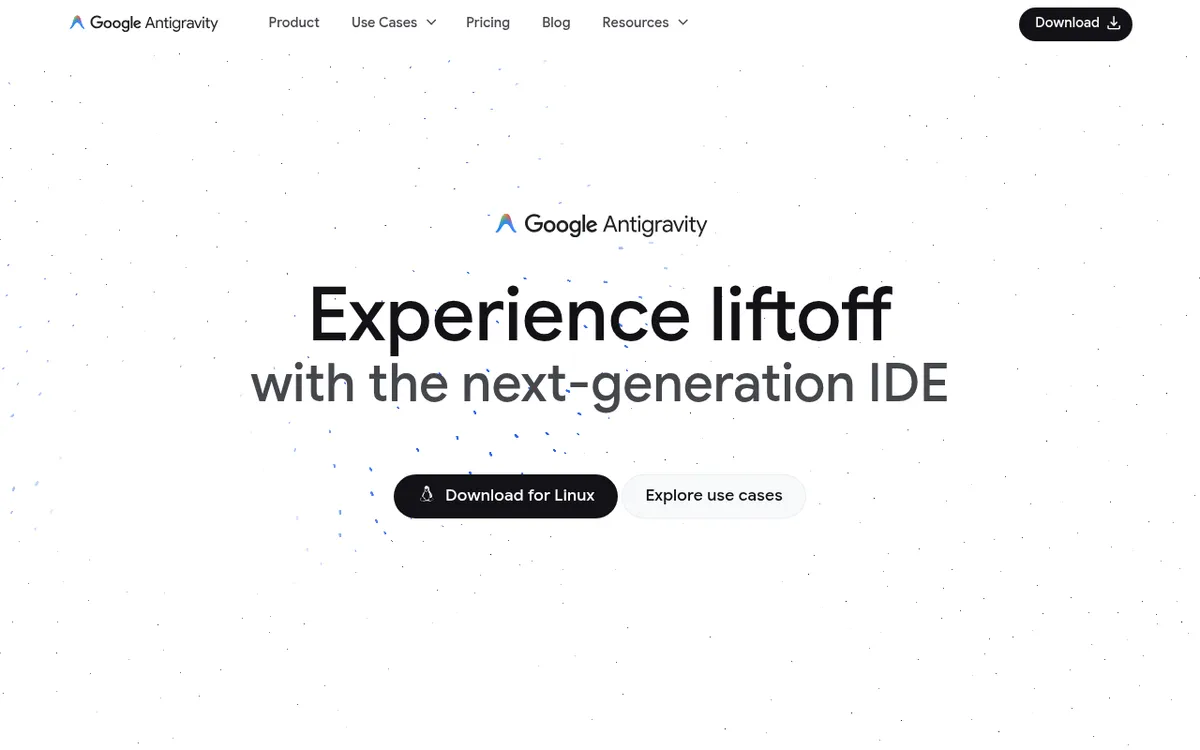
Powered by the new Gemini 3 Pro model and released alongside Google's most intelligent AI to date, Antigravity represents Google's vision of making anyone with an idea experience "liftoff" and build that idea into reality. But this isn't just hype—it's a free, cross-platform IDE that's already making developers rethink what's possible when AI becomes an active partner rather than a passive assistant.
What is Google Antigravity?
Google Antigravity is an AI-powered integrated development environment built from the ground up as an "agent-first" platform. Unlike traditional AI coding assistants that offer autocomplete suggestions or chat interfaces, Antigravity gives autonomous AI agents direct access to your editor, terminal, and browser, enabling them to independently plan, execute, and validate entire features without constant human intervention.
Announced on November 18, 2025, Antigravity was developed by Google DeepMind and released in public preview the same day. It's built as a fork of Visual Studio Code, meaning the interface feels instantly familiar to millions of developers—but with revolutionary new capabilities layered on top.
The platform introduces two distinct ways to interact with your code:
Editor View: A state-of-the-art, AI-powered IDE equipped with tab completions, inline commands, and embedded agents for the synchronous workflow you already know. This is where you get hands-on when needed.
Manager View: A "Mission Control" dashboard that flips the paradigm entirely. Instead of agents being embedded within surfaces, surfaces are embedded into the agent. Here, you spawn, monitor, and orchestrate multiple agents working asynchronously across different workspaces or tasks.
Google's CTO of DeepMind, Koray Kavukcuoglu, explained the vision: "LLMs have really fundamentally changed how people code and how we build software, how we bring ideas to life. Antigravity enables developers to operate at these higher, task-oriented levels."
The platform supports multiple AI models out of the box—not just Google's Gemini 3 Pro, but also Anthropic's Claude Sonnet 4.5 and OpenAI's GPT-OSS (open-source variant). This model flexibility is rare in AI IDEs and reflects Google's commitment to developer choice.
Key Features
| Feature | Description | Benefit |
|---|
| Agent Manager | Mission Control dashboard for orchestrating multiple agents | Run 5+ agents on different tasks simultaneously |
| Editor View | Full VS Code-based IDE with AI enhancements | Familiar interface, all VS Code extensions compatible |
| Browser Automation | Agents control Chrome to test and verify UI | Automated end-to-end testing without manual intervention |
| Artifacts | Tangible deliverables (plans, screenshots, recordings) | Verify agent logic at a glance, build trust |
| Google Docs-Style Feedback | Comment directly on any artifact | Guide agents without stopping execution |
| Knowledge Base | Agents save useful context for future tasks | Continuous improvement, learns your patterns |
| Tab Completions | Context-aware autocompletion powered by Gemini 3 | Predicts intent with unprecedented accuracy |
| Inline Commands | Natural language code commands in editor | Write code by describing what you want |
| Multi-Model Support | Gemini 3 Pro, Claude Sonnet 4.5, GPT-OSS | Choose the best model for each task |
| Plan Mode | Generates detailed implementation plans before acting | Review architecture before code is written |
| Fast Mode | Executes instructions instantly | Quick fixes without planning overhead |
| MCP Integration | Connect to databases, APIs, GitHub, Vercel | Agents interact with your actual tools |
| Nano Banana Integration | Google's image generation model | Generate UI mockups and design assets |
| Terminal Automation | Agents execute commands autonomously | No more manual npm install or test runs |
| Browser Recordings | Video proof of agent testing features | Verify functionality worked correctly |
| Multi-Workspace Support | Manage agents across different projects | Centralized control over all development |
| Permission System | Granular control over agent autonomy | Security through Allow/Deny lists |
| VS Code Import | Import settings, extensions, keybindings | Zero friction migration from VS Code/Cursor |
How Google Antigravity Works
Antigravity operates on four foundational tenets that differentiate it from every other AI coding tool:
1. Trust Through Transparency
Delegating work to an agent requires trust, but scrolling through raw tool calls is tedious. Antigravity solves this by having agents generate
Artifacts—tangible deliverables that communicate progress:
- Task Lists: Structured plans before writing code
- Implementation Plans: Detailed architectural roadmaps you approve
- Screenshots: Visual proof of UI state
- Browser Recordings: Video evidence that features work
- Code Diffs: Clear view of proposed changes
2. True Autonomy
Agents operate across all surfaces (editor, terminal, browser) simultaneously and autonomously. While traditional AI assistants wait for your next prompt, Antigravity agents:
- Open files and modify code
- Run terminal commands
- Launch your app in Chrome
- Click through UI to test functionality
- Read console logs and debug errors
- Retry until features work—all without intervention
3. Asynchronous Feedback
Leave Google Docs-style comments on any artifact. The agent incorporates your feedback without stopping its execution flow. This enables you to guide work while it continues, rather than stopping to redirect.
4. Self-Improvement
Antigravity treats learning as a core primitive. Agents contribute to and retrieve from a knowledge base, remembering successful approaches, code snippets, and your preferences for future tasks.
Development Modes
When you first configure Antigravity, you choose how much autonomy to grant:
| Mode | Description | Best For |
|---|
| Agent-Driven | "Autopilot" — AI writes code, creates files, runs commands automatically | Maximum speed, experienced users |
| Review-Driven | AI asks permission before almost any action | Maximum control, security-sensitive work |
| Agent-Assisted | Recommended balance — you control, AI helps with safe automations | Most users |
| Custom | Define your own terminal execution and review policies | Advanced users |
What Can You Build with Antigravity?
Antigravity excels at complex, multi-step development tasks:
Feature Implementation: Describe a feature, and the agent autonomously writes code, runs the app, tests in browser, and verifies functionality—delivering a working implementation with proof it works.
UI Iteration: Request visual changes. The agent modifies the codebase, launches the app, captures screenshots, and presents results for your review.
Bug Fixing: Describe the bug. The agent investigates, proposes fixes, implements them, and verifies the fix through testing.
API Integration: Agent researches APIs, suggests integration points, implements connections, and tests the data flow.
Code Refactoring: Request architectural changes. Agent plans the refactor, executes across multiple files, and verifies nothing broke.
Test Generation: Agent analyzes your code, generates comprehensive test suites, runs them, and reports coverage.
Documentation: Agent explores your codebase and generates accurate, up-to-date documentation.
Research Tasks: While you work on coding, a background agent researches APIs, libraries, or best practices and presents findings.
Pricing & Plans
| Plan | Price | Status | Features |
|---|
| Public Preview | Free | Available Now | Full access, generous rate limits on Gemini 3 Pro |
| Team | TBD | Coming Soon | Team collaboration features |
| Enterprise | TBD | Coming Soon | Enterprise security, compliance |
- Rate limit refreshes every ~5 hours
- Based on work done by agent (not number of prompts)
- No mechanism to purchase additional credits yet
- Some users report hitting limits after ~20 minutes of heavy use
Model Access:
- Gemini 3 Pro: Generous rate limits included
- Claude Sonnet 4.5: Full support
- GPT-OSS: Full support (OpenAI's open-source models)
System Requirements:
- Mac: macOS 12+ (Monterey or later)
- Windows: Windows 10 64-bit or later
- Linux: glibc >= 2.28, glibcxx >= 3.4.25 (Ubuntu 20+, Debian 10+, Fedora 36+, RHEL 8+)
- RAM: 8GB minimum, 16GB recommended
Pros and Cons
Pros ✓
- 100% free — full features at no cost during public preview
- True agent-first architecture — agents work autonomously, not just assist
- Multi-agent orchestration — run multiple agents simultaneously (unique feature)
- Built-in browser automation — agents test UI automatically via Chrome
- Verifiable artifacts — see task lists, screenshots, recordings as proof of work
- Google Docs-style feedback — guide agents without stopping them
- Multi-model support — Gemini 3 Pro, Claude Sonnet 4.5, GPT-OSS
- VS Code compatible — import settings, extensions, keybindings seamlessly
- Knowledge base — agents learn and improve over time
- Cross-platform — Windows, macOS, Linux support
- Powered by Gemini 3 — state-of-the-art reasoning and coding capabilities
- Nano Banana integration — image generation for UI mockups
- MCP support — connect to databases, APIs, and tools
- Plan Mode — review architecture before implementation
- Terminal automation — agents run commands, install packages, execute tests
- Open VSX extensions — access to extension ecosystem
Cons ✗
- Rate limits can be restrictive — heavy users hit limits quickly (~20 mins reported)
- No way to buy more credits — stuck waiting when limits hit
- Preview stability issues — "Agent taking unexpectedly long" errors reported
- Model provider overloads — occasional "Agent terminated due to error" messages
- Security limitations acknowledged — Google warns of data exfiltration and code execution risks
- Open VSX vs VS Code Marketplace — some extensions not available
- Learning curve — agent-first paradigm requires mindset shift
- Internet required — AI features need connectivity
- Enterprise pricing unknown — may be expensive when preview ends
- Prompt injection risks — agents could be manipulated by malicious resources
Who Should Use Google Antigravity?
Developers Who Think in Tasks, Not Lines — If you prefer to describe what you want to build rather than how to build it, Antigravity's task-oriented approach will feel natural.
Teams Managing Complex Projects — Multi-agent orchestration lets you parallelize development. One agent researches APIs while another builds the frontend—all from one dashboard.
Vibe Coders and Hobbyists — Google specifically designed Antigravity for "hobbyists vibe-coding in their spare time." The free tier and guided experience make it accessible.
Developers New to AI Coding Tools — The artifact system builds trust by showing exactly what agents do and why. Easier to verify than raw code diffs.
Enterprises Exploring Agentic Development — Even in preview, Antigravity demonstrates what agent-first CI/CD integration could look like. Good for evaluation and planning.
Researchers and Educators — The transparent artifact system makes Antigravity excellent for understanding and teaching how AI agents approach problems.
Not Ideal For:
- Users who need guaranteed uptime (preview has stability issues)
- Heavy users who can't wait for rate limit refresh
- Security-sensitive environments (Google acknowledges limitations)
- Developers who prefer granular control over every line
- Teams needing enterprise features immediately
Google Antigravity vs Alternatives
| Feature | Antigravity | Cursor | Windsurf | GitHub Copilot |
|---|
| Primary Paradigm | Agent-first | AI-assisted editor | Agentic IDE | Inline assistant |
| Architecture | VS Code fork | VS Code fork | Standalone + JetBrains | IDE plugin |
| Multi-Agent Support | ✓ Yes (unique) | ✗ No | ✗ No | ✗ No |
| Browser Automation | ✓ Built-in | ✗ No | ✗ No | ✗ No |
| Artifact Generation | ✓ Comprehensive | ✗ Limited | ✗ Limited | ✗ No |
| AI Models | Gemini 3, Claude, GPT-OSS | Multiple | Claude, GPT, SWE-1 | GPT-4 based |
| Free Tier | ✓ Full features | Limited | 25 credits/month | ✗ None |
| Current Price | Free (preview) | $20/month | $15/month | $10/month |
| Best For | Task delegation | Power users | End-to-end development | Inline completion |
is the only IDE with multi-agent orchestration, built-in browser automation, and comprehensive artifact generation—all free. Best for developers ready to embrace agent-first development.
Cursor offers superior raw speed and control for experienced developers who want AI that feels like an extension of their thoughts. More mature, stable product.
Windsurf provides excellent multi-file capabilities and the SWE-1 model family. More established platform with proven enterprise features.
GitHub Copilot remains the standard for inline autocomplete, deeply integrated with GitHub. Less capable for autonomous tasks but extremely polished.
Tips for Getting Started
Start with Agent-Assisted mode. The recommended balance lets you stay in control while experiencing AI automation benefits. Switch to Agent-Driven once comfortable.
Import your VS Code settings. Antigravity supports importing settings, extensions, and keybindings. Your familiar environment carries over seamlessly.
Use Plan Mode for complex tasks. Let the agent generate an implementation plan (artifact) before writing code. Review and comment on the plan—it's easier to correct direction early.
Monitor rate limits. With no way to purchase additional credits, pace your usage. Heavy sessions can hit limits in ~20 minutes.
Leverage browser automation for testing. Instead of manually verifying UI, let the agent test in Chrome and provide video/screenshot evidence.
Parallelize with multiple agents. From Manager View, spawn agents for different aspects of your project. One researches while another implements.
Configure Allow/Deny lists for security. Restrict which sites agents can visit, especially for sensitive projects.
Inspect artifacts regularly. The trust gap closes when you actually review task lists, implementation plans, and browser recordings.
Use MCP connections. Connect agents directly to your Postgres database, Vercel logs, or GitHub issues for more capable workflows.
Expect some instability. It's a preview—"Agent taking unexpectedly long" errors happen. Refresh and retry, or switch models if one is overloaded.
Security Considerations
Google acknowledges that "Antigravity is known to have certain security limitations." Key risks include:
- Data Exfiltration: Agents with browser/terminal access could potentially leak sensitive information
- Code Execution: Autonomous agents may execute unexpected or malicious code
- Prompt Injection: Resources crafted to instruct agents to perform malicious actions
Mitigation Strategies:
- Use sandboxed environments for sensitive work
- Increase human review via Review-Driven mode
- Configure Allow/Deny lists to restrict agent access
- Avoid processing sensitive data during preview
- Verify all agent actions before deployment
Final Verdict
Rating: 8.5/10
Google Antigravity represents the most ambitious vision yet for agent-first software development. The combination of multi-agent orchestration, browser automation, and transparent artifact generation creates genuinely new capabilities that no other IDE offers. And it's free.
The technology is impressive. Watching agents plan features, implement across files, launch your app in Chrome, test functionality, and present video proof—all from a single prompt—feels like a glimpse of software development's future. The Manager View's ability to parallelize work across multiple agents addresses real productivity constraints.
However, this is clearly a preview product. Rate limits can frustrate heavy users, stability issues interrupt workflows, and the security warnings are sobering. The lack of enterprise pricing makes it impossible to evaluate long-term costs for teams.
What makes Antigravity special isn't just the technology—it's Google's willingness to release it freely and openly, with model optionality (including competitors' models), during a critical period of AI IDE evolution. This positions Antigravity as both a production tool and an experiment in what's possible.
Recommendation: Every developer should try Google Antigravity. It's free, it's genuinely innovative, and it may reshape how you think about coding. Start with simple projects to understand the agent-first paradigm, then gradually tackle more complex tasks. Be prepared for preview-stage friction, but look past it to see where development is heading. For production work, consider Antigravity alongside more mature tools like Cursor or Windsurf—but don't miss this opportunity to experience the future of agent-orchestrated development firsthand.
Ready to experience liftoff? Download Google Antigravity free at antigravity.google—describe what you want to build, and watch autonomous agents plan, code, test, and verify your vision into reality. No credit card, no subscription, just pure innovation. The era of agent-first development has arrived.