Gradescope Review 2025: The Complete Guide to AI-Powered Grading for Educators
If you've ever spent an entire weekend buried under a mountain of exams, you know how soul-crushing traditional grading can be. Gradescope promises to change that. After extensive testing and research, here's everything you need to know about this AI-powered grading platform—whether it's worth your time, how much it costs, and who should actually use it.
What is Gradescope?
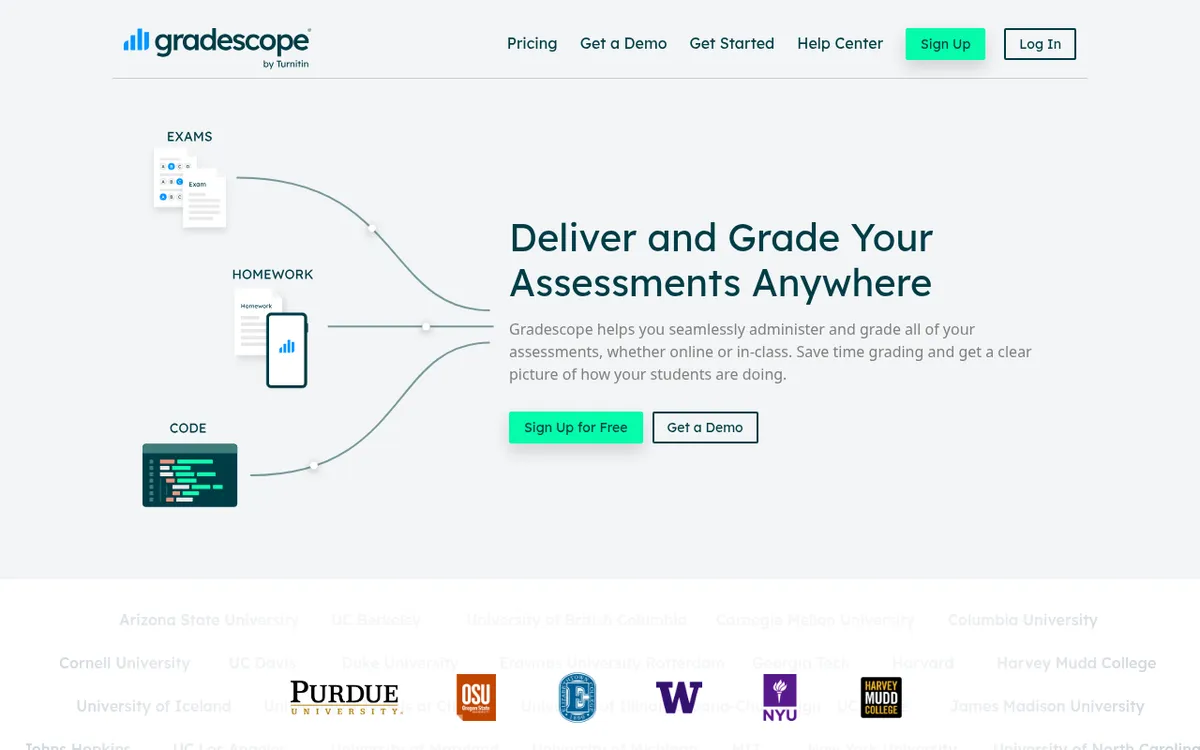
Gradescope is an online assessment platform designed to streamline the grading process for educators. Originally developed by instructors at UC Berkeley and now owned by Turnitin, it helps teachers grade paper-based exams, digital assignments, bubble sheets, and programming projects—all in one place.
The platform has impressive scale: over 700 million questions graded, 2,600+ universities using it, and 140,000+ instructors on board. Major institutions like MIT, Stanford, Harvard, Cornell, and UC Berkeley rely on it daily.
Here's the core idea: instead of grading each student's work individually from start to finish, Gradescope lets you grade question-by-question across all students. Combined with AI-assisted answer grouping, rubrics that update retroactively, and detailed analytics, grading that once took hours can take minutes.
How Gradescope Works
The workflow varies slightly depending on assignment type, but the general process is:
For Paper-Based Exams:
- Create a PDF template of your exam
- Students take the exam on paper
- Scan all exams and upload to Gradescope
- The system separates pages by student
- Grade question-by-question using rubrics
- Publish grades with one click
For Digital Homework:
- Create the assignment in Gradescope
- Students upload PDFs or photos of their work
- Grade submissions using flexible rubrics
- AI groups similar answers for batch grading
- Export grades to your LMS
For Programming Assignments:
- Set up your autograder with test scripts
- Students submit code (directly or via GitHub/Bitbucket)
- Autograder runs tests automatically
- Add manual grading for style/documentation
- Students get immediate feedback
For Bubble Sheets:
- Create your answer key
- Scan student bubble sheets
- Gradescope auto-grades and separates by version
- Review flagged items
- Export results and analytics
Key Features
AI-Assisted Answer Grouping
This is Gradescope's killer feature. For short-answer and multiple-choice questions, the AI automatically groups similar student responses together. Instead of grading 250 individual answers, you might grade 15-20 groups.
One instructor reported grading 10 multiple choice questions for 250 students in 15 minutes. Another said a problem that would take an hour by hand took just 10 minutes with grouping.
Important: AI-assisted grading and answer grouping are part of the Institutional license—not available on basic plans.
Dynamic Rubrics
Build rubrics before or during grading. The game-changer: if you change a rubric item after grading some submissions, Gradescope automatically applies the change to all previously graded work.
This solves a massive problem. You're grading exam #47 when you realize your rubric doesn't account for a creative approach students are taking. Update the rubric, and it retroactively applies to all 46 previously graded exams.
Code Autograder
For CS courses, Gradescope's autograder is powerful:
- Supports any programming language
- Students get immediate feedback on submission
- Combine autograding with manual review
- Code Similarity tool detects potential plagiarism across 12+ languages
- Integration with GitHub and Bitbucket
You write setup and test scripts following Gradescope's specifications, and the platform handles running student code in Docker containers on AWS.
Multi-Grader Collaboration
Multiple TAs and instructors can grade simultaneously with:
- Synchronized rubrics across all graders
- Comment banks for consistent feedback
- Activity tracking for transparency
- Question-by-question grading to split work efficiently
Anonymous Grading
Available with Institutional license, anonymous grading hides student names, emails, and IDs during grading. Students are identified only by random alphanumeric codes that change between assignments. This reduces bias and improves grading consistency.
Regrade Requests
Students can submit regrade requests with justification statements directly through the platform. This eliminates argumentative email chains and creates a documented trail of all grading discussions.
LMS Integration
Gradescope connects with major learning management systems:
- Canvas
- Blackboard
- Moodle
- Brightspace
- Sakai
Rosters sync automatically, and grades export directly to your gradebook with one click.
Detailed Analytics
Get per-question and per-rubric statistics to understand:
- Which concepts students are struggling with
- How individual questions performed
- Grade distributions
- Common mistakes across the class
Pricing
Gradescope offers tiered pricing based on features needed:
| Plan | Price | Key Features |
|---|
| Basic | $1/student/course | Assignment statistics, regrade requests, grade export, late submissions |
| Solo | $3/student/course | AI-assisted grading, code autograder, bubble sheets, dedicated support |
| Team | $3/student/course | Collaborative grading, unlimited course staff, shared rubrics |
| Institutional | Custom quote | All features, anonymous grading, answer grouping, campus-wide deployment |
Gradescope offers free accounts for individual instructors with basic features. No credit card required to start.
Important notes:
- AI-assisted answer grouping requires Institutional license
- Programming assignments with autograder require Solo plan or higher
- Many universities have institutional licenses—check with your IT department
Pros and Cons
What Works Well ✓
- Dramatic time savings — Instructors consistently report 50-80% reduction in grading time
- Consistent grading — Rubrics ensure fairness across hundreds of submissions
- Retroactive rubric changes — Fix scoring issues without re-grading everything
- Excellent for STEM — Strong support for equations, diagrams, and code
- Immediate student feedback — Students see grades and comments as soon as you publish
- No more paper shuffling — Everything digital, searchable, and organized
- Works with existing materials — No need to redesign your assessments
- Multi-grader coordination — TAs and instructors stay synchronized
- Detailed analytics — Actually understand what students learned
- Solid LMS integration — Works with Canvas, Blackboard, Moodle, etc.
What Could Be Better ✗
- Learning curve — Initial setup and training takes time
- Complex rubrics are tedious — Collapsed sections require extra clicks
- Scanning hassle — Paper exams still need to be scanned and uploaded
- Cost adds up — Per-student pricing can be expensive for individual instructors
- Best features locked to Institutional — AI grouping requires enterprise license
- Not a plagiarism detector — Code Similarity shows matches but doesn't determine intent
- Limited question types for online quizzes — Canvas Quizzes has more variety
- No built-in proctoring — Need separate tools for exam monitoring
Gradescope vs Alternatives
Gradescope vs Canvas Assignments
| Feature | Gradescope | Canvas Assignments |
|---|
| Best For | Complex grading, STEM, large classes | Simple submissions, humanities |
| Rubric Flexibility | Dynamic, retroactive updates | Static once applied |
| AI Assistance | Answer grouping, OCR | None |
| Code Grading | Full autograder support | Basic file submission |
| Cost | $1-3/student + institutional | Included with Canvas |
| Learning Curve | Moderate | Low |
You have large classes, grade math/science/code, need detailed analytics, or want AI-assisted grading.
Choose Canvas if: Simple assignments, small classes, or you want to minimize tools.
Gradescope vs Turnitin Feedback Studio
| Feature | Gradescope | Feedback Studio |
|---|
| Focus | Grading efficiency | Writing integrity |
| AI Detection | No | Yes |
| Plagiarism Check | Code similarity only | Full plagiarism detection |
| Best For | STEM, exams, code | Essays, research papers |
| Rubrics | Dynamic, flexible | Standard |
You're grading problem sets, exams, or code.
Choose Feedback Studio if: Academic integrity for written work is your priority.
Gradescope vs Crowdmark
| Feature | Gradescope | Crowdmark |
|---|
| AI Features | Answer grouping | Limited |
| Code Grading | Full autograder | Manual only |
| Bubble Sheets | Yes | No |
| Focus | STEM, programming | General assessments |
| Pricing | Per student | Per student |
You need code autograding or bubble sheet support.
Choose Crowdmark if: Simpler needs without programming assignments.
Who Should Use Gradescope?
Best For:
Large Enrollment Courses If you're grading hundreds of exams, Gradescope's efficiency gains are transformative. The question-by-question approach with answer grouping turns a weekend of grading into an afternoon.
STEM Instructors Math, science, engineering, and CS courses benefit most. The platform handles equations, diagrams, handwritten work, and code elegantly.
Computer Science Departments The autograder is genuinely useful. Students get immediate feedback, you save hours of manual checking, and code similarity catches potential academic integrity issues.
Courses with Multiple Graders When TAs and instructors share grading responsibilities, Gradescope's synchronized rubrics and collaboration features maintain consistency.
Institutions Wanting Data If your department needs analytics for accreditation or curriculum improvement, Gradescope provides question-level performance data that's hard to get otherwise.
Not Ideal For:
Small Classes (Under 20) The setup overhead may not justify the time savings for very small courses.
Primarily Discussion-Based Assessment If your courses rely on participation, presentations, or verbal assessment, Gradescope won't help much.
Budget-Constrained Individual Instructors Without an institutional license, per-student costs add up. The free tier is limited.
Fully Online Quizzes Only Canvas New Quizzes or other native LMS tools might be simpler if you only need online assessments.
Tips for Getting Started
Check for institutional access first. Many universities already have Gradescope licenses. Contact your teaching center or IT department before paying out of pocket.
Start with one assignment. Don't convert your entire course at once. Test with a single exam or homework to learn the workflow.
Design exams with Gradescope in mind. Leave clear answer boxes, include student ID fields in consistent locations, and use formatting that scans well.
Build rubrics during grading. You don't need perfect rubrics beforehand. Start grading and refine as you see actual student responses.
Use the mobile app for scanning. Students can upload handwritten work directly using the Gradescope app—no need for them to find a scanner.
Leverage keyboard shortcuts. Once you're grading, keyboard shortcuts dramatically speed up the process. Learn them early.
Set up code autograders incrementally. Start with basic tests, then add complexity. The documentation is comprehensive but dense.
Take advantage of answer grouping. For exams with Institutional license, AI grouping is the biggest time saver. Structure questions to make grouping effective.
Common Questions
Is Gradescope free?
There's a free tier with basic features for individual instructors. Advanced features like AI-assisted grading, code autograder, and anonymous grading require paid plans ($1-3/student) or institutional licenses.
Does Gradescope detect AI-generated content?
No. Gradescope focuses on grading efficiency, not AI detection. For that, you'd need Turnitin's other products or separate AI detection tools.
Can students cheat on Gradescope?
Gradescope is an assessment platform, not a proctoring solution. For online exams, you'd need additional proctoring tools. The Code Similarity feature can flag potential plagiarism in programming assignments but doesn't work for written content.
How long does setup take?
Creating your first assignment takes 30-60 minutes to learn the interface. After that, setup is much faster. The autograder requires more initial investment but saves significant time once running.
Does it work with handwritten math?
Yes. Gradescope's OCR can recognize handwritten math and equations. The AI grouping works with Math Fill-in-the-Blank questions to cluster similar mathematical expressions.
Can I export grades to my LMS?
Yes. Gradescope integrates with Canvas, Blackboard, Moodle, Brightspace, and Sakai. Grades sync with one click or can be exported as CSV.
Final Verdict
Rating: 4.5/5
Gradescope genuinely delivers on its promise to save grading time. For STEM courses, large enrollment classes, and programming assignments, it's close to essential. The question-by-question approach, dynamic rubrics, and AI-assisted grouping fundamentally change how grading works.
The platform shines brightest at scale. If you're grading 200+ exams with multiple TAs, the efficiency gains are transformative. If you're a solo instructor with 20 students in a humanities course, the value proposition is less clear.
Strengths: Massive time savings, consistent grading, excellent for STEM/code, strong analytics, retroactive rubric updates.
Weaknesses: Learning curve, best features require institutional license, per-student costs add up.
Recommendation: If your institution has a license, absolutely use it—there's no reason not to. If you're paying out of pocket, calculate whether the time savings justify the cost for your specific situation. For CS courses with programming assignments, it's almost certainly worth it. For small humanities classes, probably not.
Looking for more tools to enhance your teaching? Check out our guides on AI tools for teachers, automated grading systems, and how AI is transforming education.