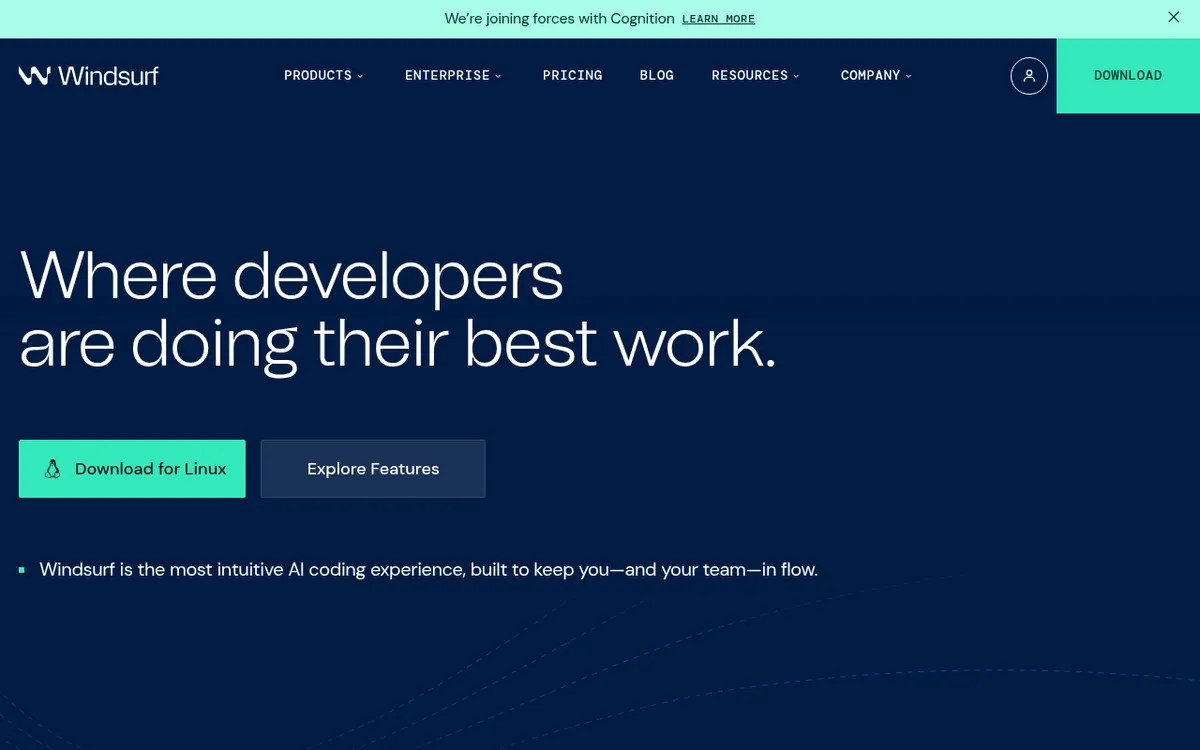
Windsurf Review 2025: The First Truly Agentic IDE That's Redefining AI-Powered Development
The race to build the ultimate AI coding assistant has produced many contenders, but few have captured developer attention quite like Windsurf. Named a Leader in the 2025 Gartner® Magic Quadrant™ for AI Code Assistants, this editor doesn't just autocomplete your code—it understands your entire project, anticipates your intent, and executes multi-file changes while you stay in flow state.
With over 800,000 active developers, $82M ARR, and a dramatic corporate saga involving OpenAI's failed $3 billion acquisition, Google's $2.4 billion acqui-hire, and Cognition's strategic purchase, Windsurf has become one of the most talked-about development tools of 2025. But beyond the headlines, does it actually deliver on the promise of making developers feel like they have superpowers? This comprehensive review examines what makes Windsurf different, where it excels, and whether it deserves a place in your development workflow.
What is Windsurf?
Windsurf is an AI-native integrated development environment (IDE) that combines powerful AI agents with intuitive co-pilots to create what the company calls "the first agentic IDE." Unlike tools that bolt AI onto existing editors, Windsurf was designed from the ground up with AI as the core of every workflow—not an afterthought.
Originally launched as Codeium in October 2022, the company rebranded to Windsurf in April 2025, reflecting its evolution from an autocomplete plugin to a complete AI-native development environment. The founders, MIT classmates Varun Mohan (CEO) and Douglas Chen, built Windsurf on a simple insight: most AI coding assistants miss 80% of what developers actually do. Software development isn't just writing code—it's debugging, refactoring, navigating dependencies, running tests, reading documentation, and coordinating changes across dozens of files.
At the heart of Windsurf is Cascade, an intelligent agent that maintains deep contextual awareness across your entire codebase. Cascade doesn't just respond to prompts—it tracks your files, terminal history, clipboard actions, and even your browsing behavior to understand what you're building and offer help based on real context, not just what you type.
The platform is now owned by Cognition (makers of the autonomous agent Devin) following a complex acquisition in July 2025. After OpenAI's $3 billion acquisition offer collapsed due to Microsoft IP rights conflicts, Google executed a $2.4 billion "reverse acqui-hire," hiring the founders and licensing the technology. Cognition then acquired the remaining team and technology for an estimated $250 million, creating a powerful combination: Devin's autonomous coding capabilities integrated into Windsurf's developer-centric IDE.
Key Features
| Feature | Description | Benefit |
|---|
| Cascade AI Agent | Context-aware AI that understands your entire project | Multi-file edits, intelligent debugging, automated refactoring |
| Windsurf Tab | Advanced autocomplete beyond simple predictions | Predicts intent, generates entire functions with docstrings |
| SWE-1 Model Family | Proprietary models built for software engineering | Optimized for the complete development workflow, not just coding |
| SWE-1.5 Fast Agent | Latest model at 950 tok/s (6x faster than Haiku 4.5) | Near-SOTA performance without sacrificing speed |
| Flow Awareness | Shared timeline between human and AI | Seamless collaboration, AI understands incomplete work states |
| In-Editor Preview | Live website preview directly in IDE | Click any element, let Cascade reshape it instantly |
| One-Click Deploy | Deploy to Netlify directly from editor | Ship faster without context-switching |
| Memories | AI remembers your codebase and workflow preferences | Consistent, personalized assistance across sessions |
| Auto Lint Fix | Automatically detects and fixes lint errors | Cleaner code without manual intervention |
| MCP Integration | Connect custom tools and services | Enhanced AI workflows with curated MCP servers |
| Image-to-Code | Drop images into Cascade | Generate HTML/CSS/JS from screenshots |
| Terminal AI | ⌘+I in terminal for command assistance | Never forget a terminal command again |
| Turbo Mode | Auto-execute terminal commands | Faster iteration, less manual confirmation |
| DeepWiki | Documentation system from Devin integration | Quickly understand unfamiliar codebases |
| Dev Containers | Container-based development environments | Consistent, reproducible setups |
| Windsurf Reviews | AI-powered code review tools | Team collaboration and quality assurance |
| Multi-IDE Support | Standalone Editor + JetBrains plugin | Use in your preferred environment |
| BYOK Support | Bring Your Own API Key | Use your own model provider (Free/Pro only) |
How Windsurf Works
Windsurf operates on a revolutionary concept called AI Flows—collaborative intelligence where you and the AI operate on the same state at all times, creating what the team calls a "mind-meld experience."
Step 1 - Project Understanding: When you open a project, Windsurf's Indexing Engine analyzes your entire codebase, not just open files. It builds deep contextual awareness that powers all AI features.
Step 2 - Cascade Collaboration: Instead of just responding to prompts, Cascade tracks your actions—file edits, terminal commands, clipboard contents, browser activity. It uses all this context to offer relevant suggestions proactively.
Step 3 - Flow-Aware Development: The "shared timeline" concept means Cascade understands incomplete work. If it makes an error, you can jump in to correct it, and Cascade continues from your corrections seamlessly.
Step 4 - Multi-Surface Operation: Cascade works across your terminal, text editor, browser, and more. Ask it to run tests, check documentation, or implement a feature across multiple files—it handles the coordination.
Step 5 - Intelligent Completion: Windsurf Tab goes beyond autocomplete. It uses SWE-1-mini to predict your intent, generating entire functions with correct docstrings and logic tailored to your context.
Step 6 - Automatic Planning: With Wave 12, Cascade automatically decides when to create plans and to-do lists for long-running tasks—no manual toggle needed.
Step 7 - Preview and Deploy: See your website live in the IDE, click any element to edit, and deploy to Netlify with one click when ready.
SWE-1 Model Family: Built for Real Engineering
Unlike general-purpose LLMs, Windsurf's SWE-1 models are trained specifically for the complete software engineering lifecycle:
| Model | Availability | Purpose | Speed |
|---|
| SWE-1.5 | Paid users | Frontier agent model, near-SOTA performance | 950 tok/s (via Cerebras) |
| SWE-1 | Paid users | Advanced reasoning, comparable to Claude 3.5 Sonnet | Standard |
| SWE-1-lite | All users | Balanced performance, replaces Cascade Base | Standard |
| SWE-1-mini | All users | Ultra-fast passive predictions for Tab | Optimized for latency |
SWE-1 models handle incomplete work states, switch naturally between AI and human contributions, and support multiple surfaces (terminal, IDE, browser)—going beyond traditional coding assistance.
Pricing & Plans
| Plan | Price | Prompt Credits | Key Features |
|---|
| Free | $0/month | 25/month | Unlimited Tab, SWE-1 Lite, 1 deploy/day, app previews |
| Pro | $15/month | 500/month | All premium models, SWE-1.5, 5 deploys/day, Fast Context, unlimited features |
| Teams | $30/user/month | 500/user/month | Centralized billing, admin analytics, priority support, Windsurf Reviews |
| Teams + SSO | +$10/user/month | — | SSO + access control features |
| Enterprise (≤200) | Custom | 1,000/user/month | RBAC, volume discounts, hybrid deployment, account management |
| Enterprise (>200) | Custom | Custom | All Enterprise features + custom arrangements |
- Pro: $10 for 250 credits
- Teams/Enterprise: $40 for 1,000 pooled credits
Credit System:
- 1 prompt credit = 1 message to Cascade with a premium model
- Actions Cascade takes (file searches, edits, etc.) don't consume additional credits
- SWE-1 Lite and SWE-1-mini = 0 credits (free for all users)
- Credits don't roll over (except add-on purchases)
- Automatic Credit Refills available to prevent disruption
Student Pricing: Available through the Students program
BYOK (Bring Your Own Key): Free and Pro users can connect their own API keys for models like Claude, using their own billing instead of Windsurf credits.
Pros and Cons
Pros ✓
- True agentic IDE — AI understands complete context, not just current file
- Exceptional multi-file editing — implements features across API, models, UI, and tests consistently
- Flow awareness — seamless handoff between human and AI contributions
- SWE-1.5 speed breakthrough — 950 tok/s, 6x faster than Haiku 4.5
- Simplified pricing — pay per prompt, not per action (more predictable)
- Generous free tier — 25 credits/month, unlimited Tab, SWE-1 Lite access
- No vendor lock-in — export code freely, BYOK support
- JetBrains integration — use Cascade in your preferred IDE
- Devin features integrated — DeepWiki, enhanced planning, reliable tools
- Memories persist — AI remembers your workflow across sessions
- Auto lint fixing — catches and fixes errors automatically
- In-editor preview & deploy — ship without context-switching
- Active development — Wave 12 brings significant improvements
- Gartner Leader — recognized in 2025 Magic Quadrant for AI Code Assistants
- Privacy options — zero-day retention available, on-premises deployment for Enterprise
Cons ✗
- Credits can deplete fast — complex projects may require higher tiers
- Learning curve for prompting — getting best results requires practice
- Internet required — AI features need connectivity (core editing works offline)
- New ownership uncertainty — Cognition acquisition may change direction
- Enterprise-only features — SSO, RBAC, hybrid deployment cost extra
- BYOK not available for Teams — must use Windsurf-metered credits
- Complex projects need refinement — AI output sometimes needs manual cleanup
- Token-based billing for some models — costs vary by model usage
- Free tier limitations — 25 credits restricts experimentation
- Competitive market — Cursor, Copilot constantly improving
Who Should Use Windsurf?
Developers Who Want End-to-End Assistance — If your work involves implementing features across multiple files, refactoring entire codebases, or onboarding to unfamiliar projects, Windsurf's multi-file capabilities pay for themselves quickly.
Solo Founders and Indie Hackers — Build MVPs faster without assembling a stack of separate tools. Windsurf handles scaffolding, debugging, documentation, and deployment in one environment.
Teams Needing Collaboration Tools — Teams plan offers centralized billing, admin analytics, and Windsurf Reviews for code quality. Enterprise adds RBAC, SSO, and compliance features.
Beginners Who Prefer Guided Interactions — Windsurf's UX is more intuitive than Cursor for newcomers. The guided, less "fiddly" experience helps those new to AI coding tools.
Developers Tired of Boilerplate — If you spend hours on setup, configuration, and repetitive tasks, Windsurf automates the tedious parts so you focus on creative work.
Not Ideal For:
- Developers who only need inline autocomplete (Copilot may suffice)
- Users who prefer granular control over every AI suggestion
- Teams that can't use cloud services (unless on Enterprise with hybrid deployment)
- Price-sensitive users who need predictable monthly costs (credits can vary)
- Organizations requiring features Windsurf doesn't yet offer
Windsurf vs Alternatives
| Feature | Windsurf | Cursor | GitHub Copilot | Replit | Bolt.new |
|---|
| Primary Focus | Agentic IDE | AI code editor | Inline assistance | Cloud IDE | Browser app builder |
| Architecture | Standalone + JetBrains | VS Code fork | IDE plugin | Web-based | Browser-based |
| AI Agent | Cascade (deep context) | Composer | Limited | Ghostwriter | Claude 3.5 |
| Multi-File Edits | Excellent | Strong | Basic | Good | Strong |
| Proprietary Models | SWE-1 family | No | GPT-4 based | Ghostwriter | No |
| Free Tier | 25 credits/month | Limited | None | Free tier | 1M tokens/month |
| Starting Price | $15/month | $20/month | $10/month | $25/month | $20/month |
| Deploy Integration | Netlify built-in | Manual | Manual | Built-in | Netlify built-in |
| Team Features | Teams plan | Business plan | Enterprise | Teams plan | Teams plan |
| Best For | End-to-end development | Power users | Inline completion | Collaboration | Rapid prototyping |
excels at multi-file reasoning, project-wide context, and agentic task execution. Best for developers who want AI to handle structured tasks end-to-end.
Cursor offers superior raw speed and control, preferred by experienced developers who want AI that feels like an extension of their own thoughts. VS Code compatibility is a plus.
GitHub Copilot dominates inline autocomplete within existing workflows. Less capable for multi-file edits but deeply integrated with GitHub ecosystem.
Replit shines for collaboration and education with persistent cloud environments. Less focused on agentic capabilities.
Bolt.new targets rapid prototyping in browser, generating complete apps from prompts. Less suitable for production development than Windsurf.
Wave 12: Devin Features in Windsurf
The August 2025 Wave 12 update brought Cognition's Devin capabilities directly into Windsurf:
DeepWiki Integration: Documentation system that helps engineers quickly understand unfamiliar codebases. Originally built for Devin, now available in your IDE.
Automatic Planning: Cascade intelligently decides when to create plans and to-do lists for long-running tasks—no manual toggles.
Revamped Tools: More accurate edits, better code exploration leveraging long context of new models. Faster, smarter, more reliable.
Vibe and Replace: New editing paradigm for rapid iteration.
Dev Containers: Container-based development environments for consistent setups.
Enhanced Tab: Powered by a new system with more frequent, smarter suggestions.
Tips for Getting Started
Start with the free tier to understand Windsurf's flow before committing. 25 credits let you experience Cascade's capabilities, and unlimited Tab shows the autocomplete quality.
Let Cascade analyze your project first. Open your codebase and let the Indexing Engine build context. The initial investment in understanding pays dividends in suggestion quality.
Use Discussion Mode for planning. Before implementing, discuss architecture and approach with Cascade. This helps scope work and avoids wasted credits on wrong directions.
Leverage SWE-1 Lite for routine tasks. It's free and handles most development work effectively. Save premium models for complex reasoning tasks.
Enable Memories. Let Windsurf learn your preferences and workflow patterns. Consistent assistance across sessions improves over time.
Try image-to-code for design implementation. Drop screenshots into Cascade to generate matching HTML/CSS/JS—faster than coding from scratch.
Use Terminal AI liberally. ⌘+I in terminal surfaces command suggestions without breaking flow. Especially useful for unfamiliar CLI tools.
Set up MCP integrations. Connect your tools and services for enhanced AI workflows. Curated servers available in settings for one-click setup.
Consider BYOK for heavy usage. If you're on Pro and using Claude heavily, connecting your own API key can be more cost-effective than credits.
Join the Discord community. Active users share prompting strategies, workflow tips, and solutions to common challenges.
Final Verdict
Rating: 8.9/10
Windsurf represents a genuine leap forward in AI-assisted development. Where most tools feel like "autocomplete on steroids," Windsurf delivers on the promise of an AI that can actually ship features—understanding project context, coordinating multi-file changes, and maintaining flow awareness throughout development sessions.
The Wave 12 integration of Devin's capabilities makes Windsurf more powerful than ever. The SWE-1 model family, especially the blazing-fast SWE-1.5, demonstrates that you don't have to choose between AI that thinks fast and one that thinks well. Being named a Leader in Gartner's 2025 Magic Quadrant validates what many developers have experienced firsthand.
The simplified credit-based pricing is more predictable than action-based models, though costs can still add up for heavy users. The free tier is generous enough to evaluate the platform seriously, and the $15/month Pro plan offers substantial value for professional developers.
Questions remain about the platform's direction under Cognition ownership, but the continued rapid development (Wave 12 shipped weeks after the acquisition) suggests commitment to the product. The integration of Devin features specifically positions Windsurf as more than just an IDE—it's becoming the interface for AI-powered software engineering.
Recommendation: Windsurf is highly recommended for developers who want AI assistance that goes beyond autocomplete to actually understand and execute on their projects. It's particularly powerful for multi-file implementations, codebase onboarding, and teams seeking collaborative AI tools. Start with the free tier to experience the Cascade difference, then upgrade to Pro when you're ready to unlock full potential. For teams and enterprises, the collaboration features and compliance options make it a serious contender against GitHub Copilot and Cursor.
Ready to experience the first truly agentic IDE? Start free at windsurf.com—let Cascade understand your codebase, implement features across files, and keep you in flow state. Join 800,000+ developers who've discovered that coding with AI doesn't have to mean constant context-switching. Download Windsurf and feel the difference of AI that truly flows with your work.